PLANET CS-2000 User Manual
Page 233
Advertising
CS-2000 UTM Content Security Gateway User’s Manual
- 227 -
Step10
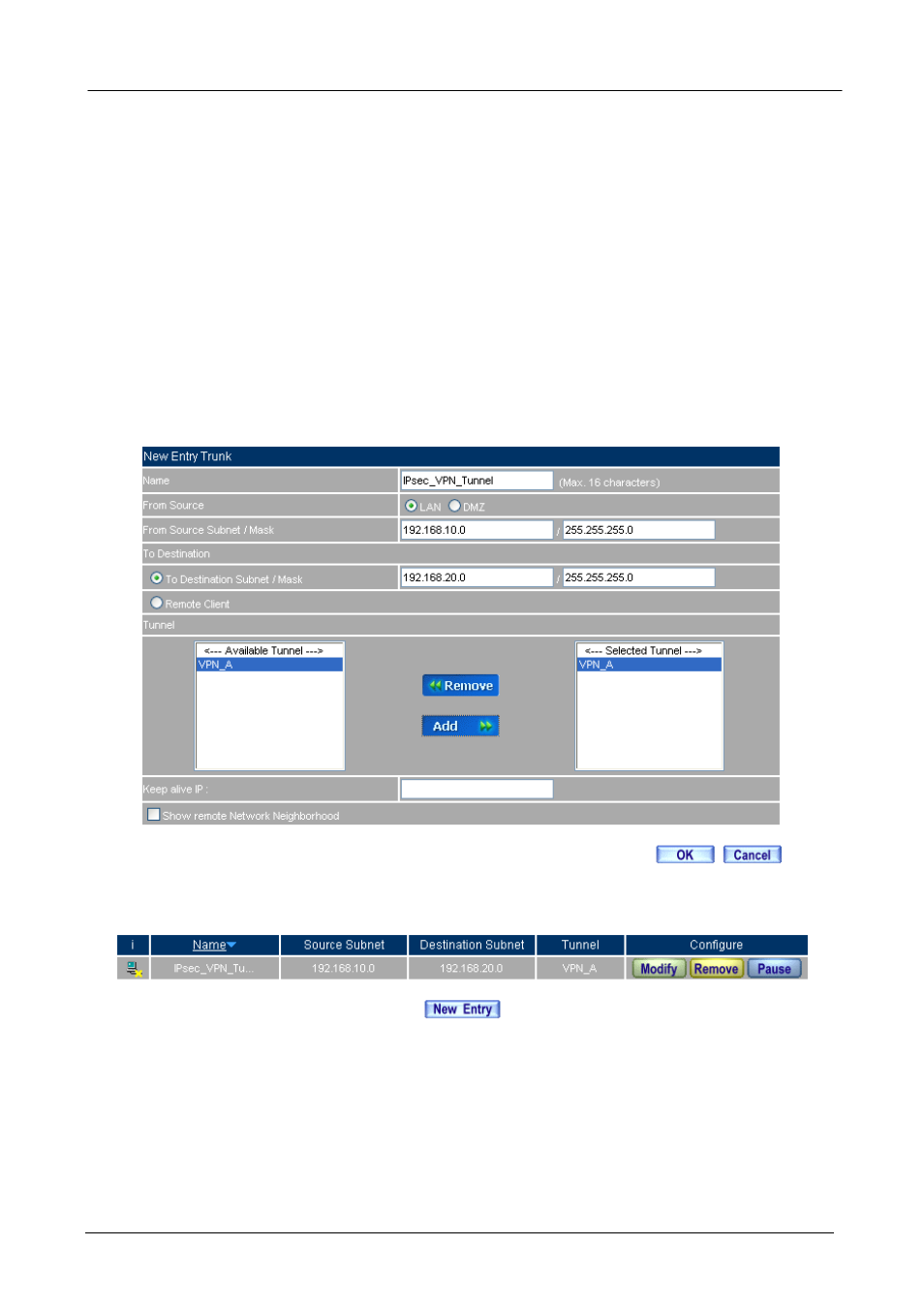
In VPN Æ VPN Trunk add the following settings:
Name, enter the Trunk name.
From Source, select LAN.
From Source Subnet / Mask, enter the LAN address (A Company) 192.168.10.0 and Mask
255.255.255.0.
To Destination, select To Destination Subnet / Mask.
Enter the destination LAN IP address (B Company) 192.168.20.0 and mask 255.255.255.0.
In
Tunnel, click Add, to add the VPN_A‘s IPSec VPN.
Select
show remote Network Neighborhood.
Click OK.
Add the VPN trunk setting
Complete the VPN trunk setting
Advertising