FujiFilm GFX 50S User Manual
Page 197
179
Shor
tcuts
9
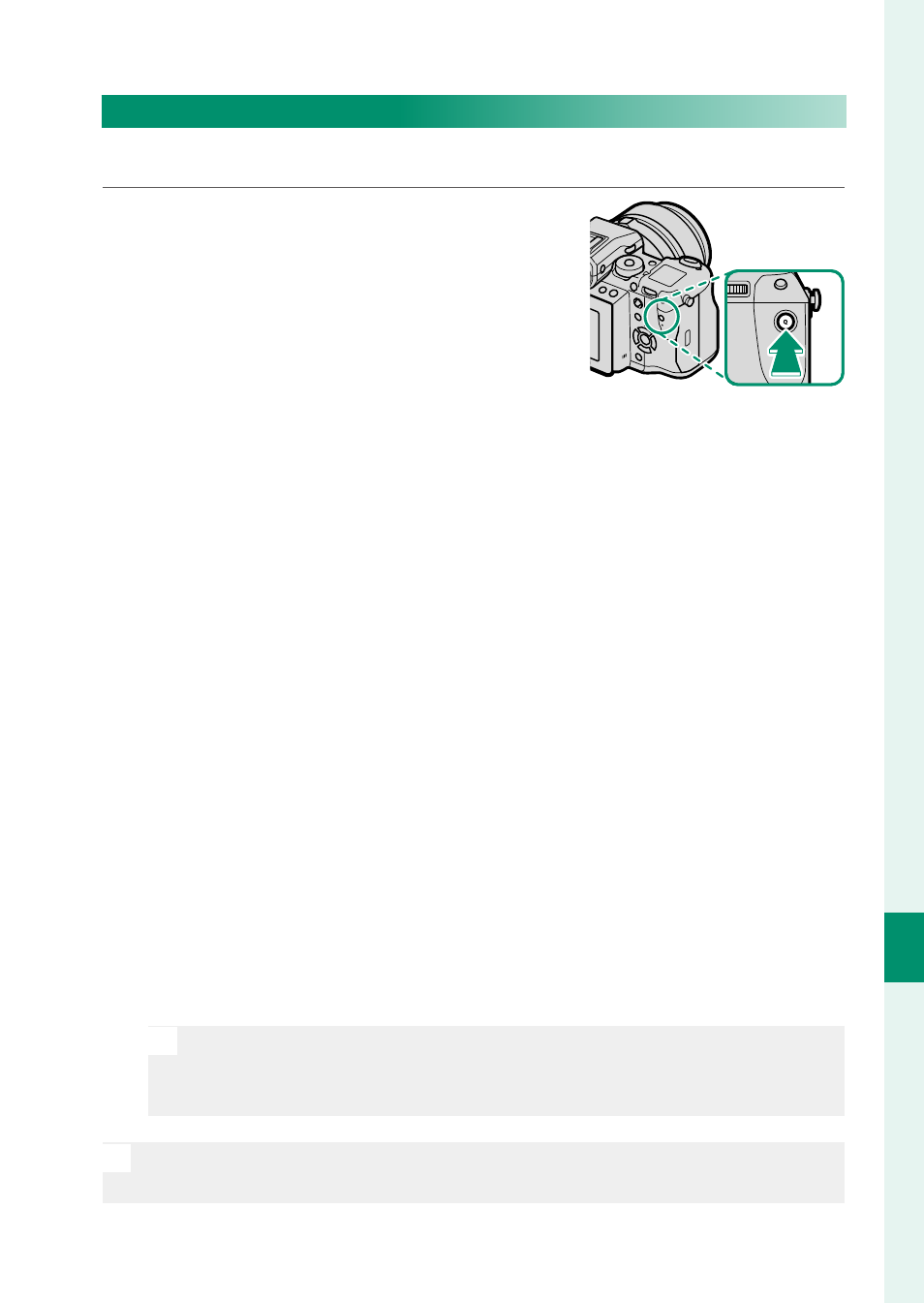
The Q (Quick Menu) Button
Editing the Quick Menu
To choose the items displayed in the quick menu:
1
Press and hold the Q button during
shooting.
2
The current quick menu will be displayed; use the selector
to highlight the item you wish to change and press MENU/OK.
3
Highlight any of the following options and press MENU/OK to
assign it to the selected position.
•
IMAGE SIZE
•
IMAGE QUALITY
•
FILM SIMULATION
*
•
GRAIN EFFECT
*
•
COLOR CHROME EFFECT
•
DYNAMIC RANGE
*
•
WHITE BALANCE
*
•
HIGHLIGHT TONE
*
•
SHADOW TONE
*
•
COLOR
*
•
SHARPNESS
*
•
NOISE REDUCTION
*
•
SELECT CUSTOM SETTING
*
•
AF MODE
•
AF-C CUSTOM SETTINGS
•
FACE/EYE DETECTION SETTING
•
MF ASSIST
•
TOUCH SCREEN MODE
•
SELF-TIMER
•
PHOTOMETRY
•
SHUTTER TYPE
•
FLASH FUNCTION SETTING
•
FLASH COMPENSATION
•
MOVIE MODE
•
MIC LEVEL ADJUSTMENT
•
EVF/LCD BRIGHTNESS
•
EVF/LCD COLOR
•
NONE
* Stored in custom settings bank.
N
Select NONE to assign no option to the selected position. When
SELECT CUSTOM SETTING is selected, current settings are
shown in the quick menu by the label BASE.
N
The quick menu can also be edited using
D BUTTON/DIAL SET-
TING > EDIT/SAVE QUICK MENU.