Sony GP-X1EM Grip Extension User Manual
Page 370
370
• Recalling a menu macro register and executing a menu
macro are not supported during menu macro execution
or in menu macro editing mode.
Recalling a menu macro register
1
Open the Macro >Menu Macro Register >Recall &
Run menu (5431).
2
Select a register.
3
Press [Recall X] (X is the number of the register
selected in the menu macro register list).
To execute the menu macro at the same time as
recalling the register
Press [Recall & Run X].
Executing a menu macro
1
In the Macro >Menu Macro Register >Recall & Run
menu (5431), recall the target menu macro register for
operation.
2
In the menu macro creation list, select the start event
to execute.
To change the event execution interval
Set the following parameter.
3
Press [Run].
To stop execution of a menu macro
Press [Stop].
To jump to the first event
Press [Rewind].
Recalling a menu macro register from a
macro register
Menu macro recall and execution operations can be saved
as events in a control panel macro, and then recalled.
If you execute a menu macro with the control panel in
macro editing mode, then this operation is recorded as an
event.
For details about operations for registering events, see the
following.
•
“Macro Operations (Numeric Keypad Control Block
and Utility/Shotbox Control Block)” (page 350)
•
“Macro Operations (Flexi Pad Control Block)”
(page 355)
•
“Macro Operations (Menu)” (page 359)
Registering a menu macro in the shortcut
menu
1
In the Home >Favorites >Button Edit menu (0023),
select a button to register.
2
Press [MenuMacro Set].
The Menu Macro Set menu (0023.1) appears.
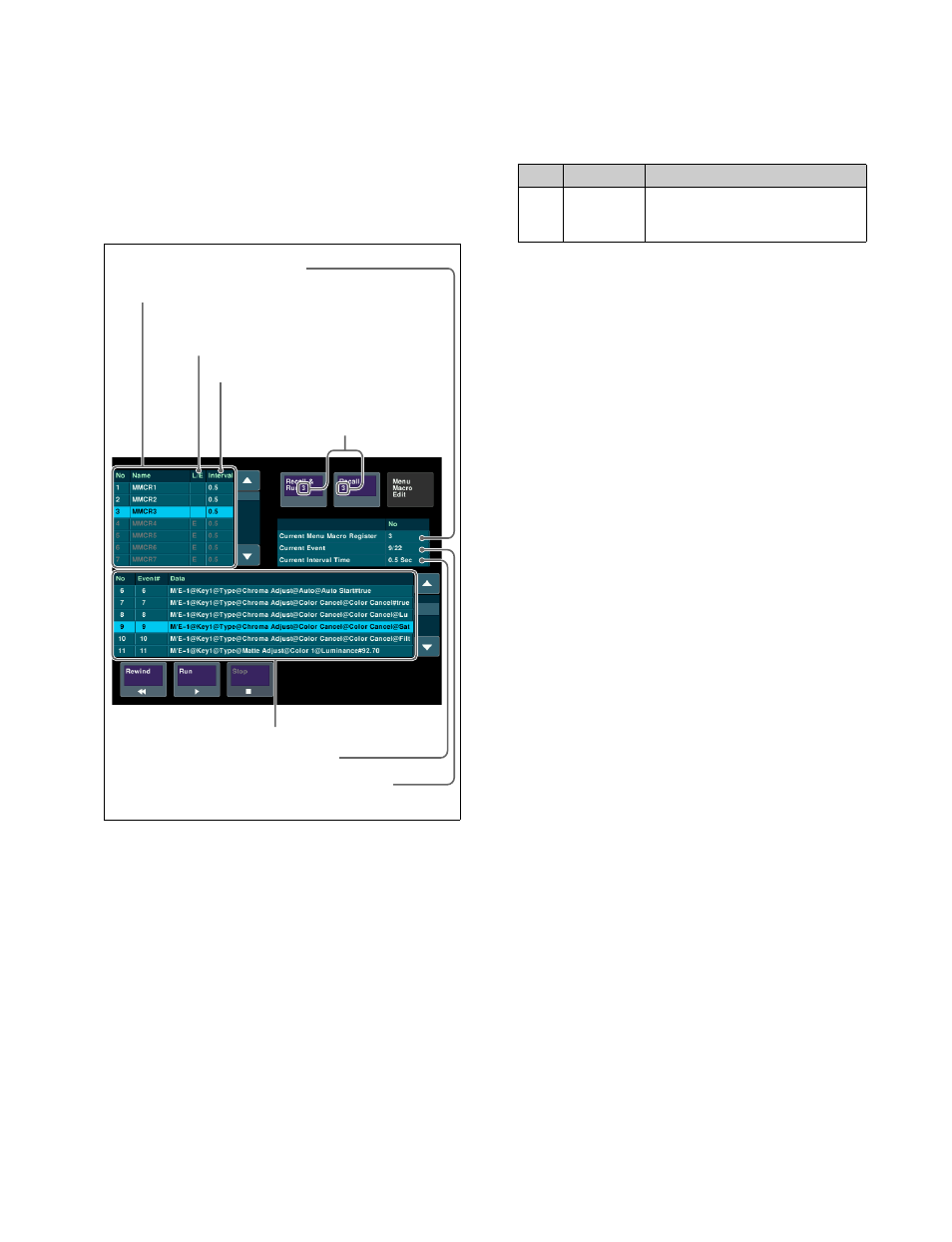
The L/E indicator indicates the following status.
L:
Locked register
E:
Empty register
3
In the list on the left, select the button number to
assign.
4
Press [Set].
Currently selected event number / total number
of events
Number of register selected in
the menu macro register list
Interval between events currently set
Event interval
L/E indicator: “L” indicates a locked register,
and “E” indicates an empty register.
Currently recalled register
Menu macro creation list
Menu macro register list
No.
Parameter
Adjustment
4
Current
Interval
(Sec)
Event interval (seconds)