Section 2.3 live desktop, Monitoring dashboard live control tabbed modules – NewTek TriCaster TC1 (2 RU) User Manual
Page 22
P a g e | 6
The
Home page
of the
Launch Screen
provides a number of important functions, notably allowing you to
create (and re-open)
sessions
. Sessions are an important concept
–
essentially a custom preset prepared for
an individual production or other purpose. Later, when you re-enter an existing session, all of its assets and
settings and even control states are remembered.
Selecting a session takes you
‘into’ the session. TriCaster
will show you the
Session Page
next, where you can
prepare
Graphics
(title pages),
Manage
content, and more
–
or launch the
Live Desktop
to begin production.
SECTION 2.3
LIVE DESKTOP
Your system’s
live production features are all available from the
Live
Desktop
, which in many ways mimics
familiar video production equipment (however, the
Live Desktop
provides far more functionality in its
integrated environment than similar single-purpose devices).
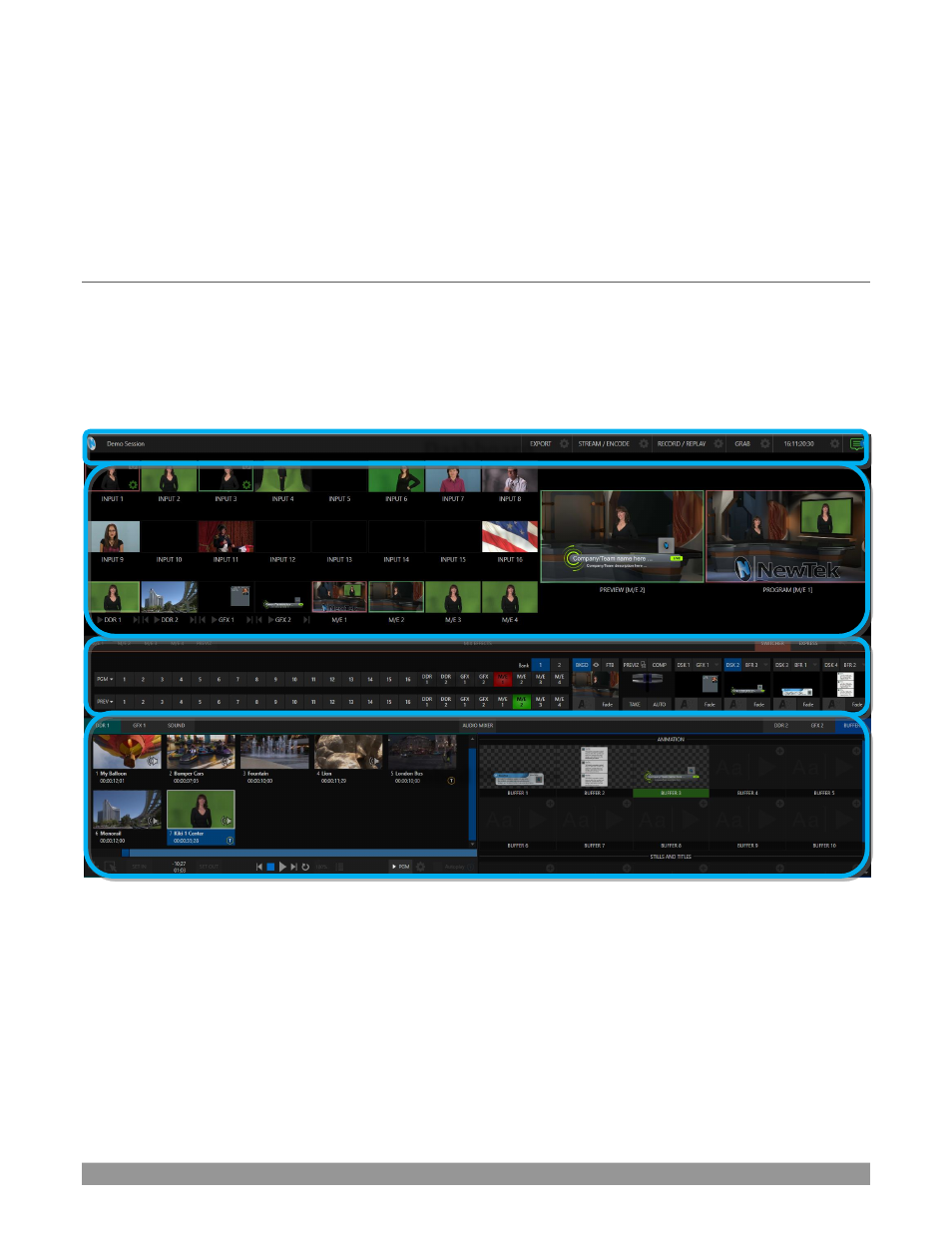
The various features, controls and modules comprising the
Live Desktop
are arranged in horizontal bands, as
seen in Figure 2.
FIGURE 2 (TC1 SHOWN)
•
The top-most band comprises a convenient and powerful
Dashboard.
•
The area just below the
Dashboard
is *normally devoted to a multi-pane monitoring display,
providing source and output views.
* This can be re-sized, even completely hidden; or the display can be customized to complement
external
Multiview(s),
or for numerous other purposes.
Monitoring
Dashboard
Live Control
Tabbed Modules