6 ptz options and titles, 7 layers & effects – NewTek TriCaster TC1 (2 RU) User Manual
Page 249
P a g e | 233
•
GRAB
–
Push to store snapshots from sources assigned in TriCaster's
Grab
Configuration
panel.
23.1.6
PTZ OPTIONS AND TITLES
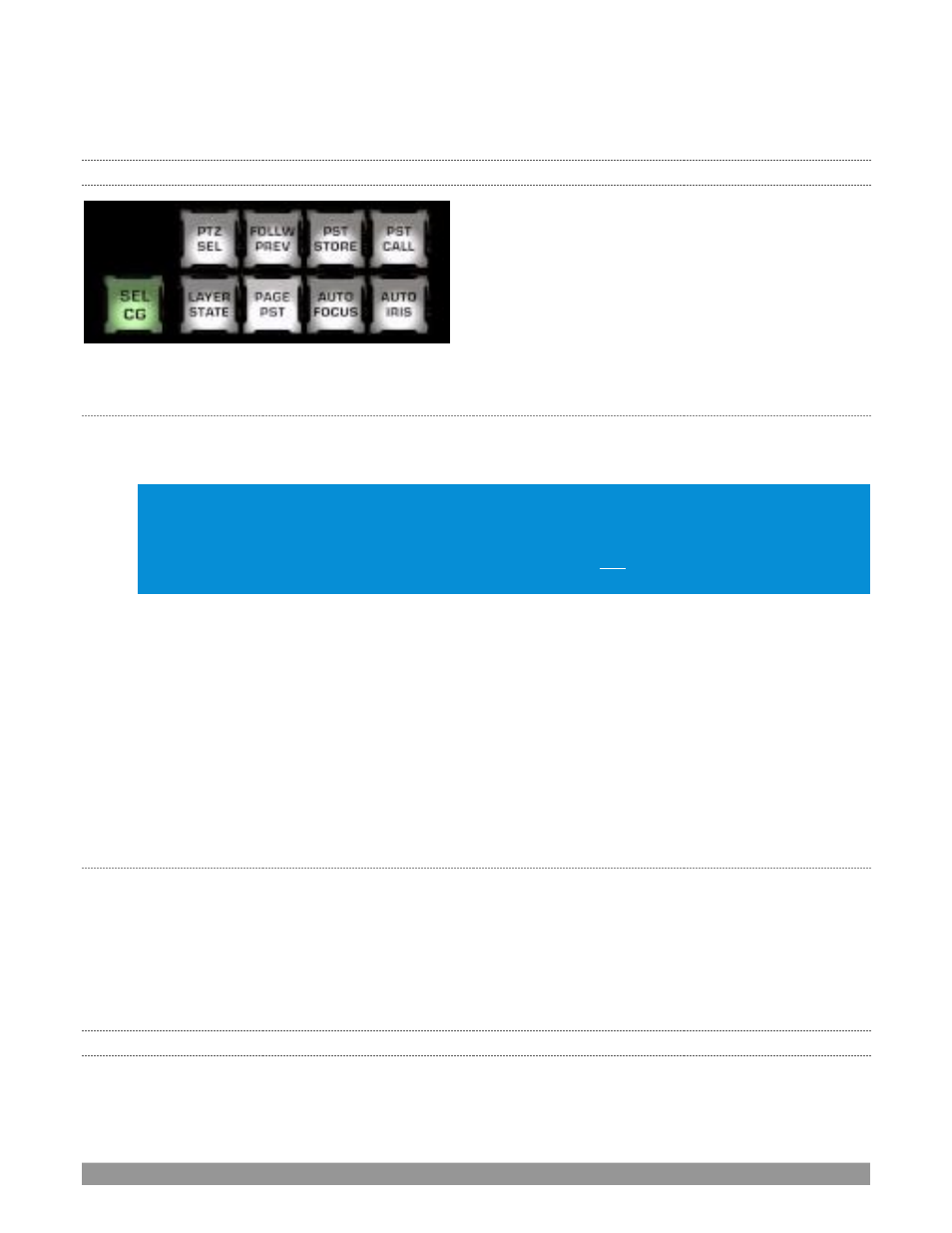
FIGURE 279
PTZ
C
ONTROL
B
UTTONS
•
PTZ SEL
–
Hold this button down and press a button in the KEY row at left to designate which camera
to control.
Note: Depending on TriCaster model and feature set, PTZ (pan-tilt-zoom) style operations are not limited
to ‘real’ PTZ cameras. Static cameras,
Media Players, and Buffers are among the different source types
that may benefit from ‘virtual PTZ’ functionality. And of course M/Es have similar capabilit
ies, courtesy of
COMP and Positioner features. For this reason, you can delegate any source that is qualified for Joystick
control on your system using the PTZ SEL button.
•
FOLLOW PREV
–
Toggle: When this button is lit, joystick delegation automatically tracks camera
selections made on the Switcher’s
Preview
row. (Assigning a source manually using
PTZ SEL
de-
activates this mode, and vice versa.)
•
PST STORE
–
Hold this button down and press button 1-15 in the KEY row at left to store the current
PTZ position for the currently selected camera to the designated PTZ preset.
•
PST CALL
–
Hold this button down and press button 1-15 in the KEY row at left to recall the
designated PTZ preset for the currently selected PTZ camera.
•
AUTO FOCUS
–
Toggle the autofocus setting for the currently selected PTZ camera.
•
AUTO IRIS
–
Toggle the auto iris setting for the currently selected PTZ camera.
T
ITLE
C
ONTROL
•
SEL
CG
–
Hold this button down and press button 1-15 in the KEY row at left to select a Buffer slot
containing the title page you wish to control.
•
LAYER STATE
–
Hold this button down and press button 1-15 in the KEY row at left to apply a title
page layer preset.
•
PAGE PST
–
Hold this button down and press button 1-16 in the KEY row at left to select and activate
a title page data preset having the same number.
23.1.7
LAYERS & EFFECTS
The layer and effect controls for the main
Switcher
and
M/E
column (all stripes) govern transitions and layer
visibility for the various video busses.