Network setup – OpenEye Gen6 X-Series User Manual
Page 71
72
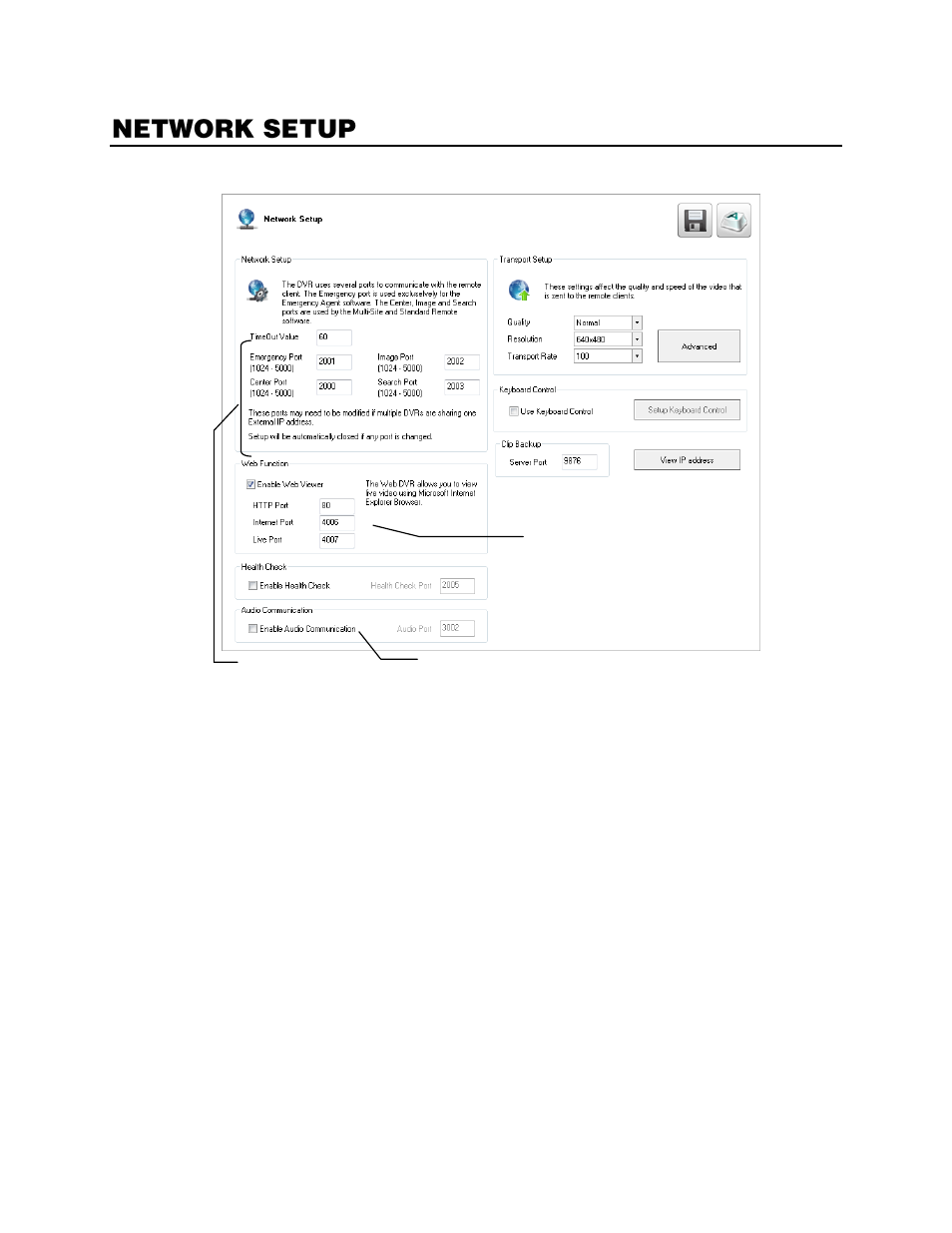
Network Setup allows you to adjust network settings such as Ports, and enable Remote Access.
Time Out Value
–
When attempting to connect to the recorder, if the connection does not succeed
during the timeout period (seconds), the connection will be terminated (
default: 60
).
Emergency Port
–
Connect with the Alarm Monitor software (
default port: 2001
).
Center Port
–
Connect with the OpenEye remote software (Remote, Radius, MDVR). This port must be
specified in the remote software to connect to the recorder (
default port: 2000
).
Note
Center Port 1025 is not available.
Image Port
–
Transfers the video to the OpenEye remote software (
default port: 2002
).
Search Port
–
Transfers search information to the OpenEye remote software (
default port: 2003
).
Note
If connecting to the recorder through a firewall, the above ports must be open to incoming and
outgoing traffic.
Health Check Port
–
Enable RADIUS to receive information regarding the health of the recorder
(
default port: 2005
).
Audio Port
–
Enable two-way audio (
default port: 3002
).
Transport Setup
–
Use this section to configure the quality and speed of the video sent to remote
clients.
Keyboard Control
–
Enable the recorder to work with a Keyboard Joystick Controller.
Clip Backup
–
Set the server port for clip backup (
default port: 9876
).
View IP Address
–
View the IP address of your recorder for use in remote access applications.
Enable two-way audio between recorder and Remote Client
Remote Client Ports
View live video via
Internet Explorer