Amprobe AT-5000 Underground-Wire-Tracer User Manual
Page 20
18
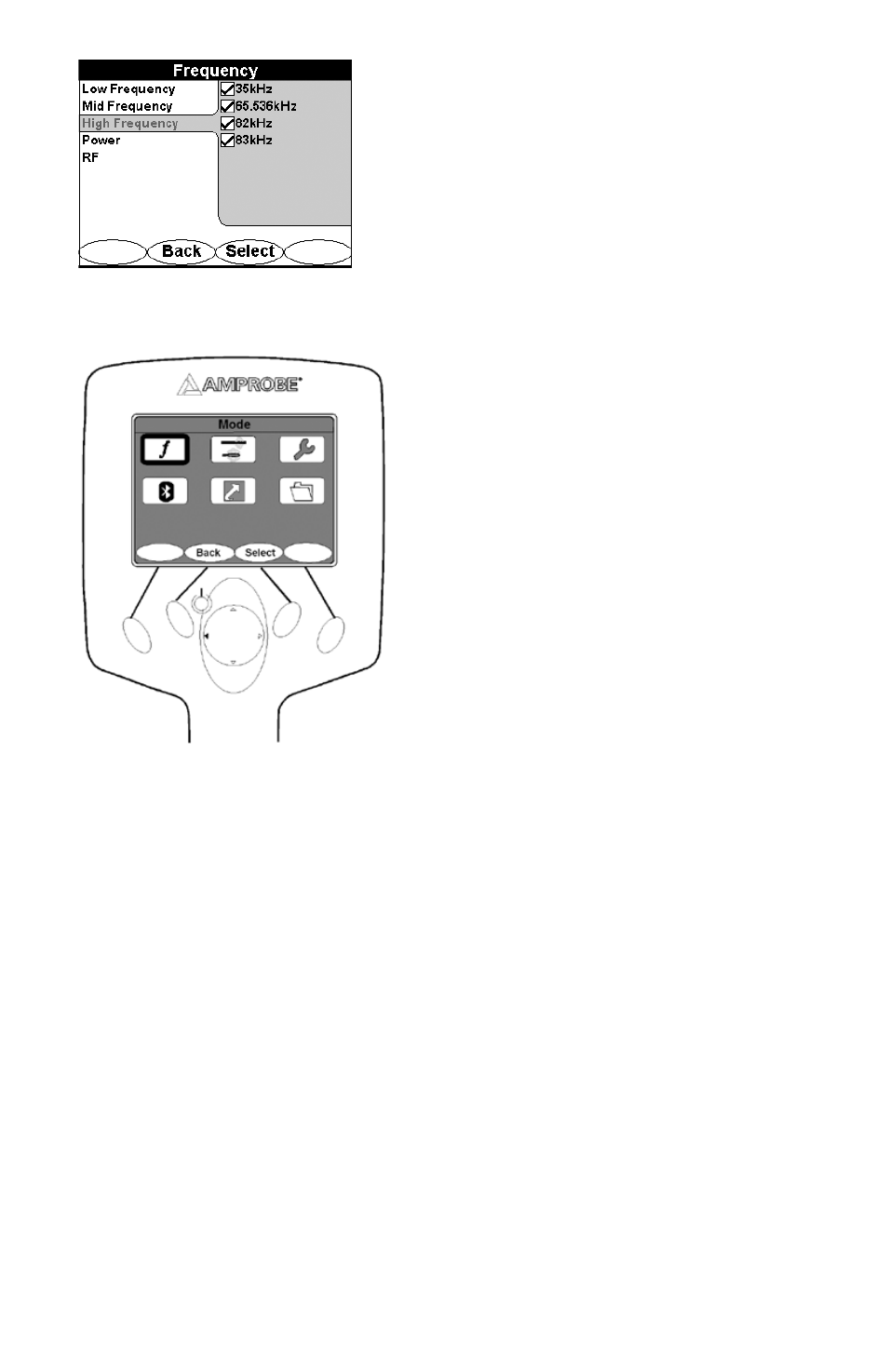
High Frequency: 82kHz
Power: 50Hz, 60Hz
RF: ALL RF frequencies
Push the 4-way navigation button (up/Down/Left/Right) to highlight the frequency menu.
•
Push the Select button to open the frequency menu
•
Push the 4-way navigation button (up or down) to select Low, Mid, High, Power, RF frequency range.
•
Push the 4-way navigation button(Left or right) to move to the frequency values
•
Push the 4-way navigation button(up or down) to toggle through the values
•
Push the Select button to activate or deactivate a value
•
Push Use button to confirm your choices
•
Push Back button to return to the previous menu interface or cancel the changes
•
NB. Deactivating frequencies does not permanently remove them from the R-5000 receiver. Access the frequency menu to
reactivate them.
Activated frequencies can be selected from the operational interface by Pushing the <Freq> soft key. Selecting fewer
frequencies allows faster toggling between frequencies from the operational interface.