5 serial port configuration, Erial, Onfiguration – PLANET ICS-2100 User Manual
Page 53
User’s Manual of ICS-210x
-49-
4.5 Serial Port Configuration
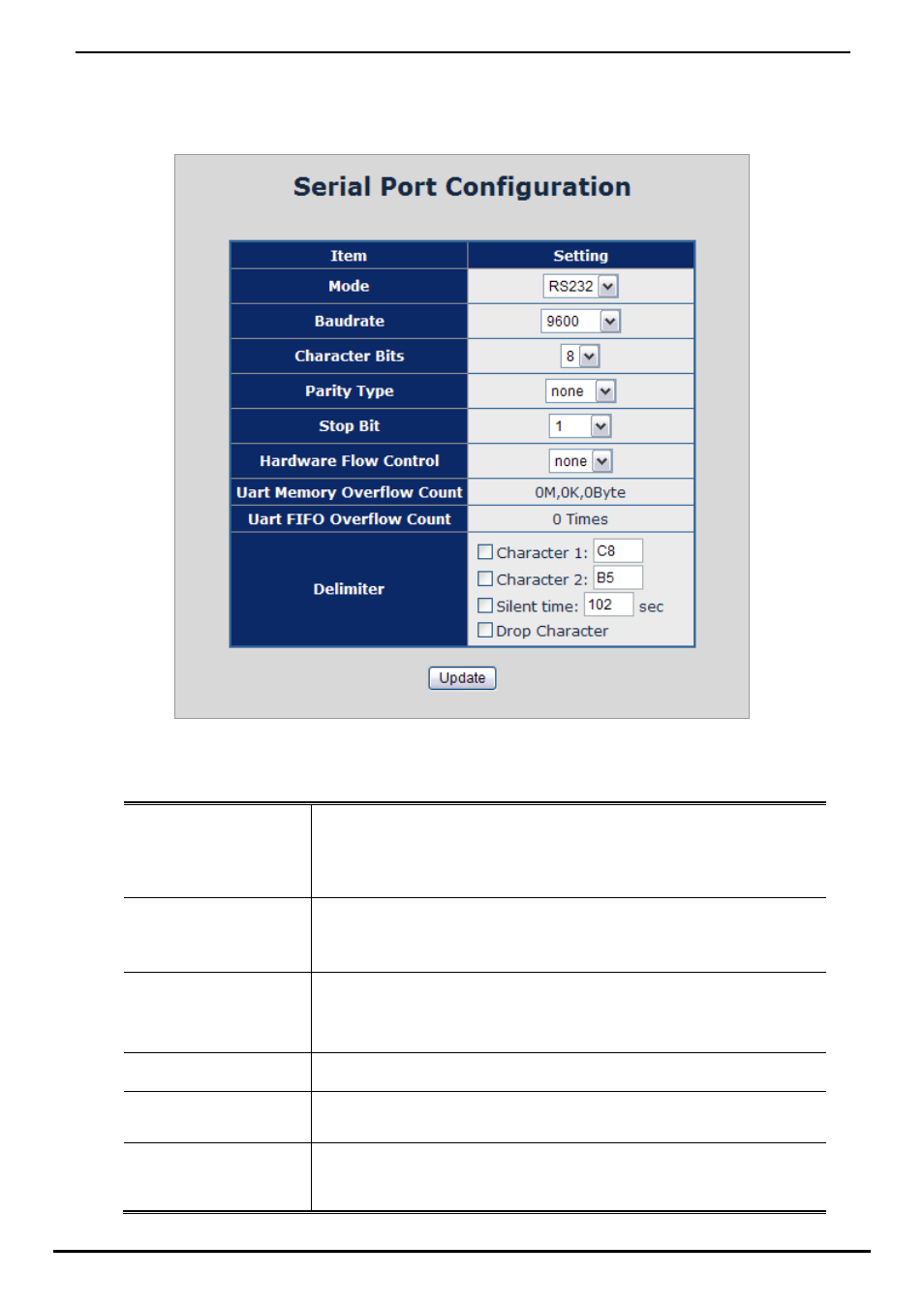
The page shows the converter’s serial Port configuration. The screen in Figure 4-55 appears.
Figure 4-55 Serial Port Configuration page screen
The page includes the following fields:
• Mode
From the drop-down menu, select the serial port mode:
RS-232
RS-422
RS-485
• Baudrate
The unit and attached serial device, such as a modem, must agree on a speed or
baud rate to use for the serial connection, Valid baud rates.
It’s in the range of 300bps to 230400bps.
• Character Bits
Indicates the number of the bits in a transmitted data package. The allowed value
is 5,6,7,8
The default is “8”.
• Parity Type
Checks for the parity type. The default value is “none”.
• Stop Bit
The stop bit follows the data and parity bits in serial communication. It indicates
the end of transmission. The default is “1”.
• Hardware Flow Control
Flow control manages data flow between devices in a network to ensure it is
processed efficiently. Too much data arriving before a device is prepared to
manage it causes lost or retransmitted data.