PLANET WAP-4000 User Manual
Page 46
Advertising
- 41 -
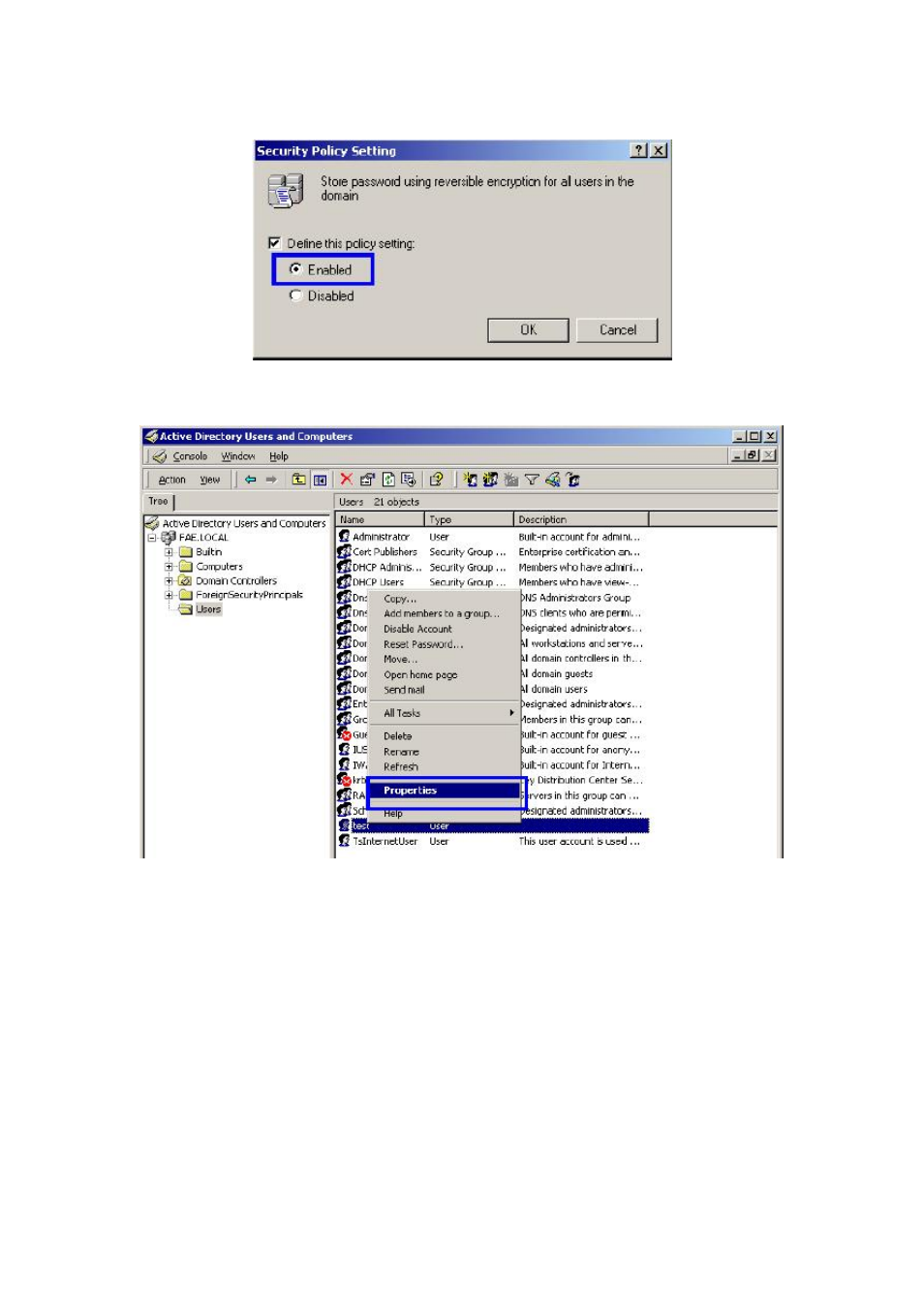
43. Click
“Define this policy setting”, select “Enabled”, and click “OK” to continue.
44. Go to Start > Program > Administrative Tools > Active Directory Users and Computers .
45. Go to Users. Right-click on the user that you are granting access, and select
“Properties”.
46. Go to
“Account” tab, and enable “Store password using reversible encryption”.
47. Click
“Apply” to continue.
Advertising
See also other documents in the category PLANET Routers:
- FNSW-1601 (2 pages)
- FNSW-1601 (2 pages)
- FGSW-1816HPS (2 pages)
- FGSW-1816HPS (110 pages)
- FGSW-1816HPS (105 pages)
- WGSD-10020HP (16 pages)
- GS-5220-16S8CR (432 pages)
- FGSD-1022P (226 pages)
- FGSD-1022P (12 pages)
- FGSD-910P (28 pages)
- FGSW-1602RS (30 pages)
- FGSW-2402S (39 pages)
- FGSW-2620PVS (50 pages)
- FGSW-2624SF (2 pages)
- FGSW-2620VM (213 pages)
- FGSW-2620VM (2 pages)
- FGSW-2624SF (2 pages)
- FGSW-2620VM (96 pages)
- FGSW-2620 (2 pages)
- FGSW-2620CS (2 pages)
- FGSW-2620CS (80 pages)
- FGSW-2620CS (2 pages)
- FGSW-2620CS (81 pages)
- FGSW-2840 (2 pages)
- FGSW-4840S (263 pages)
- FGSW-4840S (2 pages)
- FGSW-4840S (38 pages)
- FNSW-1600P (20 pages)
- FNSW-1600S (33 pages)
- FNSW-2400PS (2 pages)
- FNSW-2400PS (70 pages)
- FNSW-1602S (43 pages)
- FNSW-2402S (39 pages)
- FNSW-4800 (2 pages)
- FNSW-2401CS (38 pages)
- FSD-1604 (12 pages)
- FSD-2405 (18 pages)
- FSD-1606 (2 pages)
- FSD-803 (2 pages)
- FSD-803 (2 pages)
- FSD-504HP (2 pages)
- FSD-805ST (20 pages)
- FSD-804P (21 pages)
- FSD-808P (20 pages)
- FSD-808P (22 pages)