Formatting the card (initialization), Set the mode dial to, Taking pictures – Panasonic Lumix GX80 User Manual
Page 18
Preparation/Basic “Quick Start Guide”
18
SQT1310 (ENG)
Format the card before recording a picture with this unit.
Since data cannot be recovered after formatting, make sure to back up
necessary data in advance.
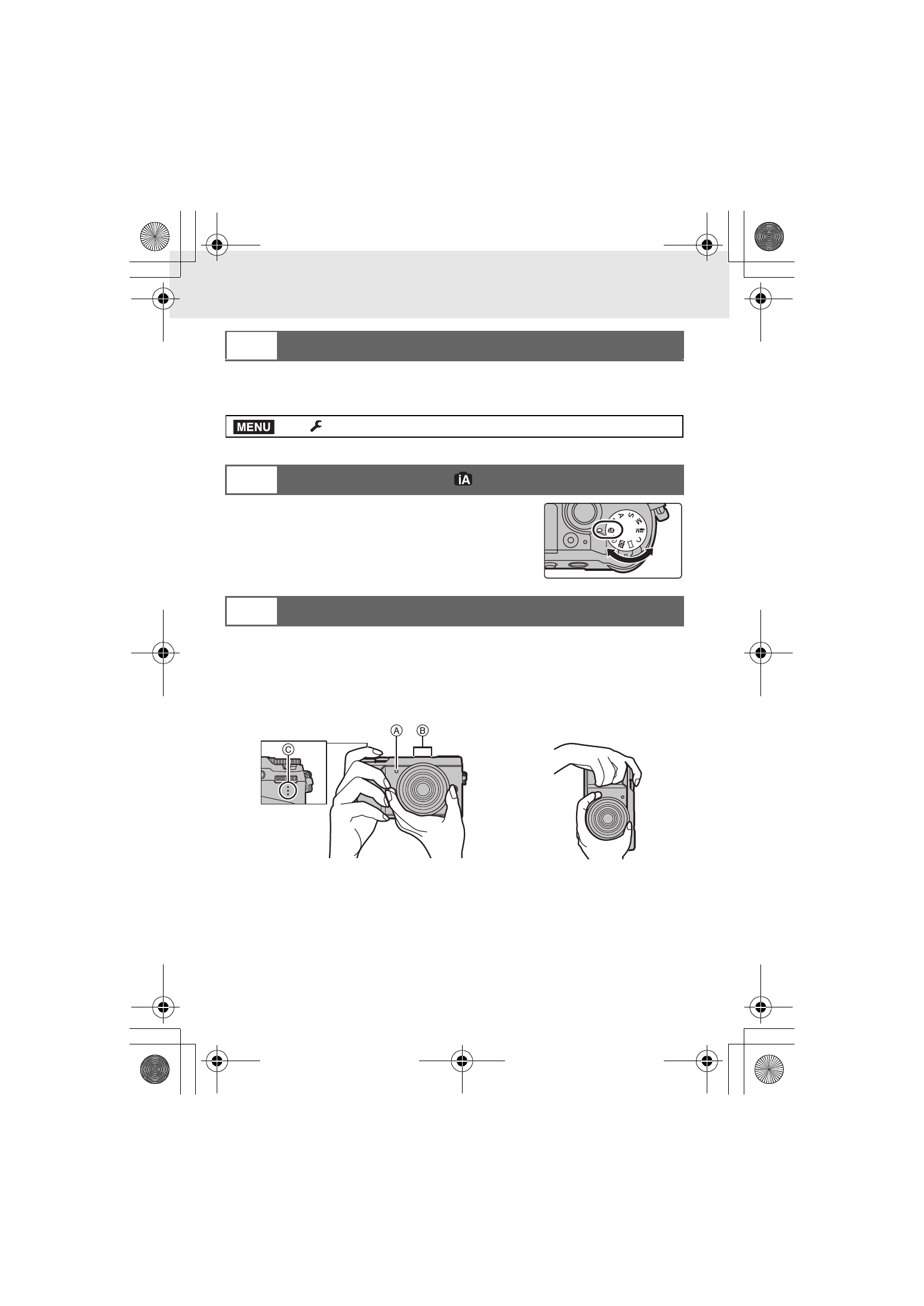
Set the mode dial to [¦].
•
The settings of the main functions are adjusted
automatically.
1
Hold the camera gently with both hands, keep your arms still at your
side and stand with your feet slightly apart.
•
Make sure your footing is stable and there is no danger of colliding with another
person or object in the vicinity while taking pictures.
•
Do not cover the flash, AF Assist lamp A, microphone B, or speaker C with
your fingers or other objects.
8
Formatting the card (initialization)
>
[Setup]
> [Format]
9
Set the mode dial to [
]
10
Taking pictures
MENU
DMC-GX85KBody_PP-SQT1310_eng.book 18 ページ 2016年3月25日 金曜日 午後5時13分