Panasonic Lumix GX80 User Manual
Page 22
22
SQT1310 (ENG)
Preparation/Basic
40
36
37
33
34
39
35
38
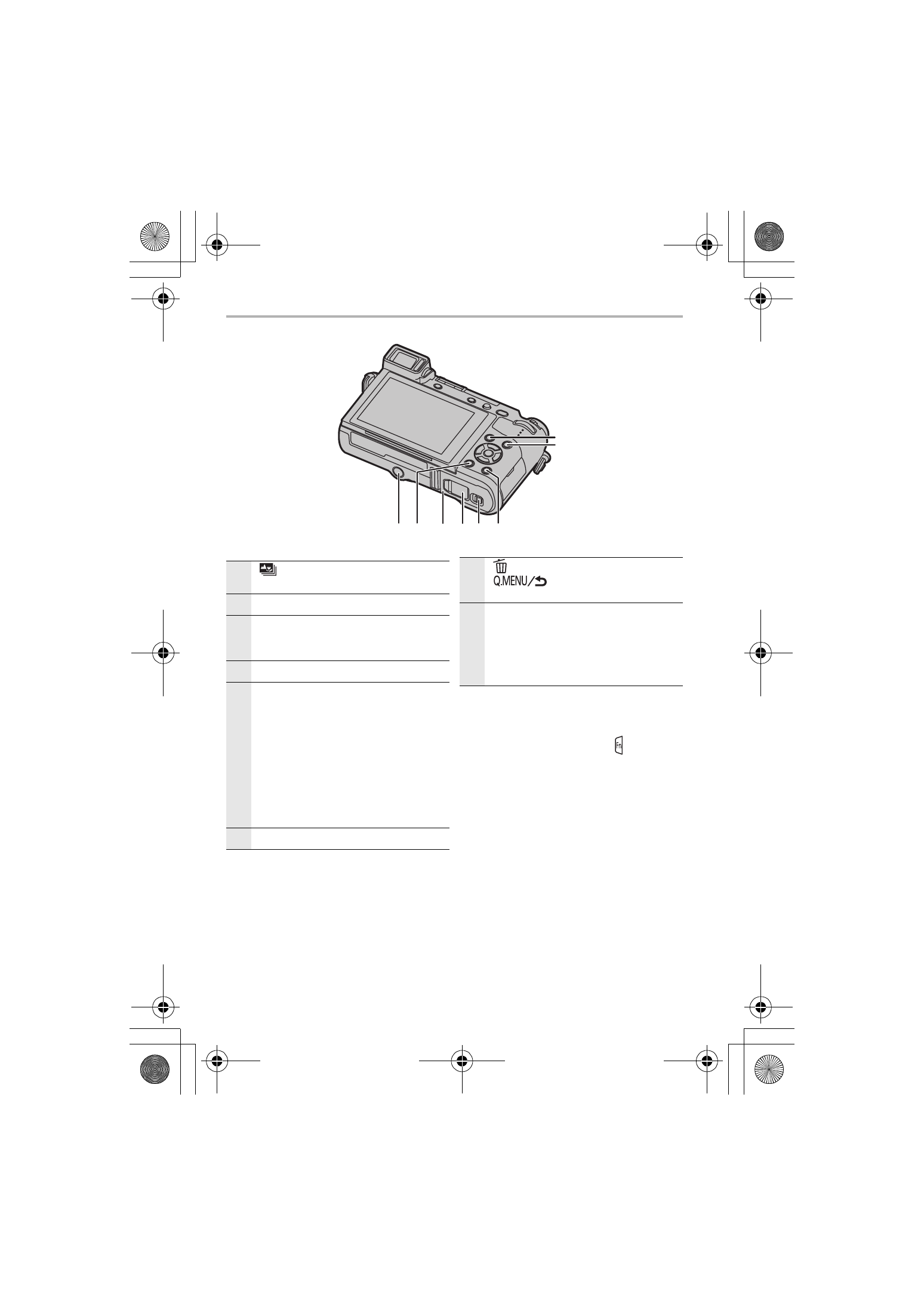
33
[
] (Post Focus) button (P37)/
[Fn1] button (P29)
34
[(] (Playback) button (P50)
35
[DISP.] button
•
Each time this is pressed, the display
on the monitor is switched.
36
Release lever (P12)
37
DC coupler cover (P84)
•
When using an AC adaptor, ensure
that the Panasonic DC coupler
(DMW-DCC11: optional) and AC
adaptor (DMW-AC10PP: optional) are
used.
•
Always use a genuine Panasonic AC
adaptor (DMW-AC10PP: optional).
•
When using an AC adaptor (optional),
use the AC cable supplied with the AC
adaptor (optional).
38
Card/Battery door (P12)
39
[
] (Delete) button (P51)/
[
] (Quick Menu/Return)
button (P29)/[Fn2] button (P29)
40
Tripod mount
•
It may not be possible to attach and
securely fasten a tripod with a screw
length of 5.5 mm (0.22 inch) or more
to the camera. Doing so may also
damage the camera.
∫ About the function button ([Fn5]
to [Fn9])
•
Function buttons ([Fn5] to [Fn9]) (P29)
are touch icons. Touch the [ ] tab on
the recording screen to display them.
DMC-GX85KBody_PP-SQT1310_eng.book 22 ページ 2016年3月25日 金曜日 午後5時13分