Canon imageCLASS LBP674Cdw Wireless Color Laser Printer User Manual
Page 514
◼
When Using Windows
1
Right-click [
] (Start), and click [System].
➠
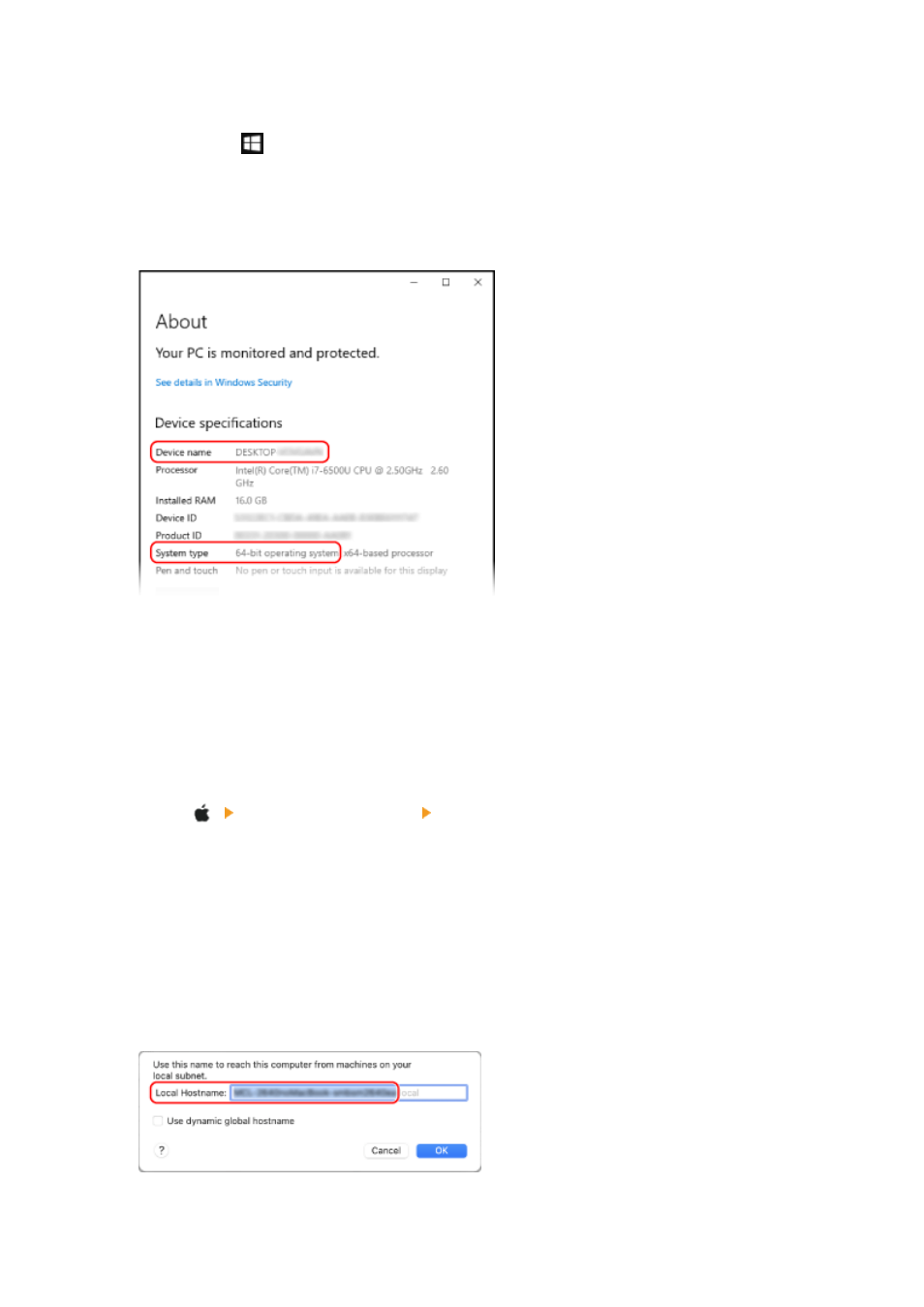
The [About] screen is displayed.
2
In [Device specifications], view the computer name and operating system version.
●
The computer name is displayed in [Device name].
●
The operating system version is displayed in [System type].
If the computer has a 32-bit operating system, "32-bit Operating System" is displayed.
If the computer has a 64-bit operating system, "64-bit Operating System" is displayed.
◼
When Using macOS
1
Click [ ] [System Preferences] [Sharing].
➠
The [Sharing] screen is displayed.
The name displayed in [Computer Name] on the [Sharing] screen may not be usable on the network. Use
the following procedure to view the computer name used on the network.
2
Click [Edit].
3
In [Local Hostname], view the computer name.
Parts displayed in gray are not included in the computer name.
Appendix
506