5 lines lcd model(p. 142) – Canon imageCLASS MF275dw Wireless All-In-One Monochrome Laser Printer User Manual
Page 151
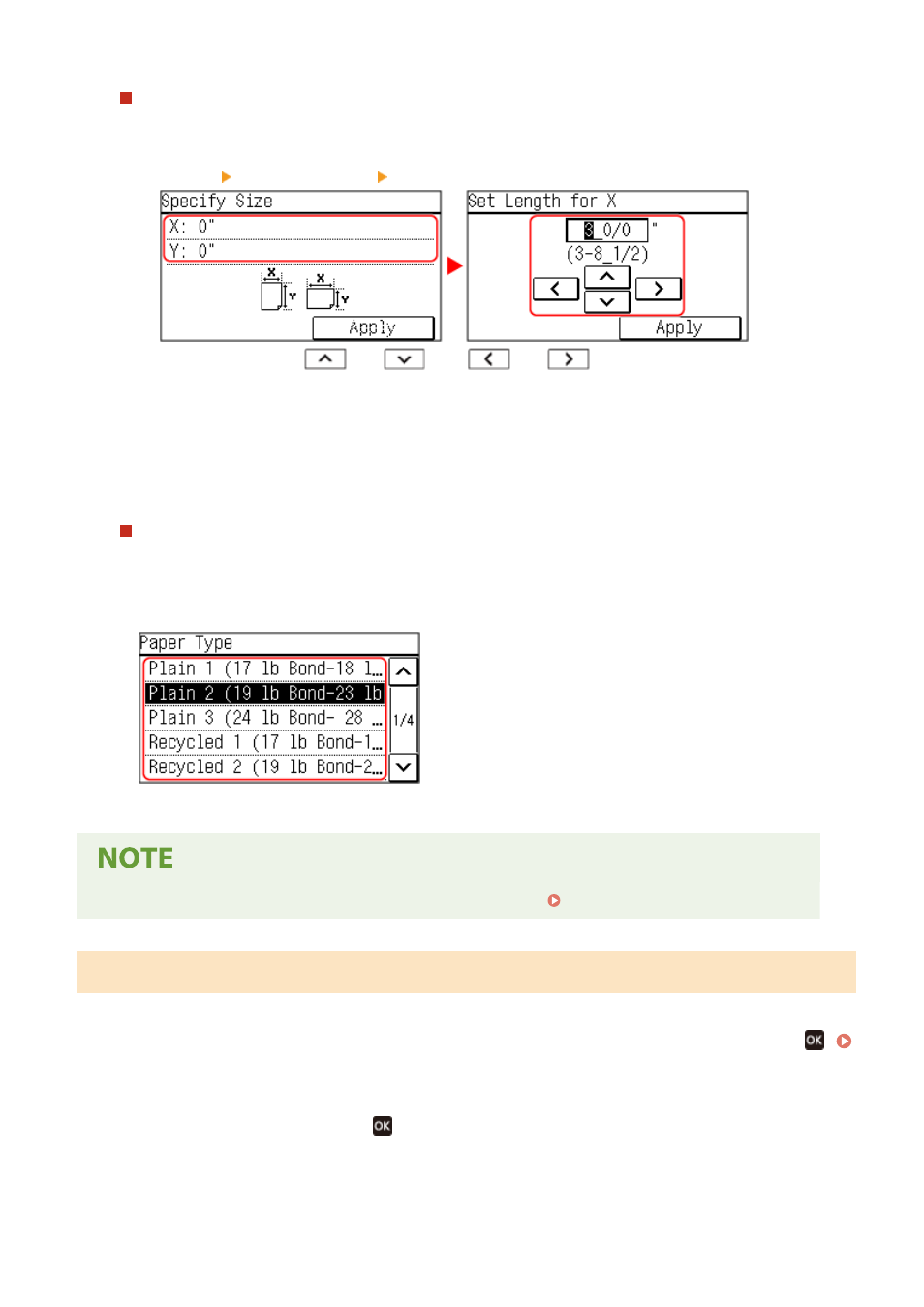
When Non-standard Size (Custom Size) Paper Is Loaded
1
Press [Custom].
2
Press [X] enter the value in [X] press [Apply].
Enter the value using
and
, with
and
to move the cursor between the digits
for inputting whole numbers and fractions.
3
Enter the value in [Y] in the same way as [X].
4
Press [Apply].
5
Press [Apply].
If a Set Paper Size Is Not Displayed
Press [Other Sizes], and select the paper size from the displayed list.
4
Select the type of the paper loaded in the paper drawer.
➠
The paper size and type are set.
●
You can change the paper size displayed on the screen in Step 3. Hiding Unused Paper Sizes(P. 147)
5 Lines LCD Model
1
On the operation panel, select [Paper Settings] in the [Home] screen, and press
.
2
Press [Drawer 1], and press
.
Basic Operations
142