Caution – Fujitsu Ricoh Fujitsu fi-7900 Image Scanner User Manual
Page 146
Advertising
b
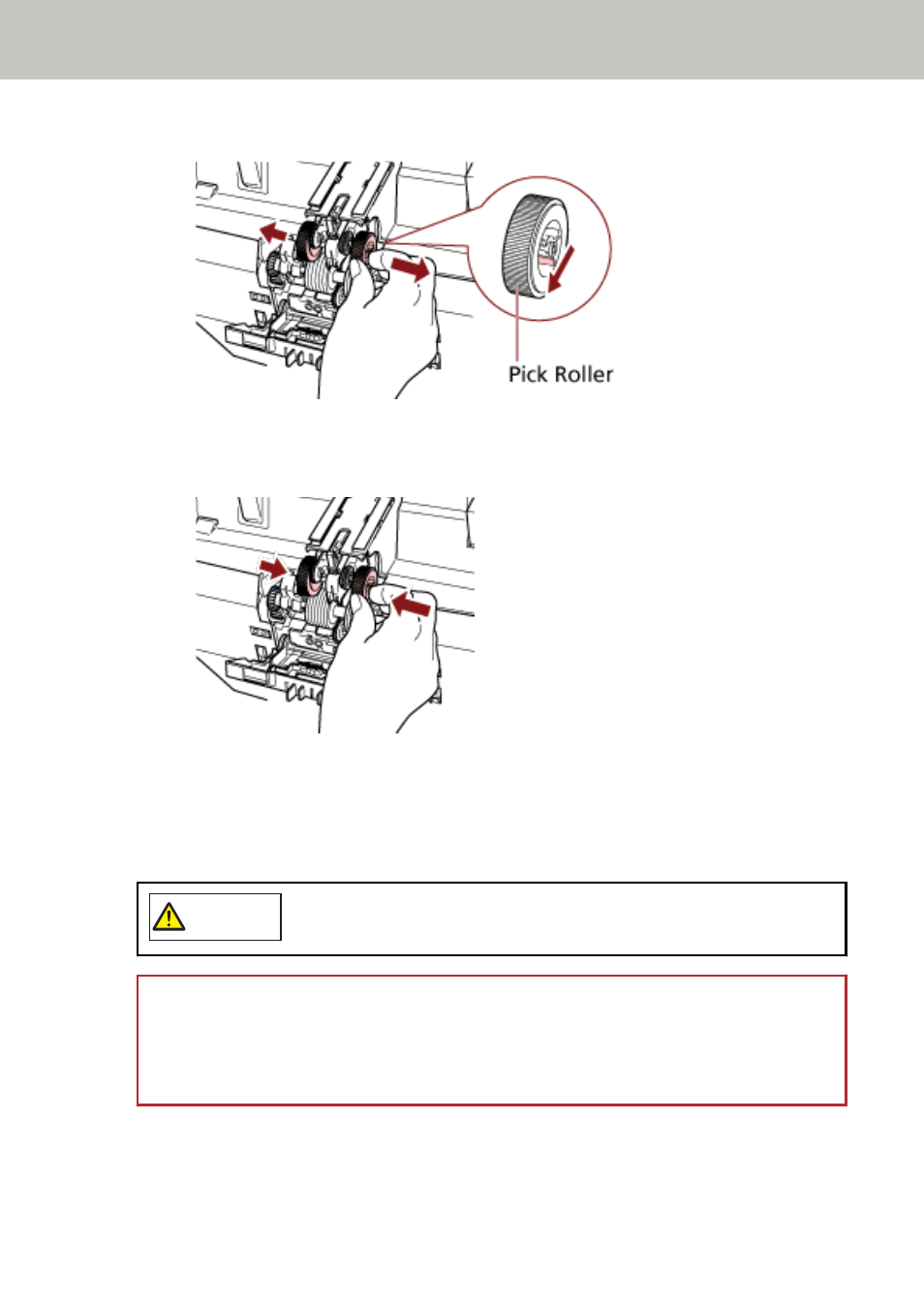
Grab the tabs on the pick rollers (× 2) to pull the pick rollers off the rotating shaft.
5
Install a new set of pick rollers (× 2) in the scanner.
a
Place the pick rollers (× 2) on the shaft.
b
Close the roller cover.
Make sure that both ends of the cover are locked firmly.
6
Close the ADF.
For details, refer to
How to Close the ADF (page 29)
CAUTION
Be careful not to get your fingers caught when closing the ADF.
ATTENTION
●
Do not close the ADF while the roller cover is open.
●
Confirm that the pick rollers are installed properly. When the pick rollers are not installed
properly, it causes feeding errors such as paper jams.
7
Plug in the power cable and turn on the scanner.
For details, refer to
How to Turn the Power ON (page 20)
Replacing the Consumables
146
Advertising