Fujitsu Ricoh Fujitsu fi-7900 Image Scanner User Manual
Page 75
Advertising
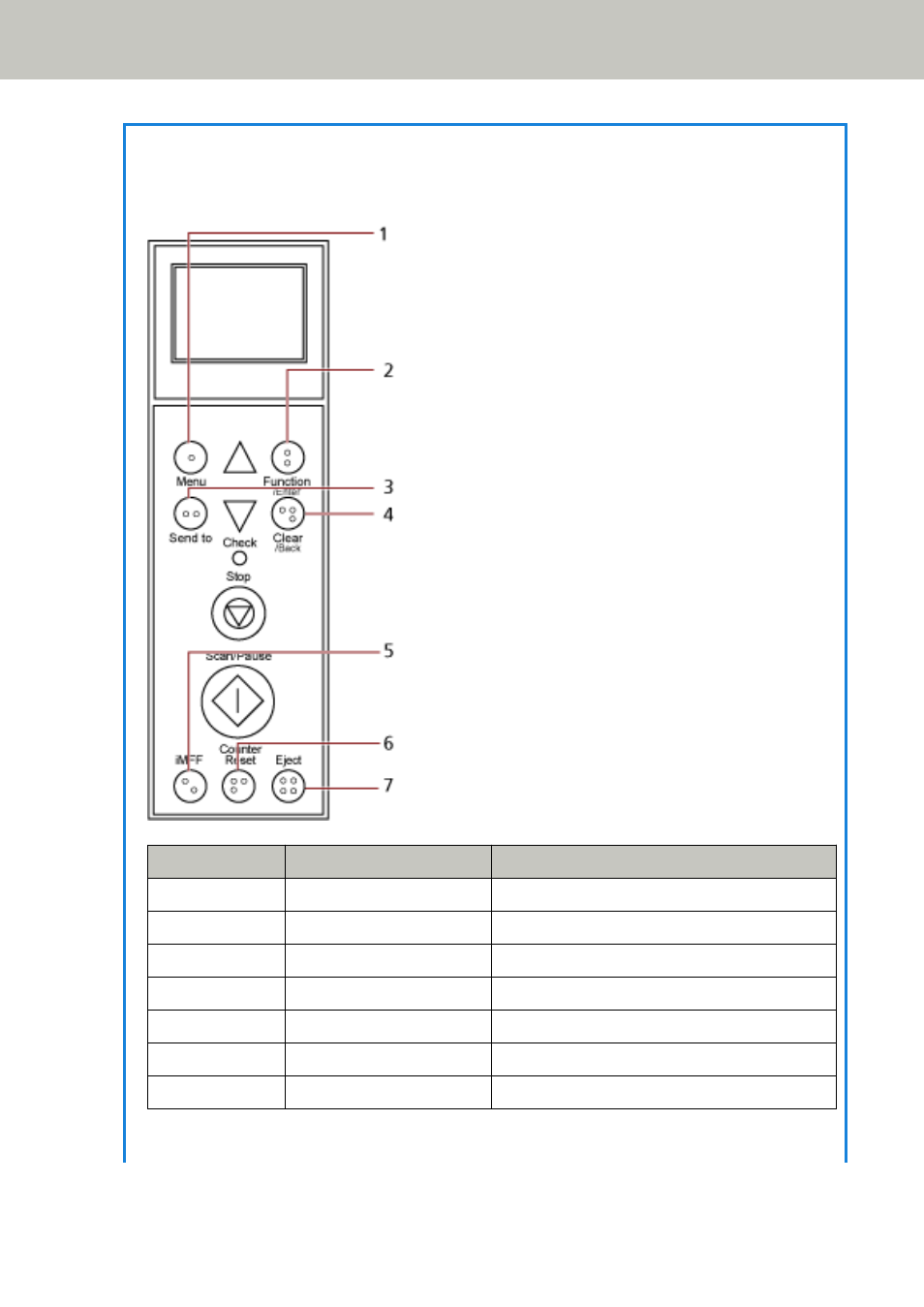
HINT
●
The buttons on the operator panel are also marked in braille,
allowing users to understand each button's function by touching the button.
No.
Braille
Meaning
1
"1" in braille
[Menu] button
2
"2" in braille
[Function/Enter] button
3
"3" in braille
[Send to] button
4
"4" in braille
[Clear/Back] button
5
"5" in braille
[iMFF] button
6
"6" in braille
[Counter Reset] button
7
"7" in braille
[Eject] button
●
The following languages are available for the buttons on the operator panel: Japanese,
English, French, German, Italian, Spanish, Russian, and Chinese (Simplified). You can open the
How to Use the Operator Panel
75
Advertising