Fujitsu Ricoh Fujitsu fi-7900 Image Scanner User Manual
Page 61
●
To prevent the rollers from becoming dirty, avoid scanning documents that contain large areas
filled with pencil lead. If you have to scan such documents, make sure to perform cleaning
frequently.
A message may appear when you scan a lot of documents written with pencil.
For details, refer to
●
If multifeeds, pick errors, or paper jams occur frequently, refer to
●
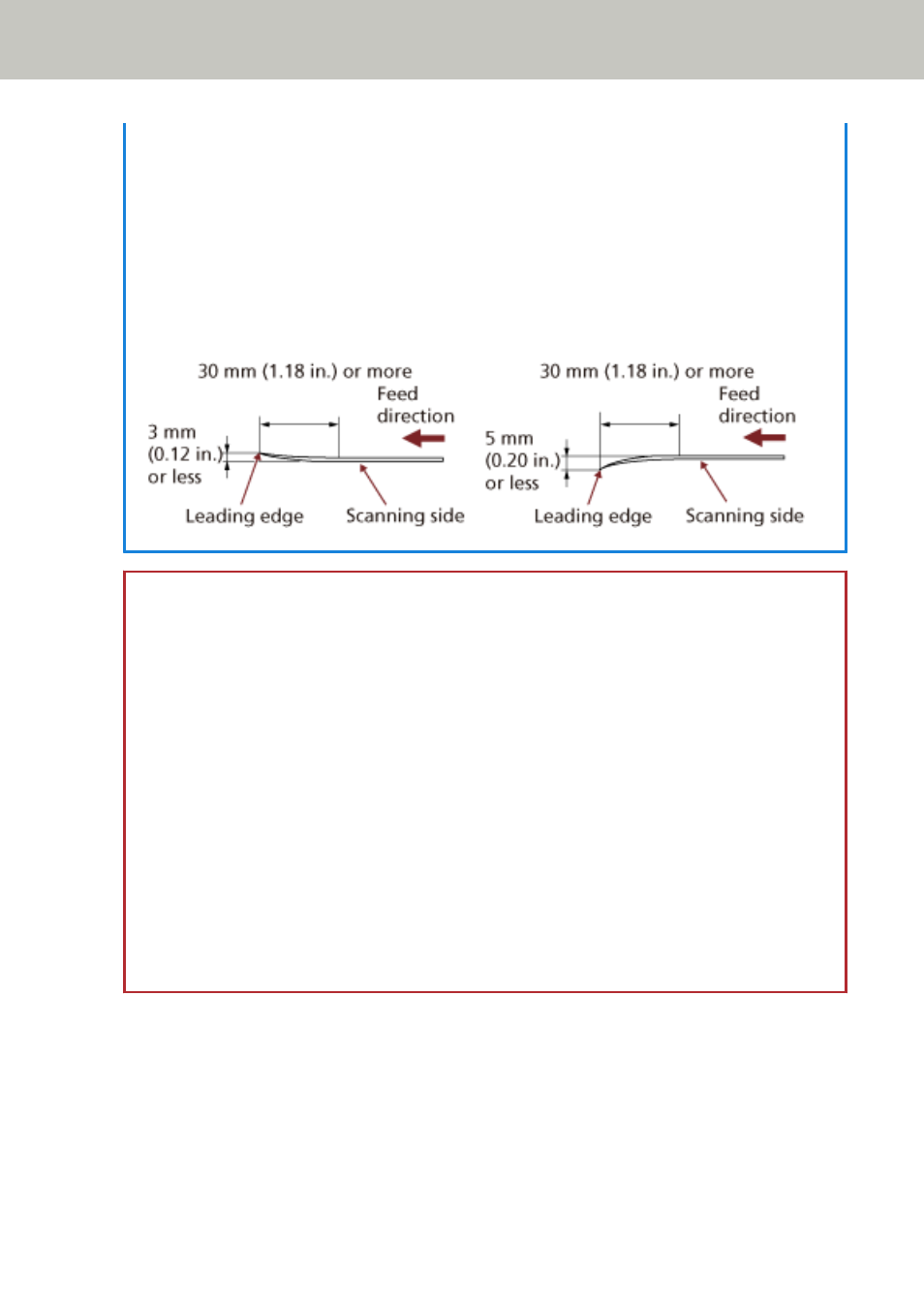
All documents must be flat on the leading edge. Make sure that curls on the leading edge of
documents are kept within the following range:
ATTENTION
●
Since carbonless papers contain chemical substances which may harm the rollers (e.g. pick
roller), be aware of the following risks:
Cleaning:
If paper jams occur frequently, clean each roller. For information on how to clean the
rollers, refer to
Parts replacement:
The life of each roller may end sooner compared to scanning wood containing papers.
●
When scanning wood containing papers, the life of each roller may end sooner compared to
when scanning wood-free papers.
●
Rollers may be damaged when a photo/sticky note on the document contacts the rollers
during scanning.
●
The surface of the document may be damaged when glossy papers such as photographs are
scanned.
How to Load Documents
61