Enlarging a portion of a still image, Playback zoom – Sony DSC-P41 User Manual
Page 60
60
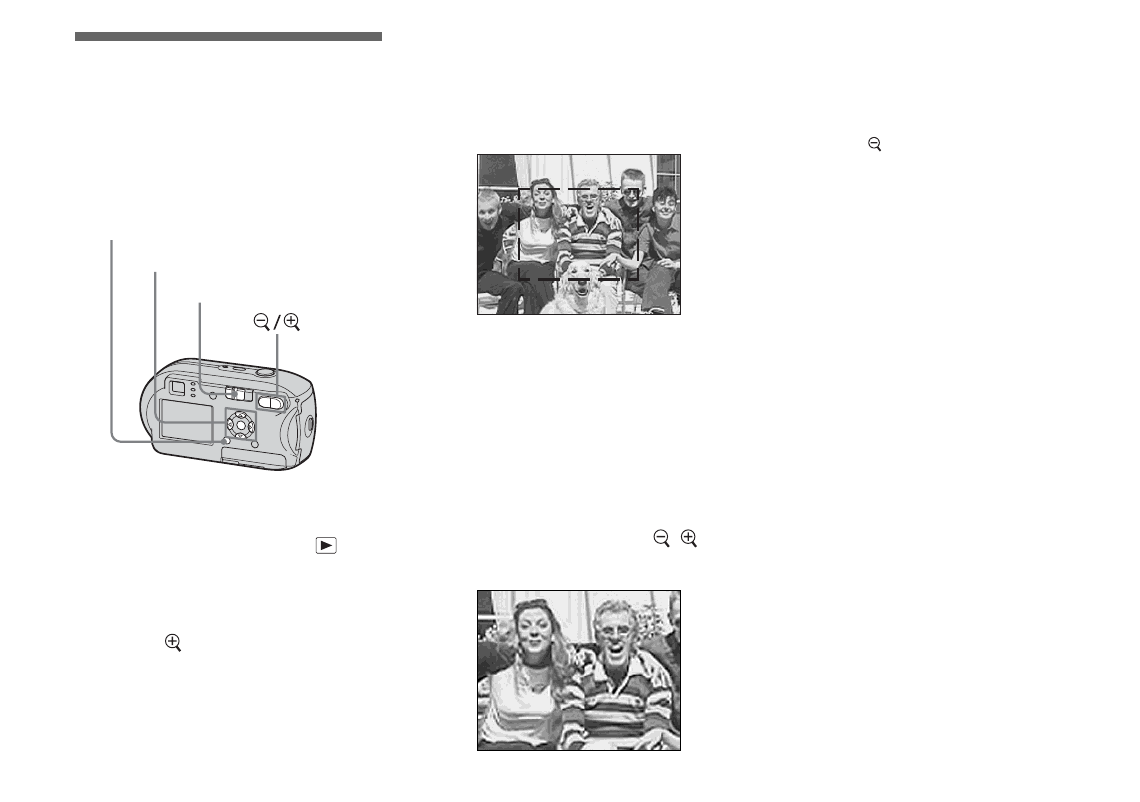
Enlarging a portion of
a still image
– Playback zoom
You can enlarge an image up to five times
the size of the original image.
a
Set the mode switch to
.
b
Display the image you want to
enlarge with
b
/
B
.
c
Press
(playback zoom) to
enlarge the image.
d
Press
v
/
V
/
b
/
B
repeatedly to
select the portion of the image
you want to enlarge.
e
Adjust the zoom with
/
(playback zoom).
To cancel enlarged viewing
Press
z
.
•
You cannot use Playback zoom with movies or
images recorded in Multi Burst mode.
•
If you press
(playback zoom) when you are
viewing images that have not been enlarged, the
Index screen will appear (page 37).
•
The images displayed in Quick Review
(page 26) can be enlarged using the procedures
outlined in Steps
3
to
5
.
Mode switch
Control button
MENU
Press
v
Press
V
Press
b
Press
B
v
: To view a portion of the top of the
image
V
: To view a portion of the bottom of
the image
b
: To view a portion of the left side
of the image
B
: To view a portion of the right side
of the image