Bludc4-s and -q bludc9-s and -q – Applied Motion BLuDC4-Q User Manual
Page 6
6
6
6
6
6
BLuDC-S,-Q Hardware manual
BLuDC-S,-Q Hardware manual
BLuDC-S,-Q Hardware manual
BLuDC-S,-Q Hardware manual
BLuDC-S,-Q Hardware manual
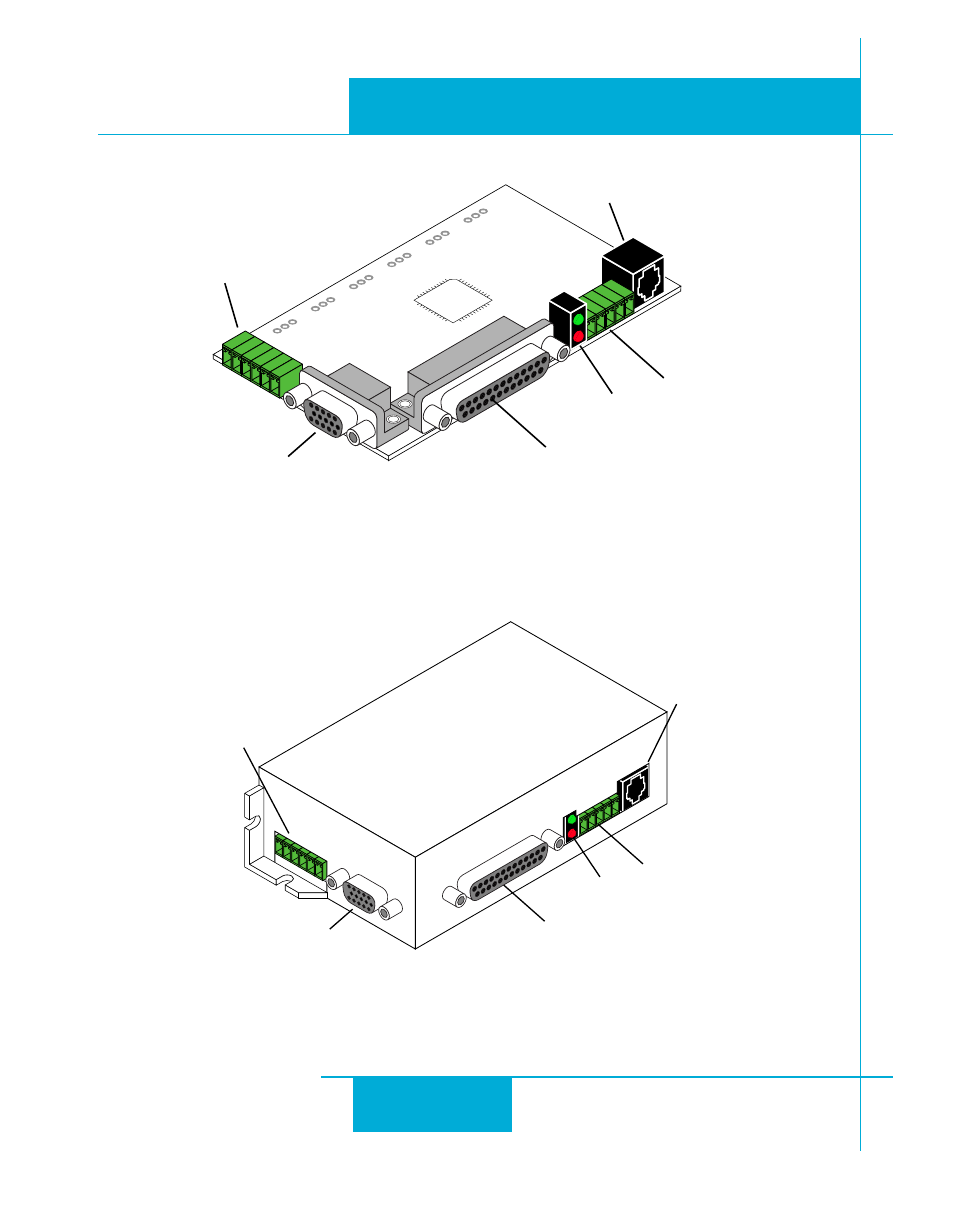
DB-25 connector
•
digital inputs
•
digital outputs
•
analog input
•
encoder output
HD-15 connector
•
motor feedback
screw terminal
connector
•
motor
•
power supply
screw terminal
connector
•
RS-485 port
LEDs
•
status
Always use the blue & white Applied Motion screwdriver to tighten
the screw terminal connectors. Larger screwdrivers may remove the
plastic dimples that prevent the screws from falling out.
RJ11 connector
•
RS-232 port
DB-25 connector
•
digital inputs
•
digital outputs
•
analog input
•
encoder output
HD-15 connector
•
motor feedback
screw terminal
connector
•
motor
•
power supply
screw terminal
connector
•
RS-485 port
LEDs
•
status
RJ11 connector
•
RS-232 port
Always use the blue & white Applied Motion screwdriver to tighten
the screw terminal connectors. Larger screwdrivers may remove the
plastic dimples that prevent the screws from falling out.
BLUDC4-S and -Q
BLUDC9-S and -Q