2 setting the ir channel – Doremi H2S-30 User Manual
Page 23
4.3.2 Setting the IR Channel
When using multiple H2S-30 units, you can avoid interference by pairing each unit to an
individual remote. Assign each H2S-30 a different IR code from 0x0 to 0xF (16 total), and set
the dip-switches on the Doremi IR remote accordingly.
•
Using the OSD or the DUIS software, set the IR channel to the desired setting between
the hex values 0x0 and 0xF.
•
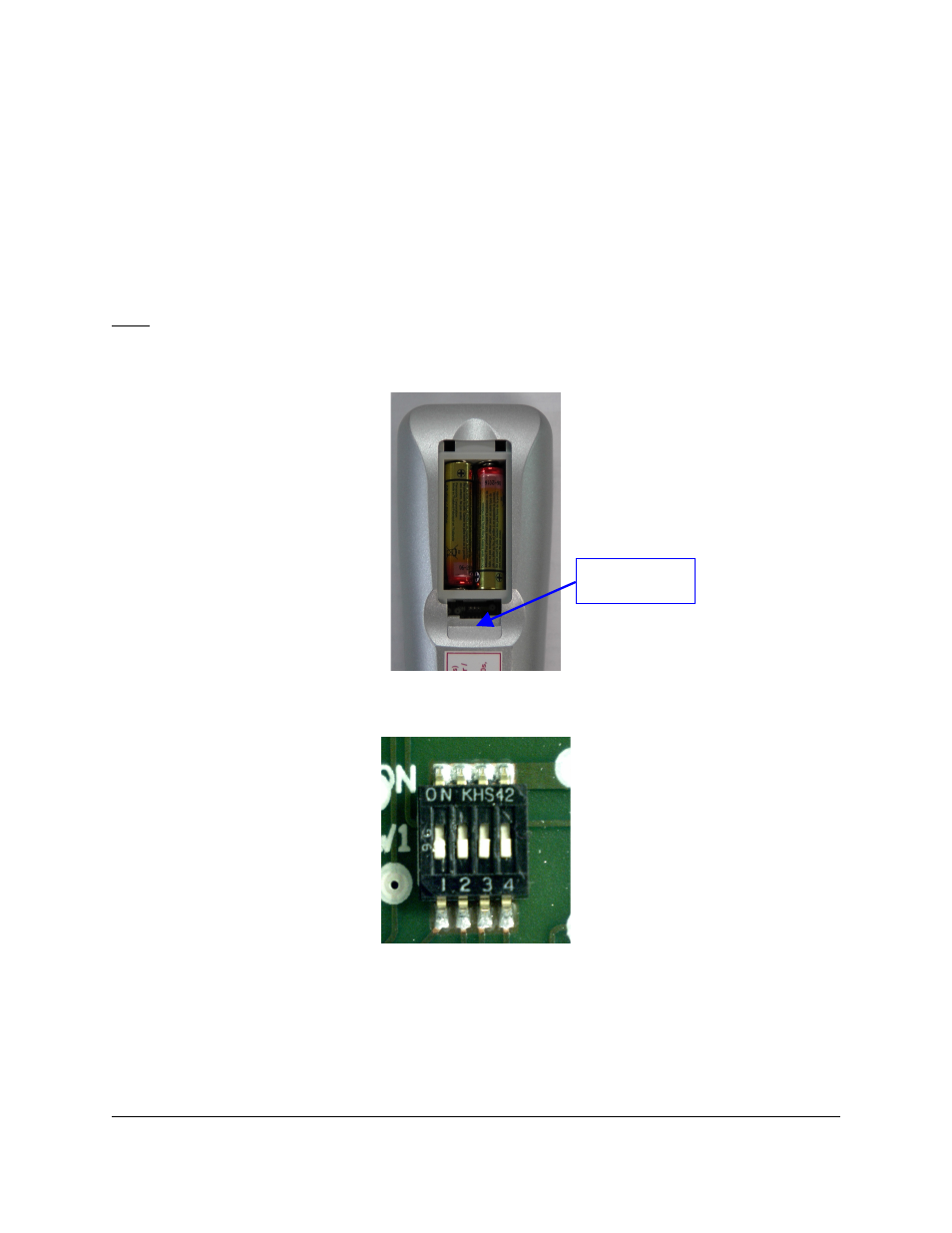
Remove the battery cover on the rear of the IR remote and set the four dip-switches
below the battery bay to the corresponding value.
Note: The 4 dip-switches represent the binary values 1, 2, 4, 8 (from left to right).
•
Example:
◦
If using IR channel 6, set the dip-switches 2 and 3 to the high position.
Figure 7: IR Channel Dip-Switches
Figure 8: IR Channel Dip-Switches Close Up
H2S.OM.001539.DRM Page 23 of 40 Version 1.4
Doremi Labs
Location of
IR Dip-switches