Network requirements – H3C Technologies H3C SecPath F1000-E User Manual
Page 187
162
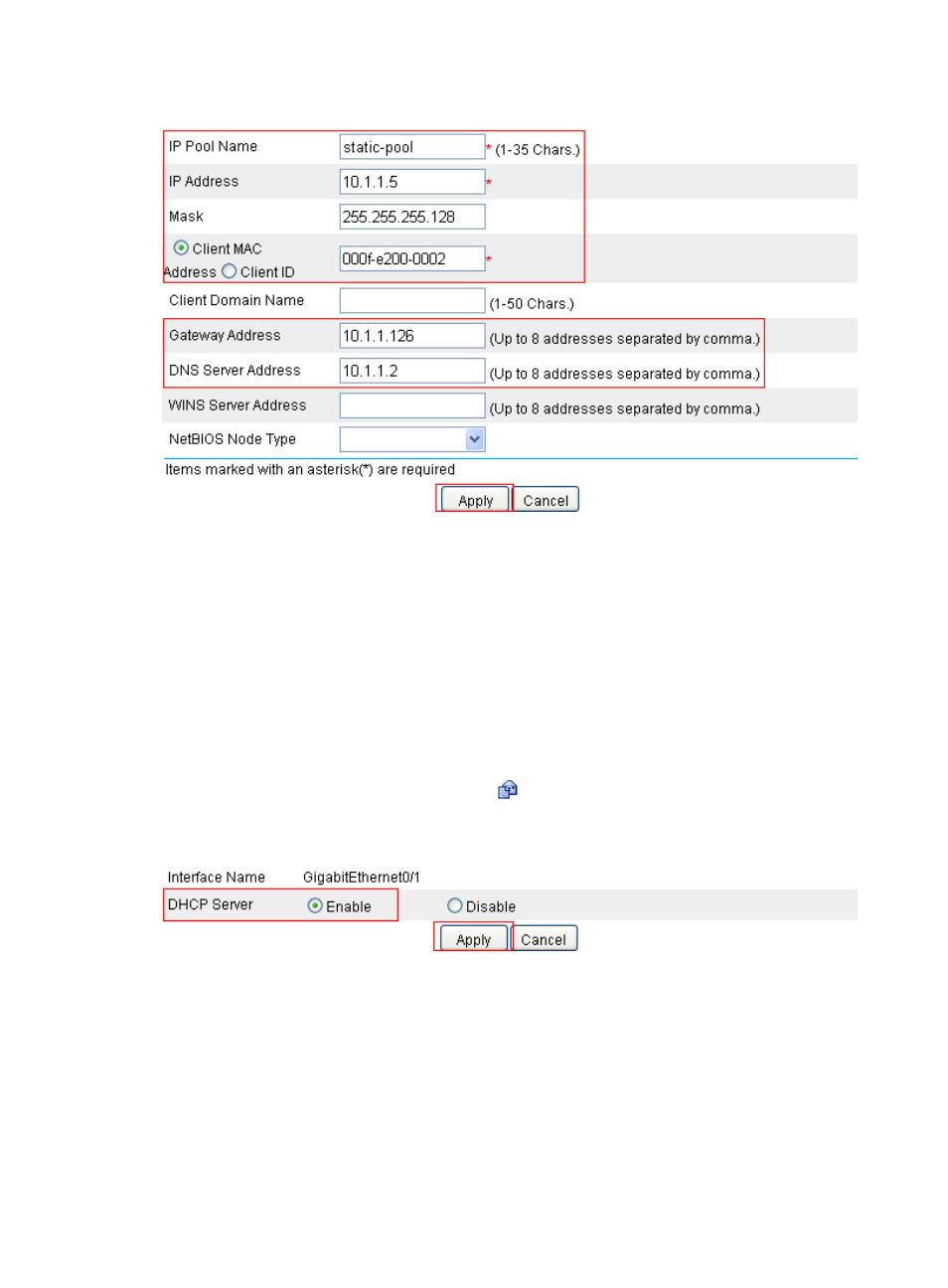
Figure 95 Creating a static address pool
•
Enter static-pool for IP Pool Name.
•
Enter 10.1.1.5 for IP Address.
•
Enter 255.255.255.128 for Mask.
•
Enter 000f-e200-0002 for Client MAC Address.
•
Enter 10.1.1.126 for Gateway Address.
•
Enter 10.1.1.2 for DNS Server Address.
•
Click Apply.
# Enable the DHCP server on GigabitEthernet 0/1. With DHCP enabled, interfaces work in the DHCP
server mode.
•
In the Interface Configuration field, click the
icon next to GigabitEthernet 0/1 and perform the
following configuration, as shown in
Figure 96 Enabling DHCP server on interface GigabitEthernet 0/1
•
On the DHCP Server Interface Config page, select the Enable option.
•
Click Apply.
Dynamic IP address assignment configuration example
Network requirements
•
As shown in
, the DHCP server (SecPath) assigns IP address to clients on subnet
10.1.1.0/24, which is subnetted into 10.1.1.0/25 and 10.1.1.128/25.
- H3C SecPath F5000-A5 Firewall H3C SecPath F1000-A-EI H3C SecPath F1000-E-SI H3C SecPath F1000-S-AI H3C SecPath F5000-S Firewall H3C SecPath F5000-C Firewall H3C SecPath F100-C-SI H3C SecPath F1000-C-SI H3C SecPath F100-A-SI H3C SecBlade FW Cards H3C SecBlade FW Enhanced Cards H3C SecPath U200-A U200-M U200-S H3C SecPath U200-CA U200-CM U200-CS H3C SecBlade LB Cards H3C SecPath L1000-A Load Balancer