H3C Technologies H3C SecPath F1000-E User Manual
Page 35
Advertising
10
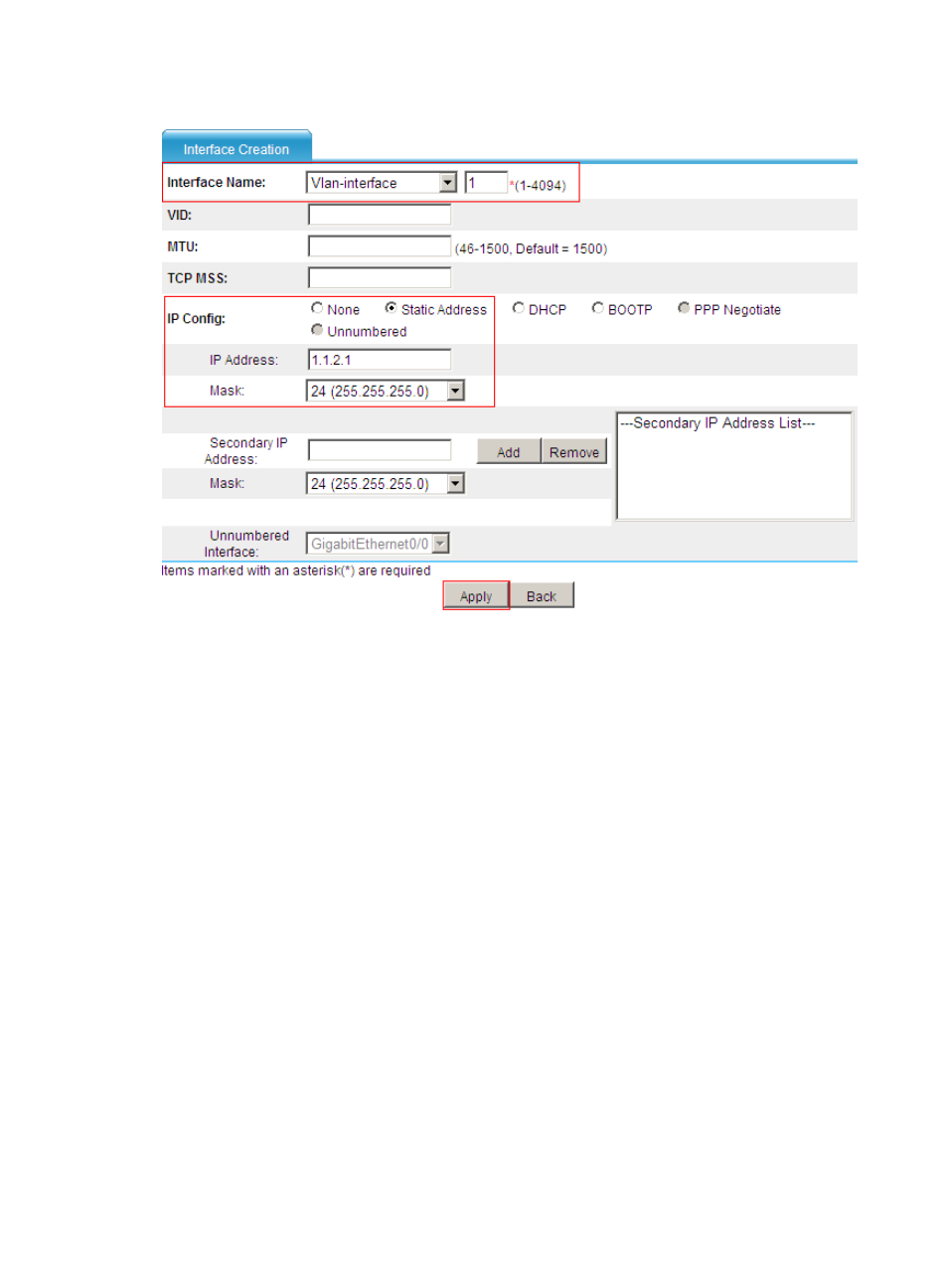
Figure 7 Creating VLAN-interface 1
•
Set the interface name to Vlan-interface1.
•
Select Static Address for the IP Config item.
•
Enter IP address 1.1.2.1.
•
Select 24 (255.255.255.255) as the network mask.
•
Click Apply.
# Assign VLAN-interface 1 to a security zone (depending on the network environment), for example,
security zone Trust.
•
Select Device Management > Zone from the navigation tree, click the icon corresponding to zone
Trust, and make the following configurations, as shown in
.
Advertising
This manual is related to the following products:
- H3C SecPath F5000-A5 Firewall H3C SecPath F1000-A-EI H3C SecPath F1000-E-SI H3C SecPath F1000-S-AI H3C SecPath F5000-S Firewall H3C SecPath F5000-C Firewall H3C SecPath F100-C-SI H3C SecPath F1000-C-SI H3C SecPath F100-A-SI H3C SecBlade FW Cards H3C SecBlade FW Enhanced Cards H3C SecPath U200-A U200-M U200-S H3C SecPath U200-CA U200-CM U200-CS H3C SecBlade LB Cards H3C SecPath L1000-A Load Balancer