Configuring a class – H3C Technologies H3C SecPath F1000-E User Manual
Page 313
288
CAUTION:
•
With CBQ configured on an interface, you can set the maximum available interface bandwidth, which
can be used for bandwidth check when CBQ enqueues packets. For more information, see
"
Configuring port bandwidth limit
." On tunnel interfaces, sub-interfaces, or VT/dialer interfaces using
PPPoE, PPPoA, PPPoEoA, or PPPoFR encapsulation, you must configure the maximum available interface
bandwidth to provide base bandwidth for CBQ bandwidth calculation.
•
For CBQ to take effect on a tunnel interface, sub-interface, or VT/dialer interface using PPPoE, PPPoA,
PPPoEoA, or PPPoFR encapsulation, you must enable line rate on the interface. For more information, see
Configuring line rate on a port
."
Configuring a class
To configure a class, create it first, and then configure classification rules for it.
1.
Create a class
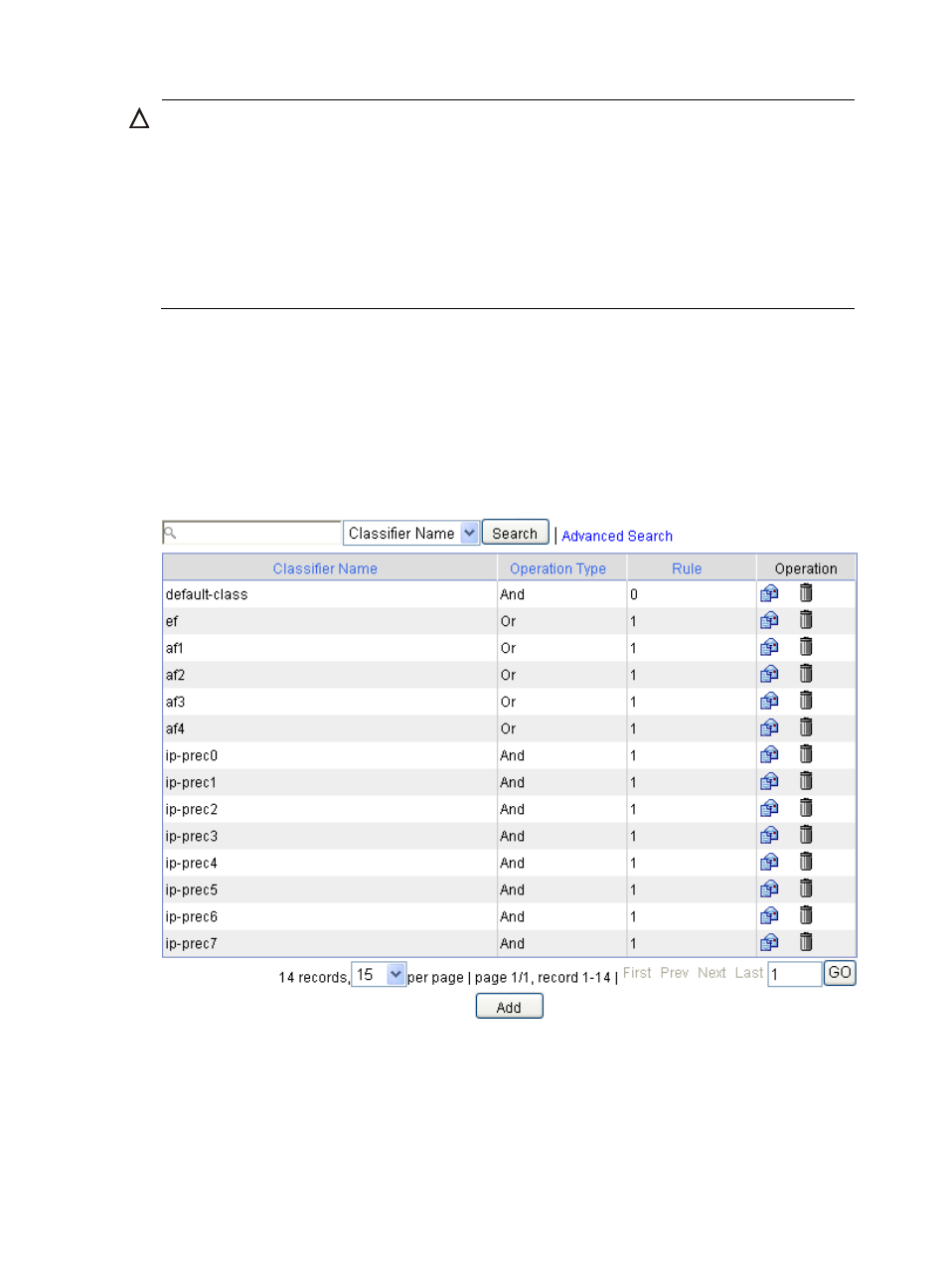
Select Firewall > QoS > Classifier from the navigation tree to enter the classifier displaying page,
as shown in
. Then click Add to enter the page for creating a class, as shown in
.
Figure 179 Classes
- H3C SecPath F5000-A5 Firewall H3C SecPath F1000-A-EI H3C SecPath F1000-E-SI H3C SecPath F1000-S-AI H3C SecPath F5000-S Firewall H3C SecPath F5000-C Firewall H3C SecPath F100-C-SI H3C SecPath F1000-C-SI H3C SecPath F100-A-SI H3C SecBlade FW Cards H3C SecBlade FW Enhanced Cards H3C SecPath U200-A U200-M U200-S H3C SecPath U200-CA U200-CM U200-CS H3C SecBlade LB Cards H3C SecPath L1000-A Load Balancer