Setting connections – Grass Valley NewsEdit LT v.4.1 User Manual
Page 37
Advertising
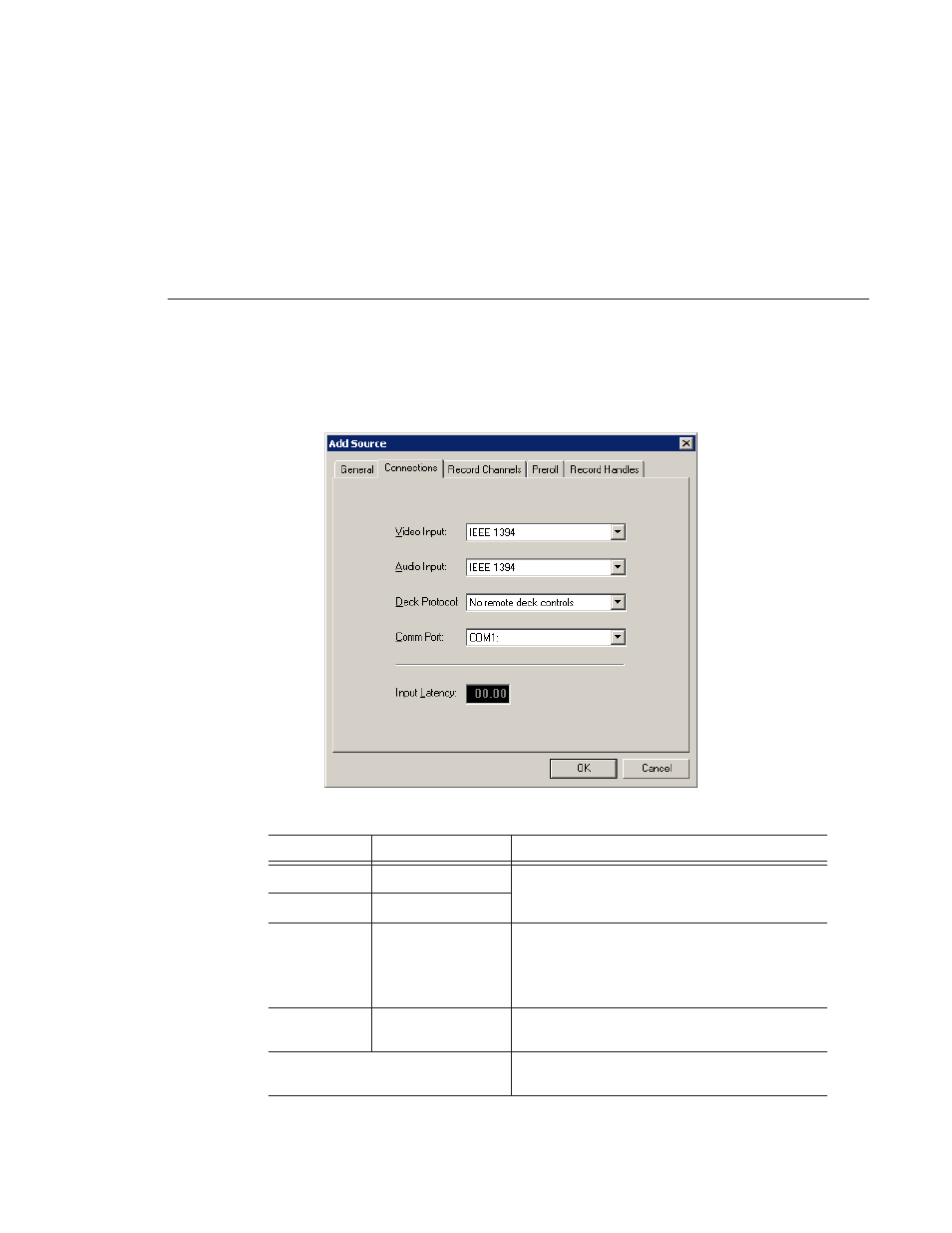
Setting Connections
Digital News Production
37
Setting Connections
Setting
Options
Description
Video Input
IEEE 1394
NewsEdit LT uses a Firewire port connection.
Audio Input
IEEE 1394
Deck Protocol
No remote deck
controls
Sony DNW-A100
Sony 422 Protocol
DV 1394
Select the Deck Protocol that corresponds to the type
of tape deck control you are using with NewsEdit LT.
If you are adding a clip source, video router, or a non-
video source, select
No remote deck controls
.
Comm Port
None
COM1 - COM 10
Select the Comm Port you are using to connect the
source to NewsEdit LT.
Input Latency
Enter a duration to add an input latency when using a
1394 converter.
Advertising