2 system information – HEIDENHAIN TNC 410 User Manual
Page 281
14 MOD Functions
268
14.1 Selecting, Changing and Exiting
the MOD Functions
The MOD functions provide additional displays and input
possibilities.
To select the MOD functions
Call the mode of operation in which you wish to change the MOD
function.
ú
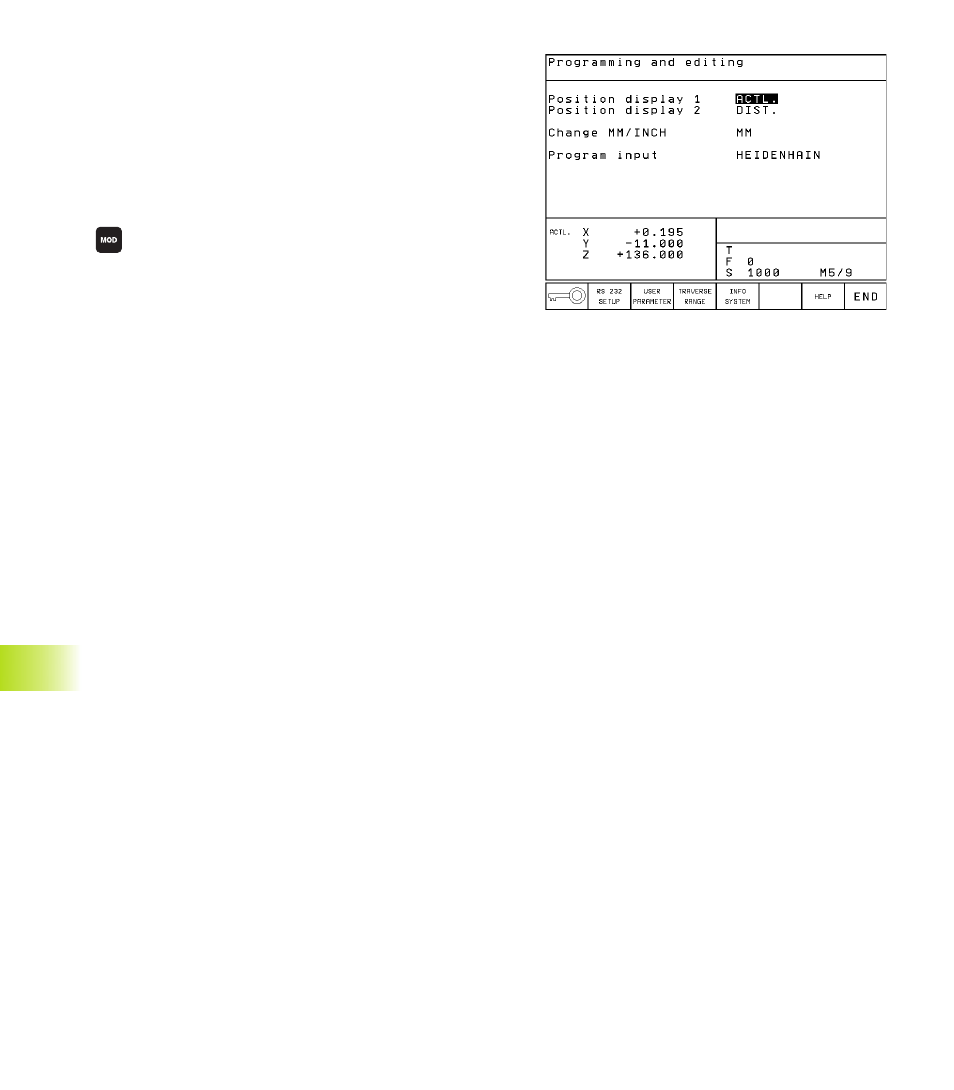
To select the MOD functions, press the MOD key. The
figure at upper right shows the „MOD screen“.
You can make the following changes:
■
Select position display
■
Unit of measurement (mm/inches)
■
Programming language for MDI
■
Enter code number
■
Set data interface
■
Machine-Specific User Parameters
■
Axis traverse limits
■
Display NC software number
■
Display PLC software number
To change the MOD functions:
ú
Select the desired MOD function in the displayed menu with the
arrow keys.
ú
Press the ENT key repeatedly until the desired function is
highlighted, or
enter the appropriate numbers and confirm your
entry with ENT.
To exit the MOD functions:
ú
Close the MOD functions with the END soft key or key.
14.2 System Information
You can use the soft key INFO SYSTEM to display the following
information:
■
Free program memory
■
NC software number
■
PLC software number
■
DSP software number
■
Options (if present), e.g. digitizing
are displayed on the TNC screen after the functions have been
selected.
14.1 Selecting,
Changing and Exiting the MOD F
unctions;
14.2 S
yst
em Inf
or
mation