Chapter 4 web configuration, 1 access point mode, 1 system summary – PLANET WAP-6100 User Manual
Page 15: Ccess, Oint
Chapter 4 Web Configuration
Web configuration provides a user-friendly graphical user interface (web pages) to manage your
WAP-6100. An AP with an assigned IP address (e.g. http://192.168.1.1) will allow you to monitor and
configure via web browser (e.g., MS Internet Explorer or Netscape).
1. Open your web browser.
2. Enter the IP address of your WAP-6100 in the address field (default IP address is
http://192.168.1.1
).
Please note that your PC’s IP address should be on the same IP subnet of the WAP-6100. For
example, you can configure your PC’s IP address to 192.168.1.2 if WAP-6100 is with IP 192.168.1.1.
3. A User Name and Password dialog box will appear. Please enter your User Name and Password here.
Default User Name and Password are as below:
User Name: Admin
Password: (blank)
Please note the first character of user name is a capital letter.
4. Then you will see the WAP-6100 web configuration page after click on “OK”.
4.1 Access Point Mode
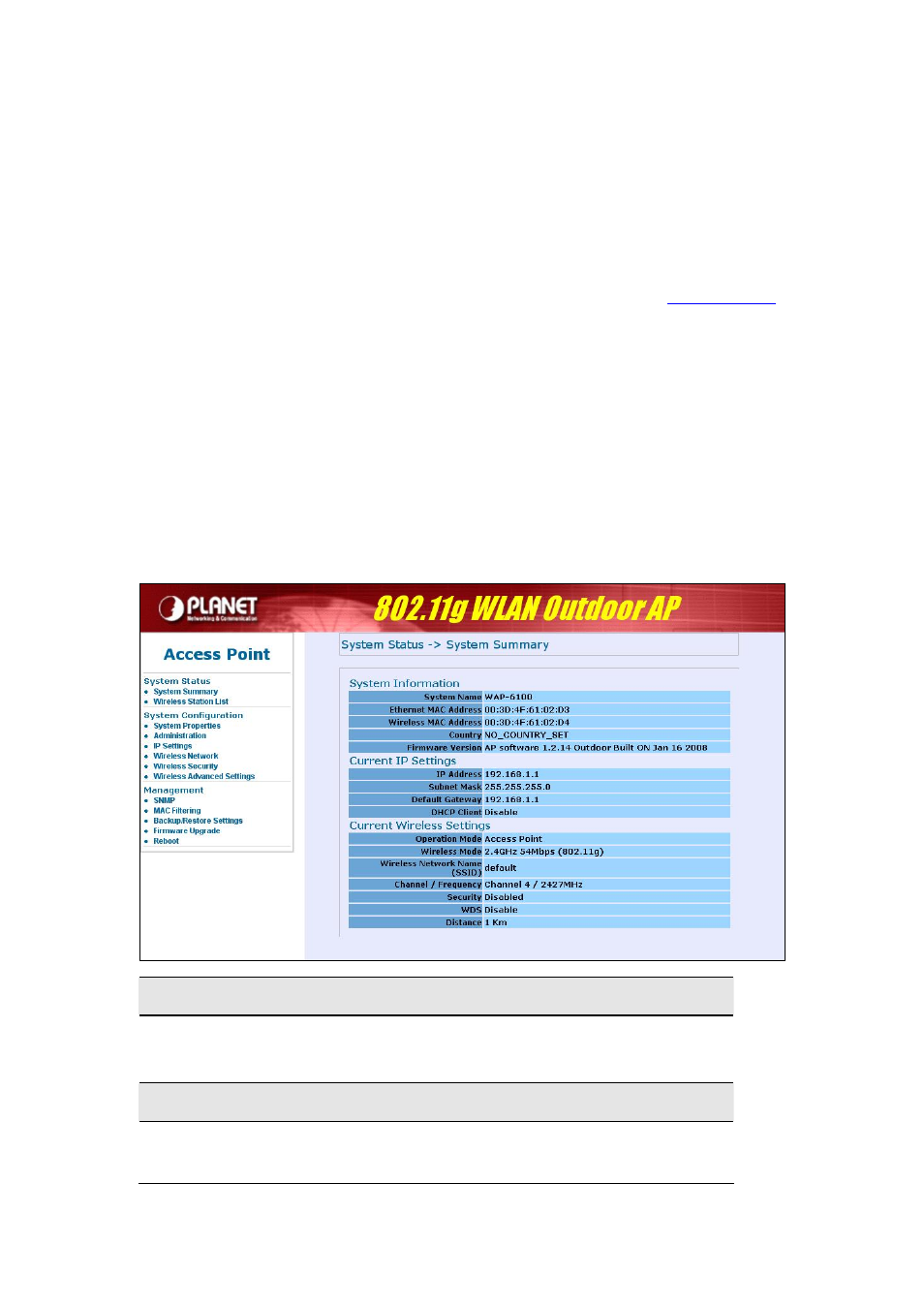
4.1.1 System Summary
System Information
•
This will display system name and both Ethernet MAC address and Wireless MAC
address. Current country setting and firmware version will also be available here.
Current IP Settings
•
This section shows current IP address setting including IP address, Subnet Mask, Default
Gateway and DHCP status.