Settings > device settings > power save, Settings > device settings > software update – ZTE MF910V User Manual
Page 18
Advertising
Page 18 of 31
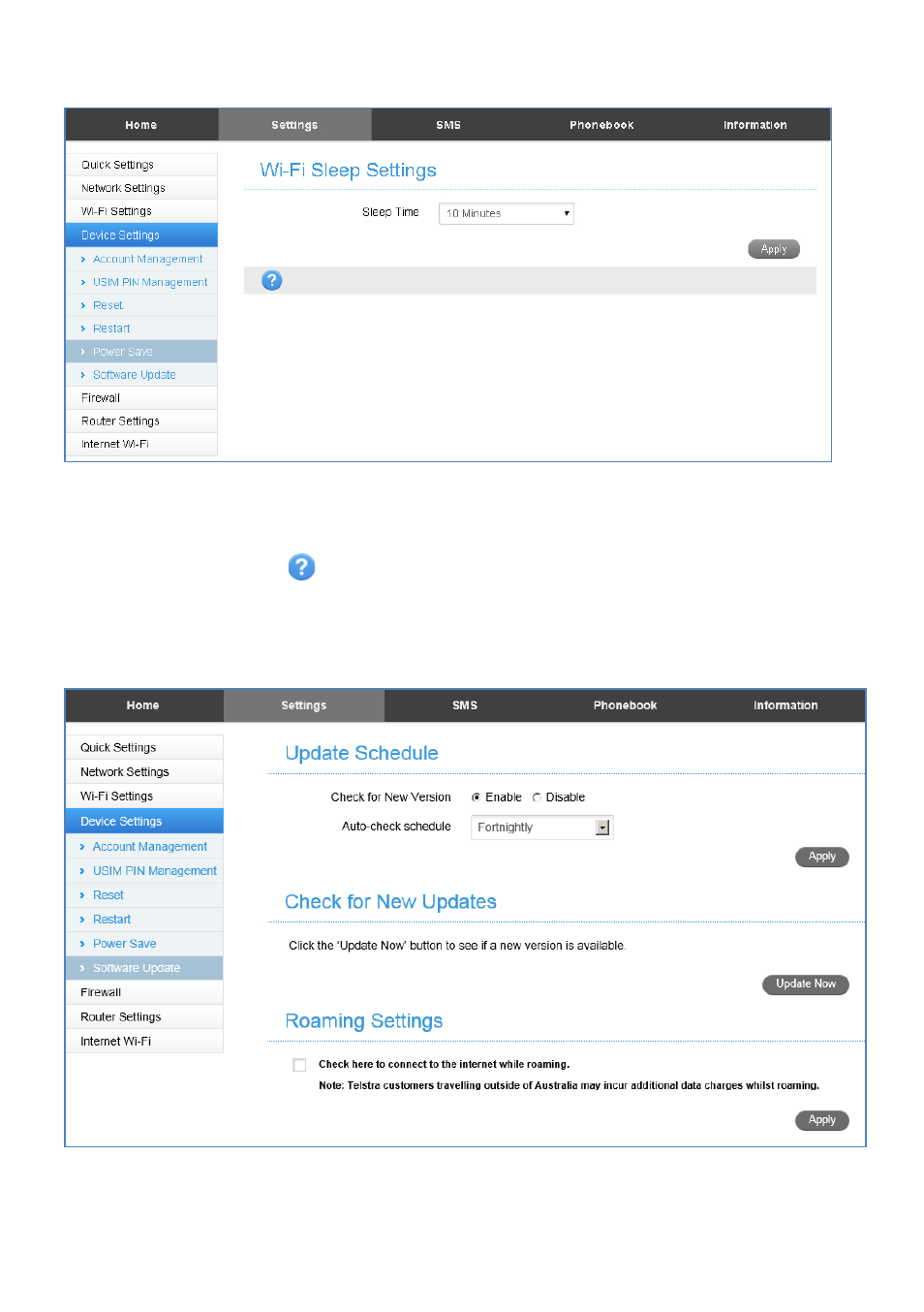
SETTINGS > DEVICE SETTINGS > POWER SAVE
•
If there is no Wi-Fi traffic detected then the device will switch off Wi-Fi as
determined by the Wi-Fi sleep setting.
•
Set Wi-Fi sleep time to Never Sleep to keep the Wi-Fi always on.
•
Press the Help icon
to get in context tips
SETTINGS > DEVICE SETTINGS > SOFTWARE UPDATE
•
With Check for New Version enabled you are notified in the web user interface if
there is an update available.
•
You need to be in the Connected state to download new versions.
Advertising
This manual is related to the following products: