P154) – Panasonic Lumix DMC-G7 body User Manual
Page 154
Advertising
5. Focus and Brightness (Exposure) Settings
154
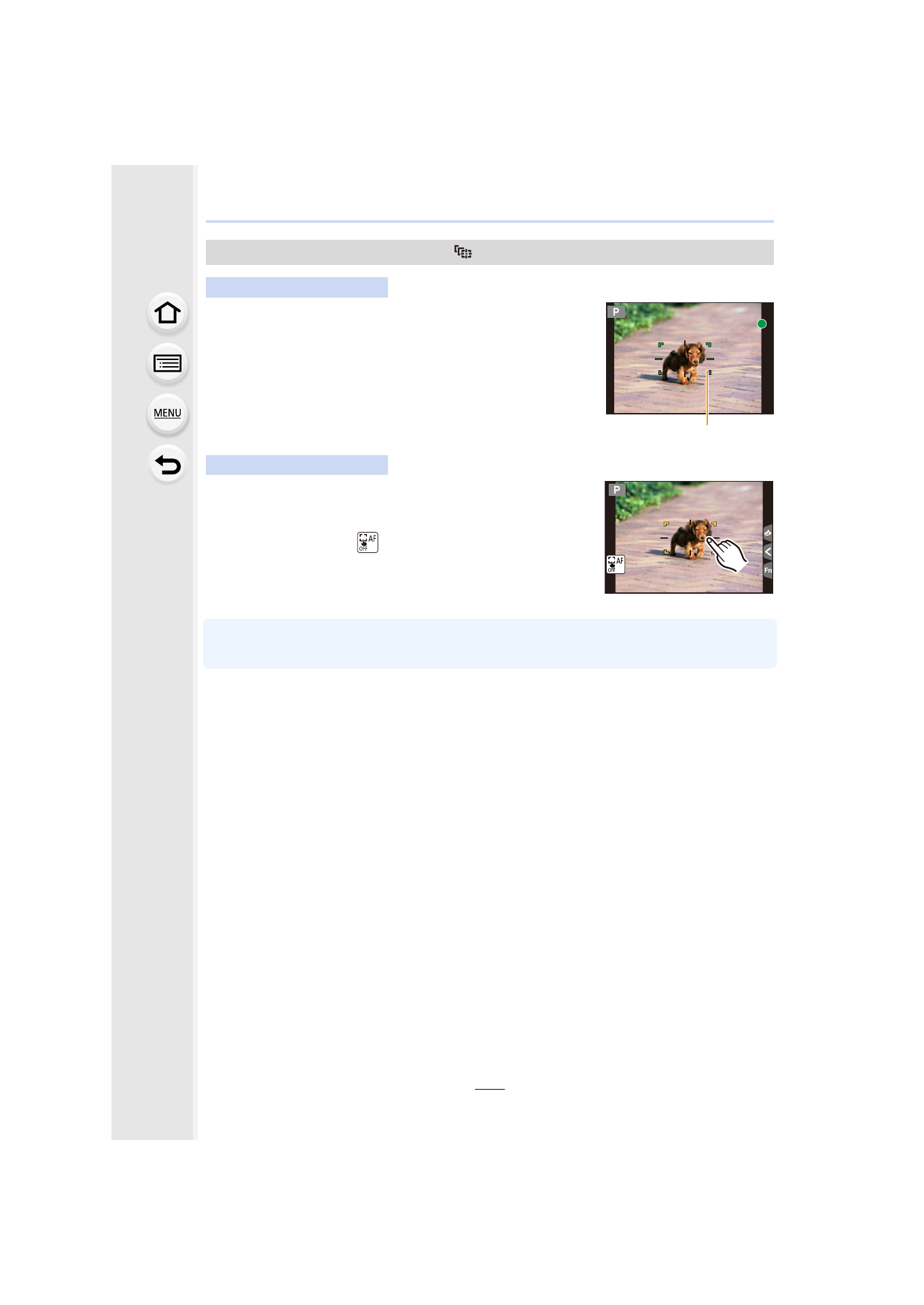
Aim the AF tracking frame over the subject, and press
the shutter button halfway.
A AF tracking frame
•
AF area will turn green when the camera detects the subject.
•
The AF area turns yellow when the shutter button is released.
•
Lock is canceled when [MENU/SET] is pressed.
Touch the subject.
•
Perform the operation after canceling the touch shutter function.
•
The AF area turns yellow while the subject is locked.
•
Lock is canceled when [
] is touched.
•
If it fails to lock, AF area will flash in red, and disappear. Try to lock again.
•
When AF tracking fails, [Ø] is set.
Locking the subject to be tracked (
[Tracking])
Button operation
Touch operation
A
Advertising
This manual is related to the following products:
- Lumix G7 Mirrorless Camera with 14-42mm and 45-150mm Lenses (Black) Lumix G7 Mirrorless Camera with 14-42mm Lens Deluxe Kit (Silver) Lumix G7 Mirrorless Camera with 14-42mm Lens (Silver) Lumix G85 Mirrorless Camera with 12-60mm Lens Lumix DMC-G85M Lumix DMC-G85 Lumix GH5 Lumix GX80 Lumix GX85 Mirrorless Camera with 12-32mm and 45-150mm Lenses Lumix GX8