Novation Launchpad Mini MK3 64-Pad MIDI Grid Controller for Ableton Live User Manual
Page 13
12
13
Scenes
are rows of clips. Launching a scene will launch all clips in that row. This means that you can
arrange clips into horizontal groups (across tracks) to form a song structure, launching scene after
scene to progress through a song.
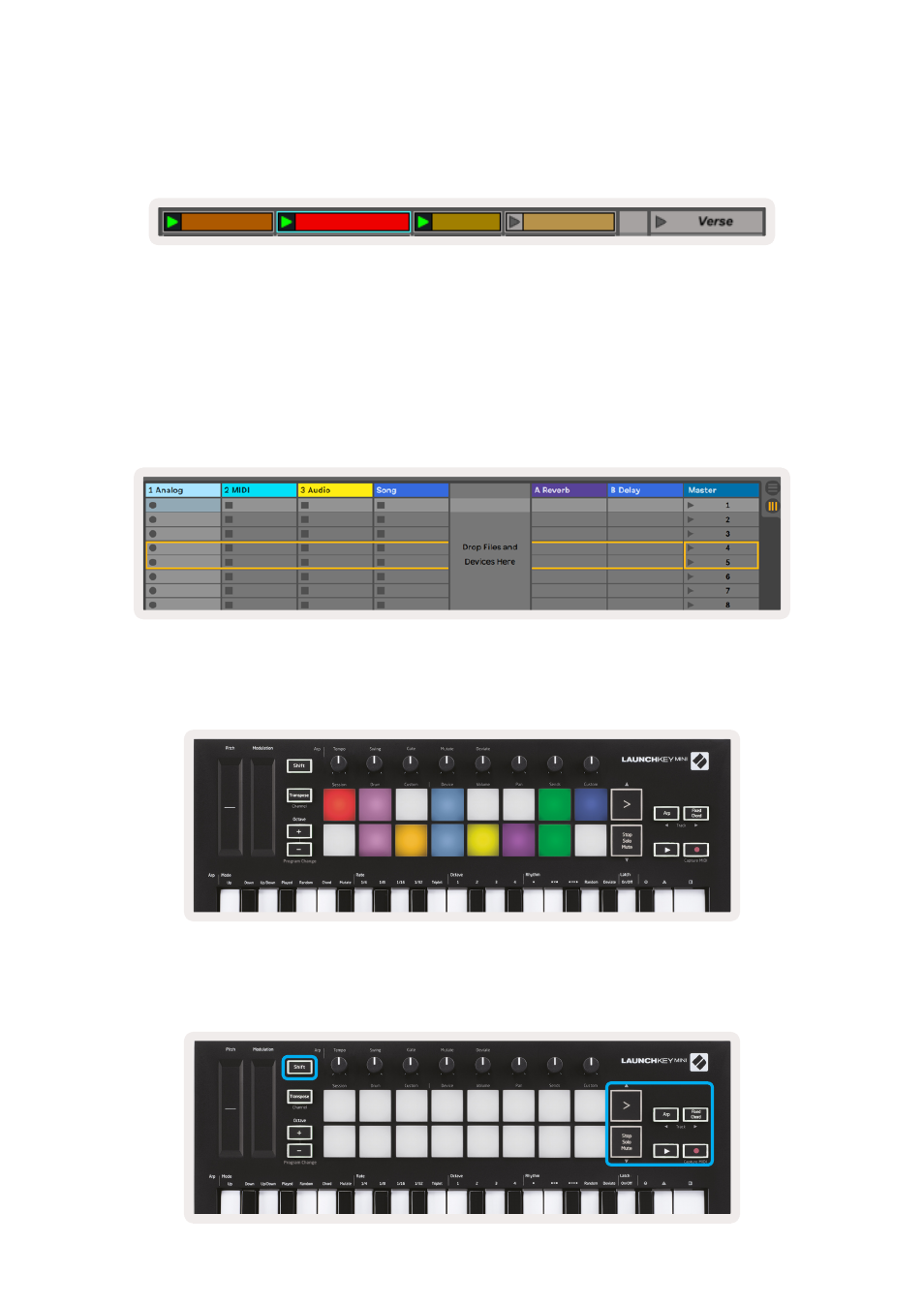
Again, access
Session
mode on the Launchkey Mini by holding
Shift
and pressing the
Session
pad
(the top left pad).
In Session mode, the pads represent the grid of clips found inside the coloured rectangle in Ableton
Live’s Session View. The image below shows such a rectangle (yellow) extending from the left-most
track to the Master track:
Any changes you make to clip position or colour within Ableton Live will be represented in the
Session mode of Launchkey Mini. Unlit (dark) pads indicate empty clip slots.
You can navigate around Session View by holding
Shift
and pressing the 4 buttons with arrows as their
secondary functions: >, Stop Solo Mute, Arp, and Fixed Chord.