Navigation, Drum mode, Using logic’s devices – Novation Launchpad Mini MK3 64-Pad MIDI Grid Controller for Ableton Live User Manual
Page 30
Advertising
30
Navigation
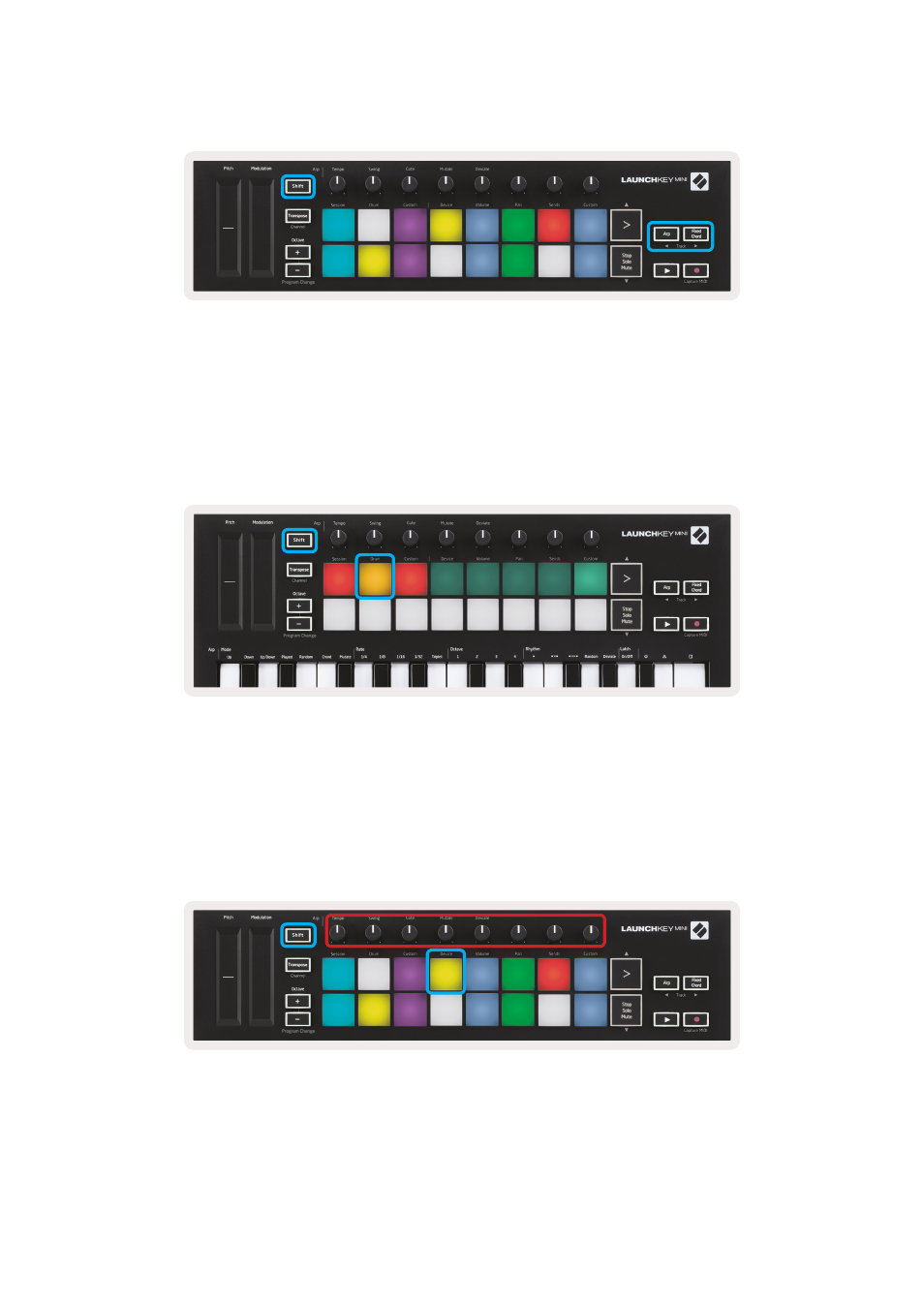
Holding Shift and pressing Arp or Fixed Chord will select the track before or after the current track,
respectively. Doing so will also automatically arm the newly-selected track.
Drum Mode
Hold Shift and press the Drum pad (2nd from top left) to enter Drum mode. This allows you to use the
Launchkey Mini’s velocity-sensitive pads for Logic’s drum instruments.
Using Logic’s Devices
Device mode allows you to control the selected track’s ‘Smart Controls’ with Launchkey Mini’s knobs.
Hold the Shift button and press the Device pad (top right) to use this mode.
Advertising