Working with logic pro x, Setup – Novation Launchpad Mini MK3 64-Pad MIDI Grid Controller for Ableton Live User Manual
Page 28
28
Working with Logic Pro X
The Launchkey Mini [MK3] can serve as a controller for many tasks in Apple’s Logic Pro X. Many
aspects of Launchkey Mini function according to the Hardware Overview, seen earlier in this guide.
Likewise, the behaviour described in the Arp and Fixed Chord sections remains the same in Logic Pro
X. However, when acting as a control surface for the Logic Pro X, there are some intricacies that need
describing.
Setup
After running the Launchkey Mini’s installer for Logic Pro X and then connecting the device to your
computer via USB Logic should automatically detect the Launchkey Mini. If this does not happen you
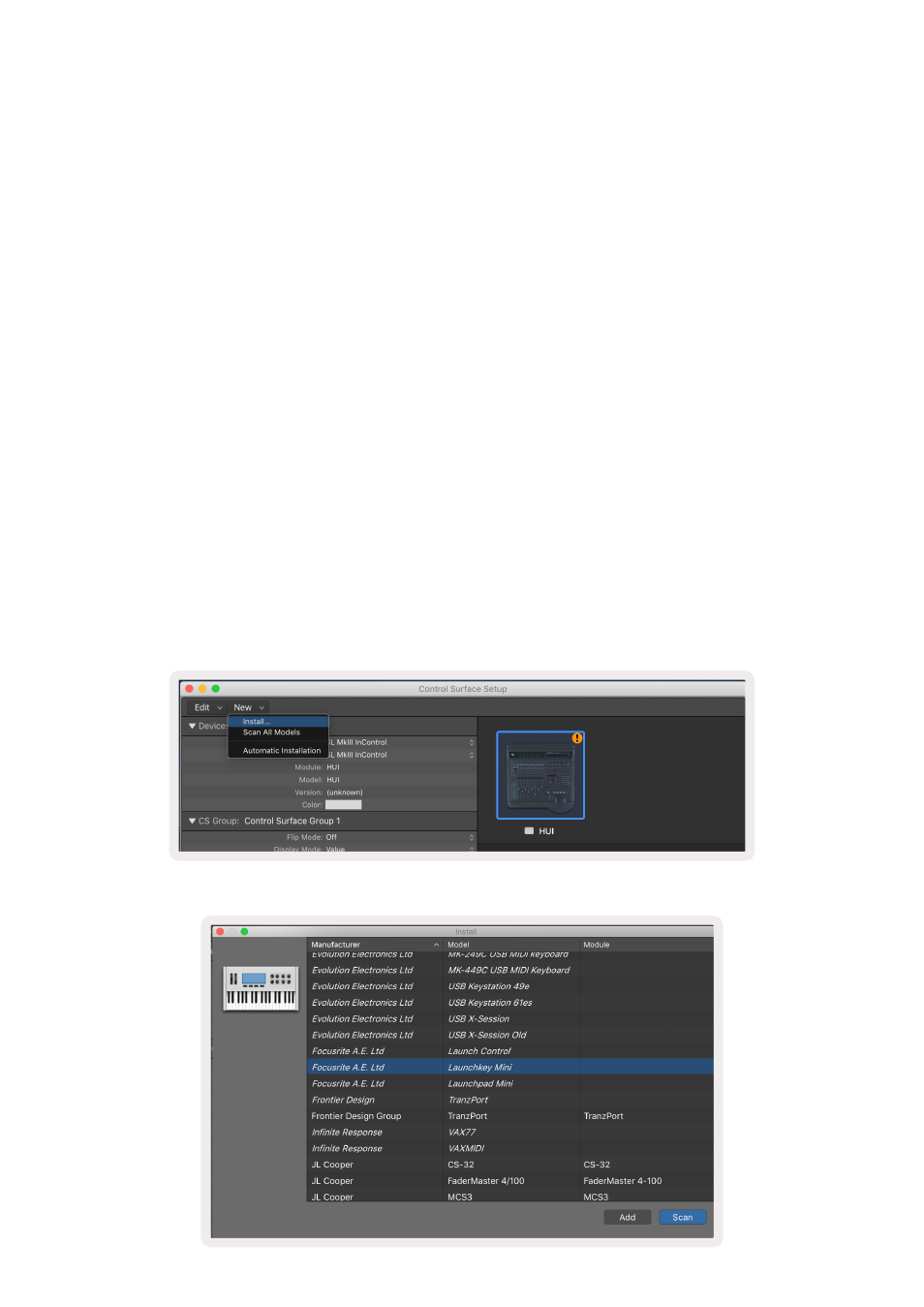
will need to manually choose the Launchkey Mini as a ‘Control Surface’ via the following path:
Logic Pro X > Control Surfaces > Setup
Once in the Setup window, choose ‘Install’ from the ‘New’ menu.
This, in turn, will open the ‘Install’ window. Scroll to the Novation Launchkey Mini MK3
and click ‘Add’.