Working with reason 10, Setup, Rotary knobs – Novation Launchpad Mini MK3 64-Pad MIDI Grid Controller for Ableton Live User Manual
Page 32
Advertising
32
Working with Reason 10
Setup
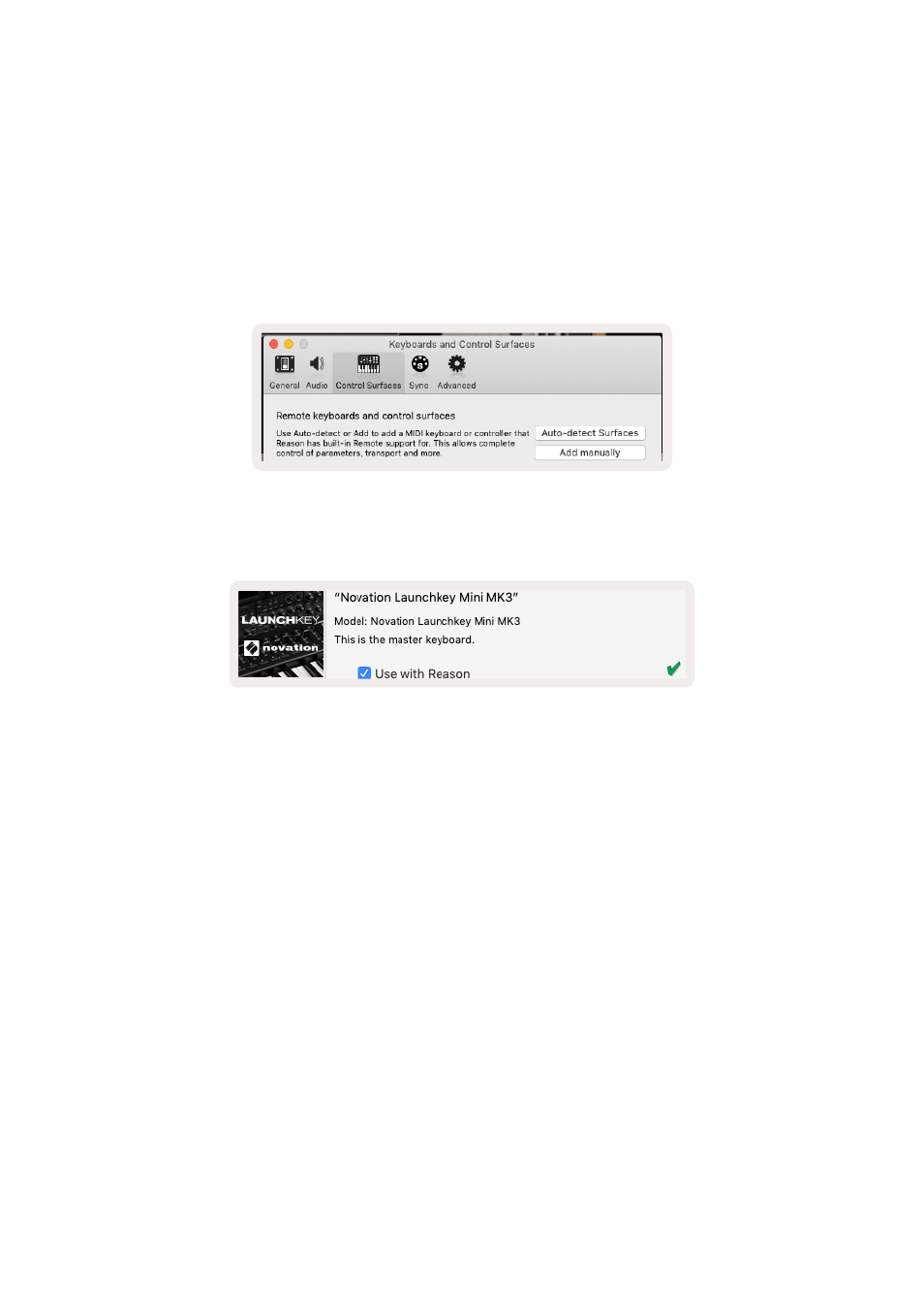
After opening Reason 10 and connecting your Launchkey Mini via USB find Reason’s Preferences here:
Reason > Preferences
Once in Reason’s Preferences click
Control Surfaces
and choose ‘
Auto-detect Surfaces
’.
Reason should then find the Launchkey Mini [MK3]. Select it and make sure ‘Use with Reason
’
is
checked.
Rotary Knobs
With a Reason instrument selected the Launchkey Mini’s 8 knobs automatically control useful
parameters. Of course, which parameters the knobs control varies by instrument. With the Kong Drum
Designer, for example, the Launchkey Mini’s knobs (from left to right) map to Pitch, Decay, Bus FX,
Aux 1, Aux 2, Tone, Pan and Level.
Advertising