Fixed chord – Novation Launchpad Mini MK3 64-Pad MIDI Grid Controller for Ableton Live User Manual
Page 26
26
Fixed Chord
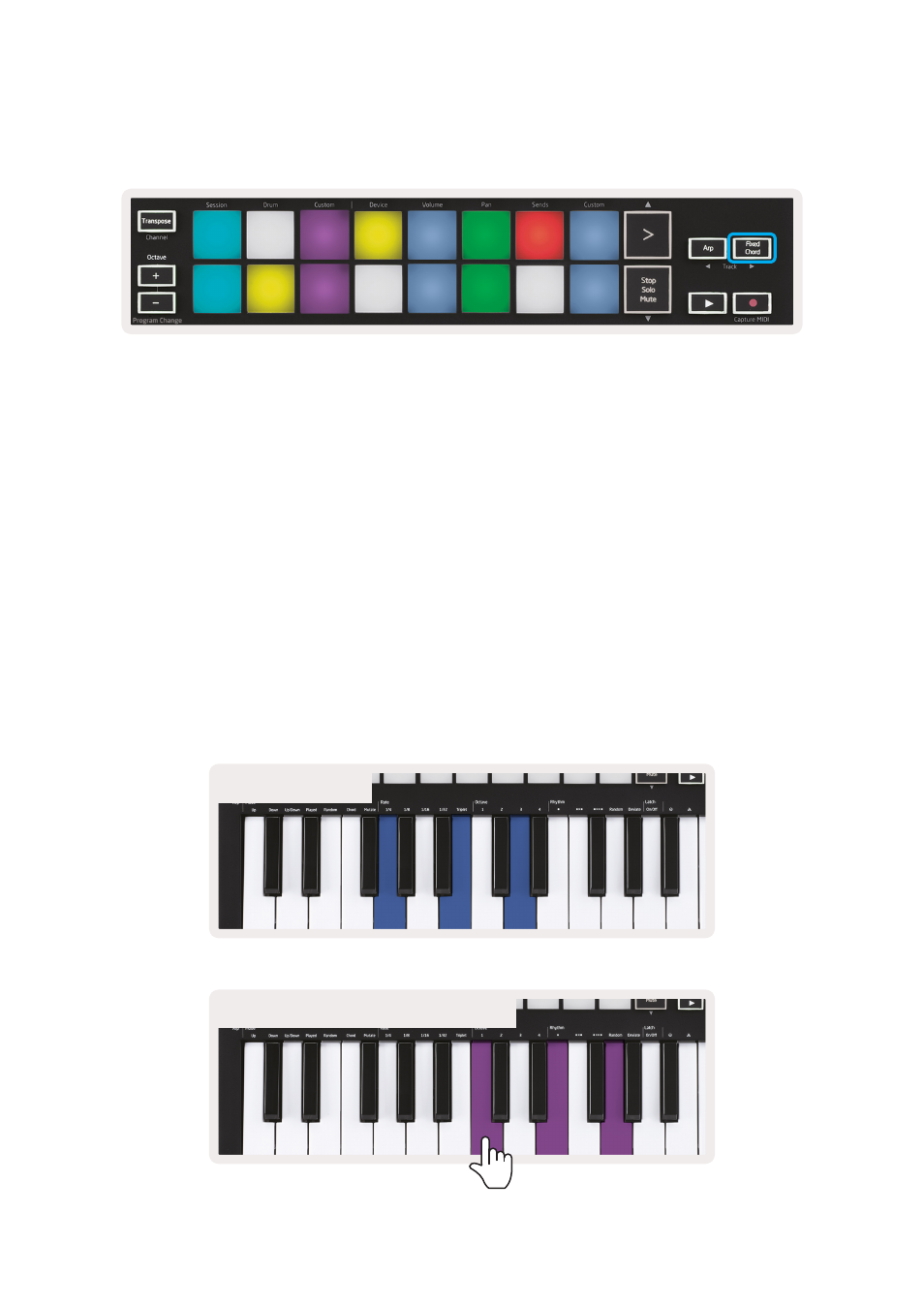
Fixed Chord lets you play a chord shape and then transpose it by pressing other keys.
To set a chord press and hold the Fixed Chord button. Then, while still holding the button, press and
release the keys that you wish to be part of your chord. The chord is now stored.
Keep in mind that the first note that you input into the chord is considered the ‘root note’ of the
chord, even if you then add notes lower than the first one, like in the example below.
These steps illustrate how to use Fixed Chord:
1. Press and hold the Fixed Chord button
2. Press and release C, then E, and finally G (a C Major chord). The unit stores this as the ‘fixed chord’.
3. Release the Fixed Chord button.
4. Major chords will now sound on whatever key you press. For example, you can now press F to hear
an F Major chord (shown below), or Ab to hear an Ab Major chord, etc.
Whenever you enter the Fixed Chord settings, the stored chord is erased and a new chord
must be entered for Fixed Chord to work again.
Original played chord
The resulting chord when new key is pressed