Getting connected, Connecting to a computer, Using as a standalone midi controller – Novation Launchpad Mini MK3 64-Pad MIDI Grid Controller for Ableton Live User Manual
Page 7: Connecting to mobile devices
6
7
Getting Connected
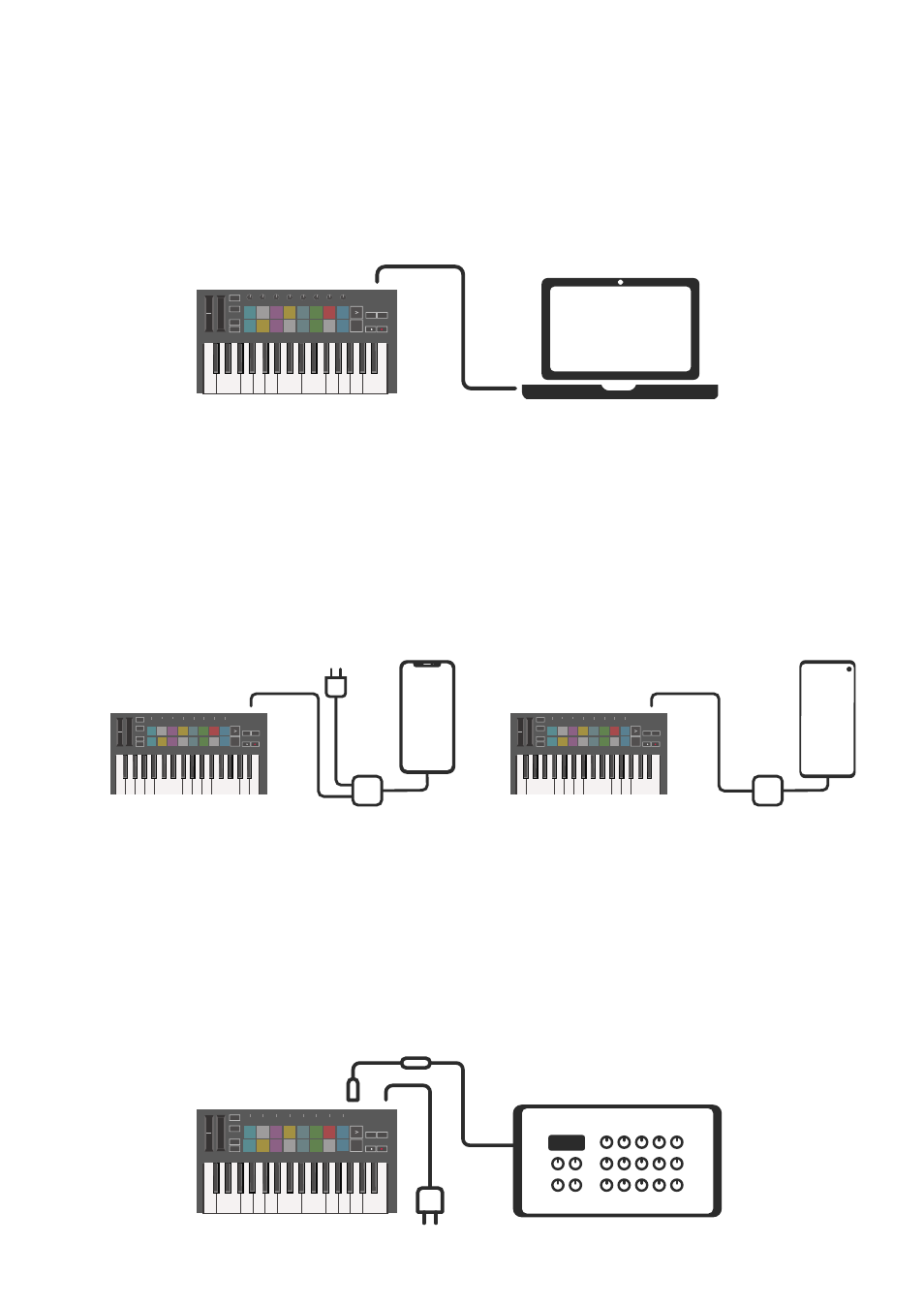
Connecting to a Computer
The Launchkey Mini is bus-powered, meaning it turns on as soon as you connect it to your
computer with a USB cable.
Using as a Standalone MIDI Controller
If you want to use the 3.5mm MIDI output on the Launchkey Mini without a computer, you can power
the unit with a standard USB power supply (5V DC, minimum 500mA).
Note that the Launchkey Mini is only compatible with Circuit using TRS MIDI Type A adapters. Many
other Novation products (such as Launchpad Pro) will also require a Type B adapter to properly
communicate with the Launchkey Mini via its Type A adapter.
Connecting to Mobile Devices
Android
To operate the Launchkey Mini with an Android
device we recommend a USB OTG
to USB adapter.
iOS
To operate the Launchkey Mini with an
iOS device, use Apple’s Lightning to USB
3 Camera Adapter with a separate 2.4A
Lightning charger.
iOS
Android