Arp rates arp octaves, Arp rates, Arp octaves – Novation Launchpad Mini MK3 64-Pad MIDI Grid Controller for Ableton Live User Manual
Page 23
22
23
Arp Rates
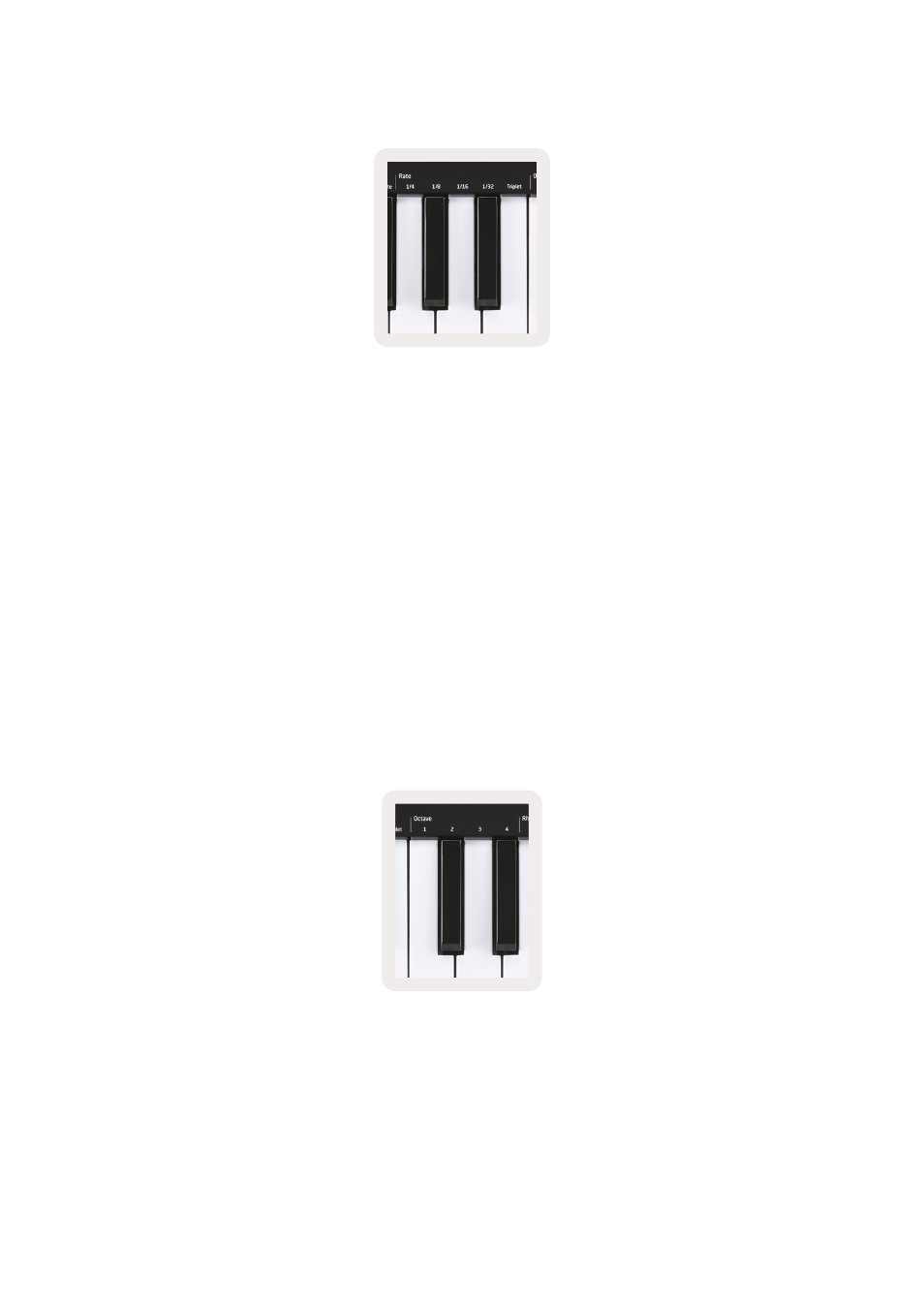
These options specify the speed of the arpeggiated notes. Since each note is played immediately
after the end of the previous one, a shorter rate (eg 1/32) will play an arpeggio faster than longer one
(eg 1/4).
Rate options are common musical note values: quarter (¼), eighth (1/8), sixteenth (1/16) and
thirty-second (1/32) notes. To change the Arp Rate, press and hold the Arp button, and then press the
key below 1/4, 1/8, 1/16, or 1/32.
Additionally, you can toggle triplet rhythms on/off for each of the above musical values by clicking the
key below ‘Triplet’. This turns your arpeggio notes into quarter, eighth, sixteenth and
thirty-second note triplets.
Arp Octaves
These 4 keys specify across how many octaves your arpeggio will repeat. To change, press and hold
the Arp button, and then press the key below 1, 2, 3 or 4. Choosing an octave higher than 1 will
repeat the arpeggio at higher octaves. For example, an arpeggio that was C3, E3, and G3 at 1 octave
will become C3, E3, G3, C4, E4, and G4 when set to 2 octaves.