Loading the manual feeder, Linking trays – Lexmark CX622ade Color Laser Printer User Manual
Page 34
Advertising
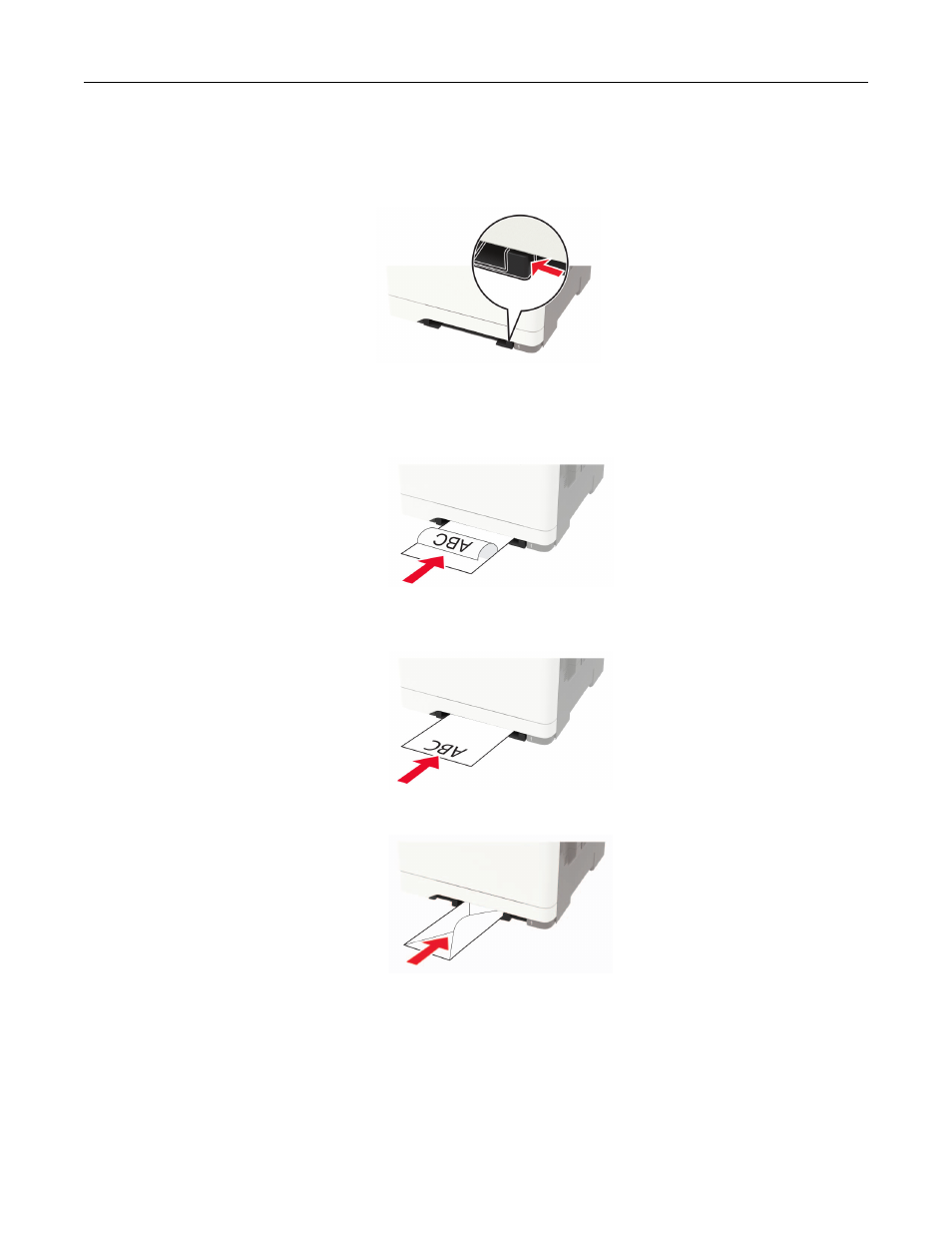
Loading the manual feeder
1
Adjust the guide to match the size of the paper that you are loading.
2
Load a sheet of paper with the printable side facedown.
•
Load letterhead with the printable side facedown and the top edge entering the printer first for one
‑
sided
printing.
•
Load letterhead with the printable side faceup and the top edge entering the printer last for two
‑
sided
printing.
•
Load envelope with the flap side up and against the right side of the paper guide.
3
Feed the paper until its leading edge gets pulled in.
Warning—Potential Damage:
To avoid paper jams, do not force paper into the manual feeder.
Linking trays
1
Open a web browser, and then type the printer IP address in the address field.
Loading paper and specialty media
34
Advertising