Setting the fax date and time, Configuring daylight saving time, Configuring daylight saving time – Lexmark CX622ade Color Laser Printer User Manual
Page 58
3
Apply the changes.
Setting the fax date and time
1
From the control panel, navigate to:
Settings
>
Device
>
Preferences
>
Date and Time
>
Configure
For non-touch-screen printer models, press
to navigate through the settings.
2
Configure the settings.
Configuring daylight saving time
1
From the control panel, navigate to:
Settings
>
Device
>
Preferences
>
Date and Time
>
Configure
For non-touch-screen printer models, press
to navigate through the settings.
2
From the Time Zone menu, select
(UTC+user) Custom
.
3
Configure the settings.
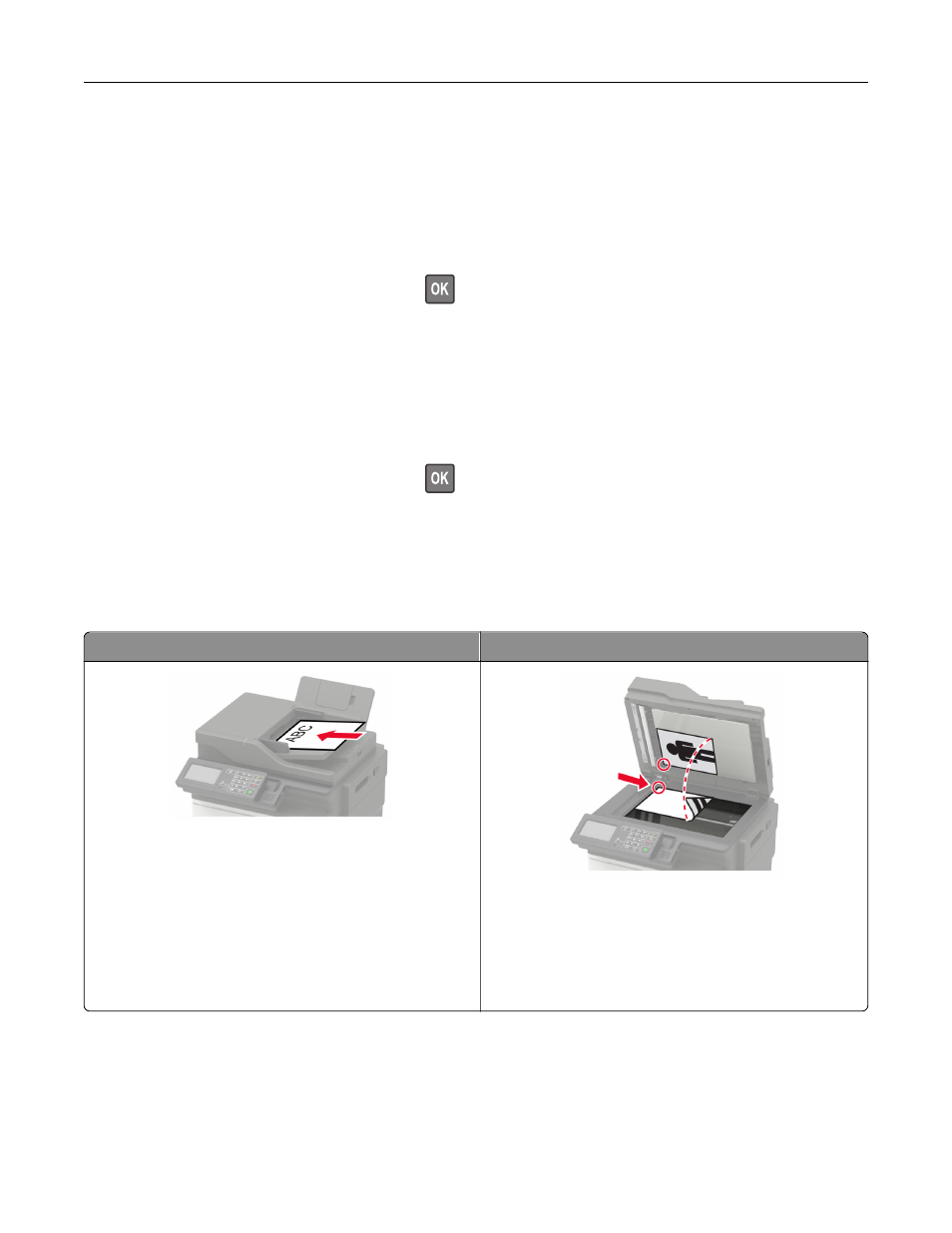
Using the automatic document feeder and scanner glass
Automatic document feeder (ADF)
Scanner glass
•
Use the ADF for multiple
‑
page or two-sided
documents.
•
Load an original document faceup. For multiple
‑
page
documents, make sure to align the leading edge
before loading.
•
Make sure to adjust the ADF guides to match the width
of the paper that you are loading.
•
Use the scanner glass for single
‑
page documents,
book pages, small items (such as postcards or
photos), transparencies, photo paper, or thin media
(such as magazine clippings).
•
Place the document facedown in the corner with the
arrow.
Faxing
58