Ricoh fi-8040 Desktop Scanner User Manual
Page 98
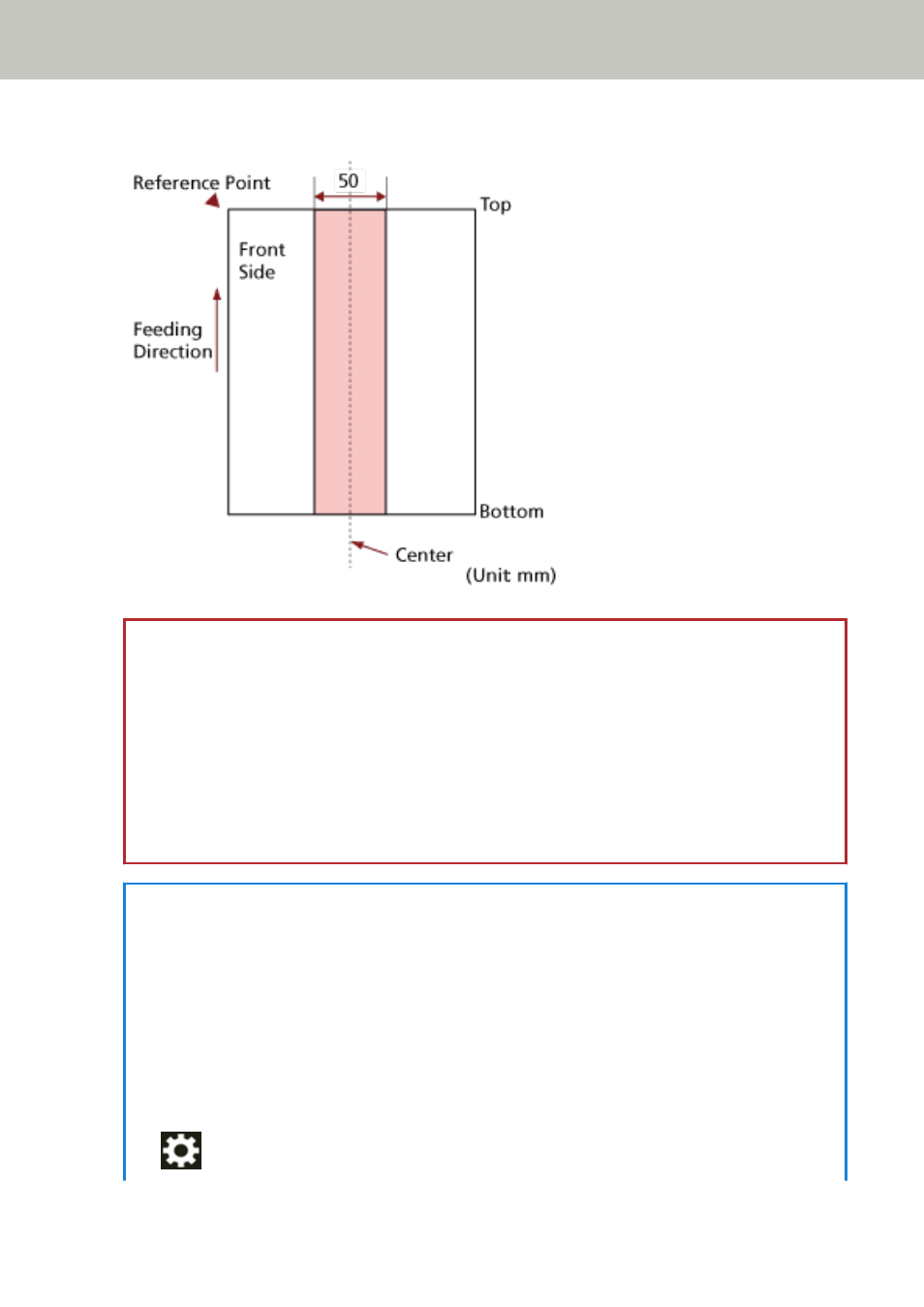
Fig. 2
ATTENTION
●
The above condition applies when the document is set to the center of the pick roller width.
●
When an option to detect overlapping with the ultrasonic sensor is selected, scanning a thick
document such as a plastic card will be falsely detected as overlapping of documents.
In that case, specify one of the following settings and try scanning again.
-
Use the intelligent multifeed detection function.
-
Disable the setting to detect overlapped documents by the ultrasonic sensor.
-
Scan with Manual Single Mode.
HINT
●
The accuracy of detection for overlapped documents may drop depending on the document
type.
Overlapping cannot be detected for the top 30 mm (1.18 in.) of a document in the feeding
direction.
●
You can specify an area not to detect overlapping of documents within the area described in
Fig. 2 using one of the following methods.
-
The [Multifeed Detection Area] screen on the touch screen
The screen can be displayed in the following procedure:
→
[Scanner Settings]
→
[Paper Source/Feeding]
→
[Multifeed Detection Area]
How to Load Documents
98