E.3.5 remote data traffic handling – Comtech EF Data SLM-5650A User Manual
Page 418
SLM-5650A Satellite Modem
Revision 8
Appendix E
MN-SLM5650A
E–14
E.3.5 Remote Data Traffic Handling
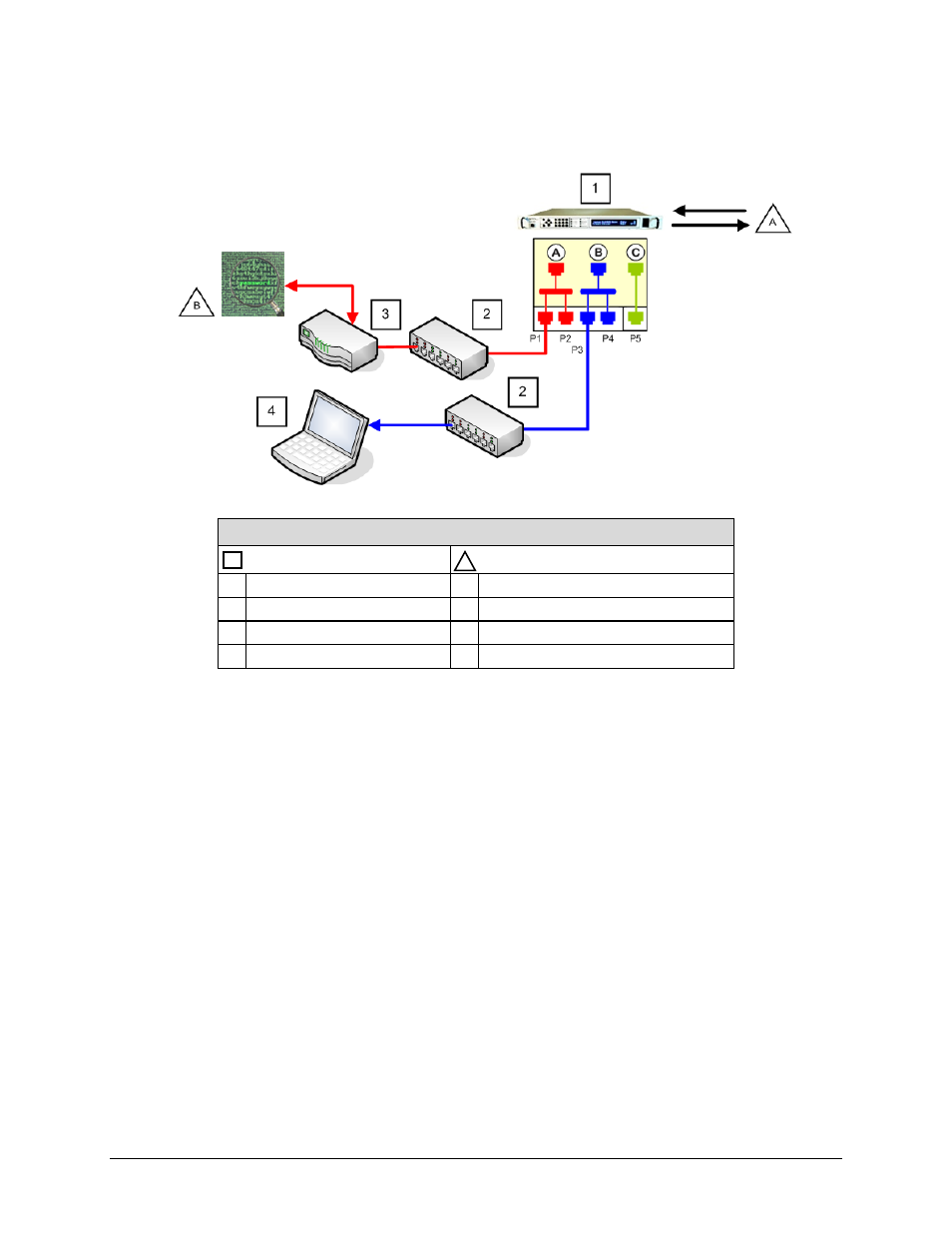
Figure Legend
Equipment
Data Type
1 Remote Modem
A Tx / Rx Data Link from Hub
2 Remote LAN Data Switches
B Network Encryption
3 Remote Router
4 Other Devices
Figure E-9. Remote (Spoke) Data Traffic Network
In BPM Mode, the remote role is the same for either point-to-point or point-to-multipoint
topologies. No special configuration is required for remote operation.
As shown in Figure E-9:
•
NP Ethernet ports P1 and P2, with internal Data WAN Port ‘A’ forms the red switch
group referred to as Bridge-Group1;
•
NP Ethernet ports P3 and P4, with internal Management WAN Port ‘B’ forms the blue
switch group referred to as Bridge-Group2;
•
The SLM-5650A Base Modem J5 Ethernet port, with internal VS WAN Port ‘C’ forms
the green switch group referred to as Router-Group.
The following rules are observed with this configuration:
•
NP Interface ports P1, P3, and Base Modem Ethernet Port J5 are the primary ports.
•
NP Interface ports P2 and P4 are the secondary ports.
Note that, while the remote LAN switches shown in Figure E-9 are included to illustrate how
third party Layer2 switches can be used, their use is not mandatory.