Comtech EF Data CDM-760 User Manual
Page 193
Ethernet-based Remote Product Management
Revision 2
CDM-760 Advanced High-Speed Trunking Modem
MN-CDM760
7–35
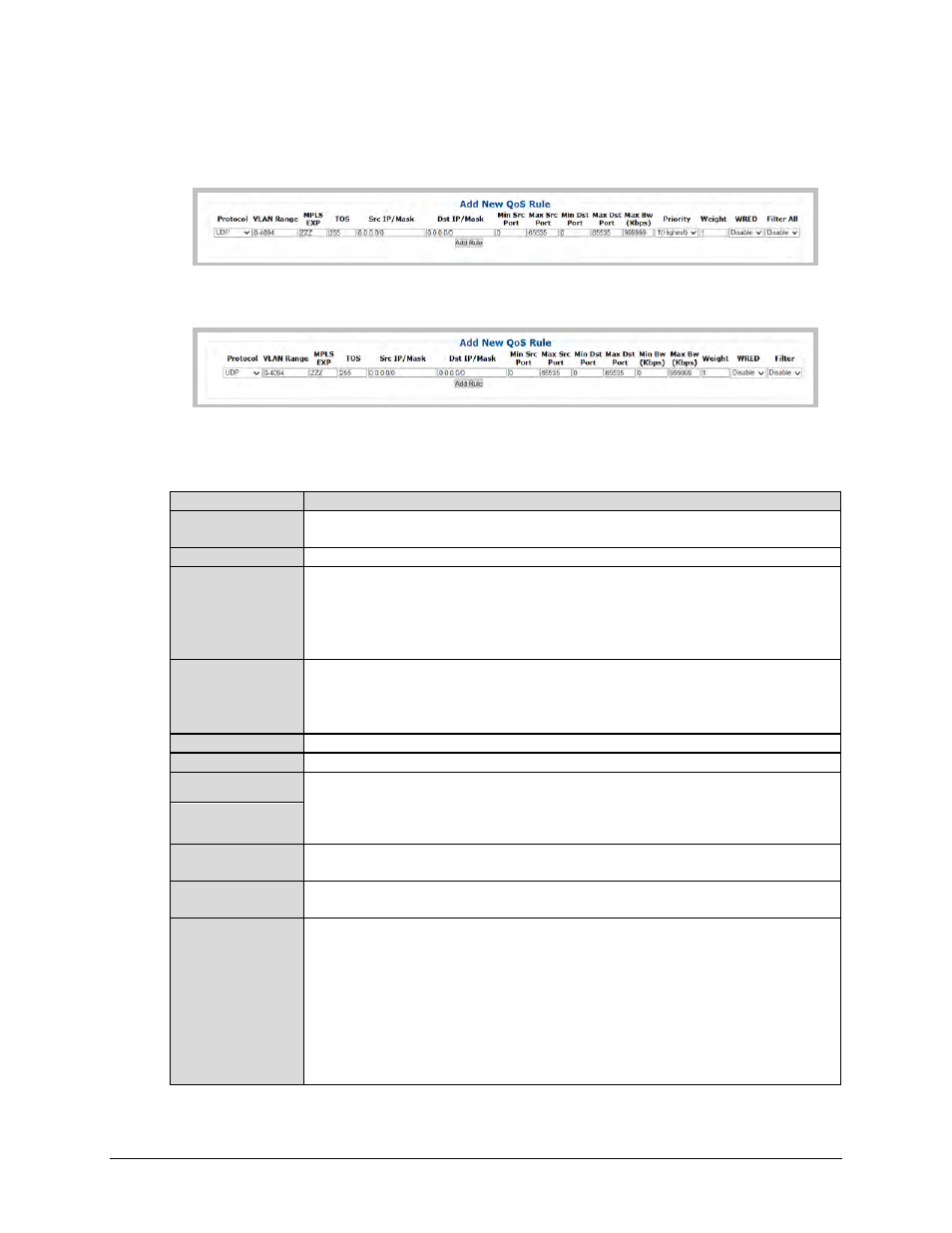
Add New QoS Rule
In ‘Max/Priority’ QoS Mode:
In ‘Min/Max’ QoS Mode:
Use the available text boxes and drop-down lists in this section to create a new QoS rule. Note
the following (from left to right):
Column
Description
Protocol
Use the drop-down list to select the Protocol as UDP, TCP, ICMP, RTP, VOICE, VIDEO,
RTPS, FTP, HTTP, TELNET, SMTP, SNMP, All-IP, Non-IP, or All.
VLAN Range
Enter a single VLAN ID (2012) or a range of VLAN IDs (2000-2012).
MPLS EXP
Enter an MPLS (Multi-Protocol Label Switching) experimental bit label as follows:
•
Enter an explicit MPLS match. For example, “101” triggers true only for an EXP bit
sequence of “101”.
•
Enter wildcard character “Z”. For example, “10Z” triggers true if either “101” or “100”
appears in the EXP bits of the MPLS label.
TOS
Type Of Service bits include a six-bit Differentiated Services Code Point (DSCP) and a two-
bit Explicit Congestion Notification (ECN) field:
•
Enter an explicit Code Point match.
•
Enter the wildcard entry of 255 so that all values trigger true.
Src IP/Mask
Enter a Source IP Address/Mask in the form XXX.XXX.XXX.XXX/YY.
Dst IP/Mask
Enter a Destination IP Address/Mask in the form XXX.XXX.XXX.XXX/YY.
Min/Max Src Port
You should specify the Min / Max Source / Destination Ports only if you are aware of
the port usage of the desired protocol or application. There are well-known ports for
various protocols, but often only the ‘command’ messaging is transacted on these ports and
the ‘data’ is transferred through a negotiated port.
Min/Max Dst Port
Min BW (Kbps)
(“Min/Max” mode only) Assign a value to limit the flow to this minimum utilized bandwidth;
otherwise, you may select the default of no bandwidth restriction.
Max BW (Kbps)
Assign a value to limit the flow to this maximum utilized bandwidth; otherwise, you may
select the default of no bandwidth restriction.
Priority
(“Max/Priority” mode only) Use the drop-down list to assign a Priority Level from 1 to 8 for
each flow:
•
The IP Module classifies each packet that is to be forwarded over the satellite; the
packet then has a Priority assigned according to the defined QoS Rules;
•
Any latency critical traffic such as VoIP/RTP should always be assigned Priority 1;
•
Priority 1 packets are forwarded immediately; Priority 2 packets are forwarded as soon
as there are no Priority 1 packets in the Queue; and so on;
•
Any packet that does not meet a QoS Rule is assigned to the Default Rule and is
assigned a Priority of 9.