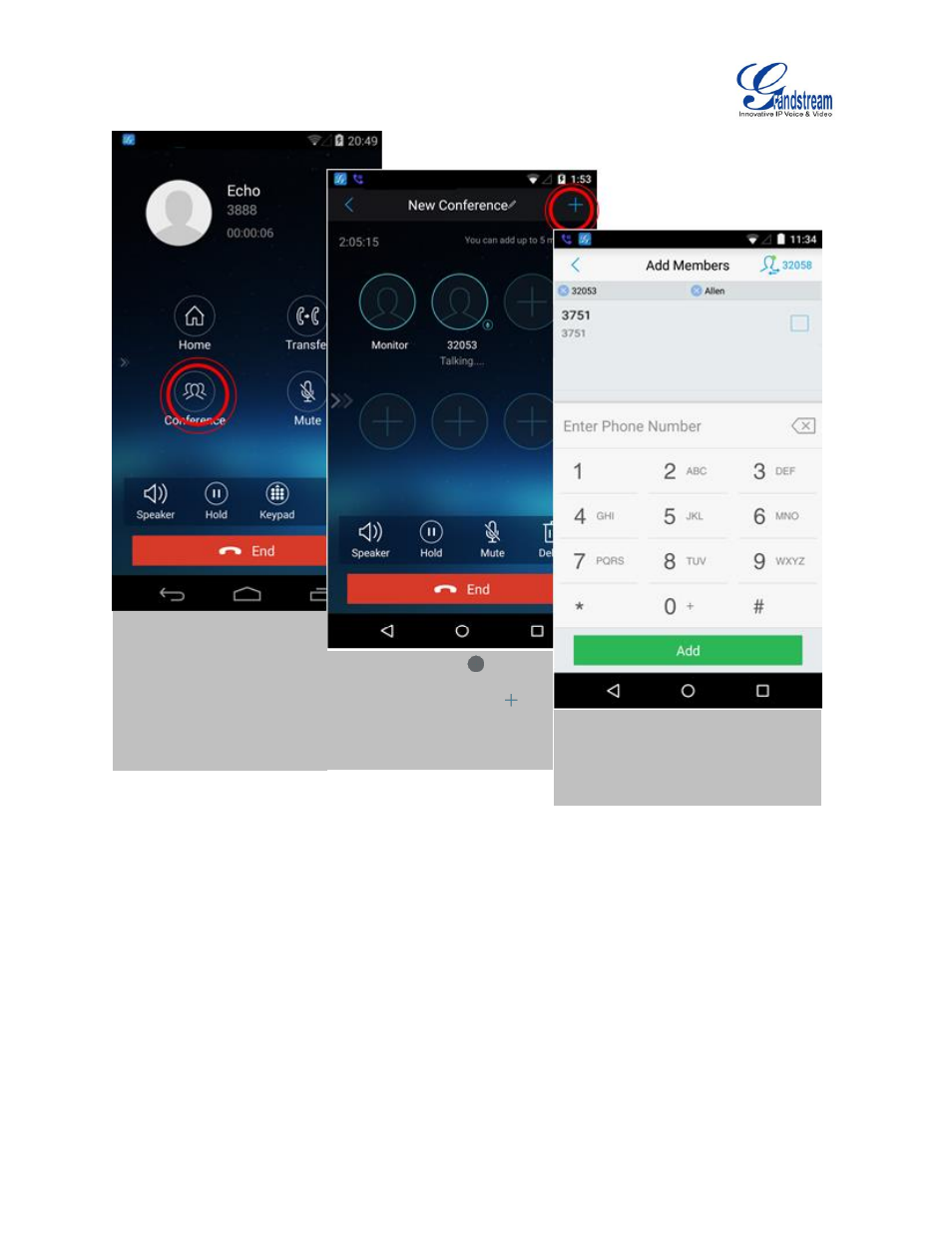
Figure 20: grandstream wave conference, Initiating conference – Grandstream Wave User Manual
Page 29
Advertising
Firmware Version 1.0.1.21
Grandstream Wave User Guide
Page 28 of 64
Figure 20: Grandstream Wave Conference
—
Initiating Conference
While all participants have been in the conference, users could tap on the buttons below to make the
corresponding operations.
Speaker: Enable the speaker for the conference.
Hold: Hold the conference.
Mute: Mute the conference participant individually.
Delete: Delete the conference participant.
1. Tap on "More" and select
"Conference" to access the
Conference screen.
2. Tap on any
on the
screen
to
add
single
participant, or tap on
at
the upper right corner to add
multiple participants.
3. Tap on "Add" to add participant
to the conference.
4. Repeat the above steps to add
more participants.
Advertising