Microcom 814M Programming Manual User Manual
Page 54
50
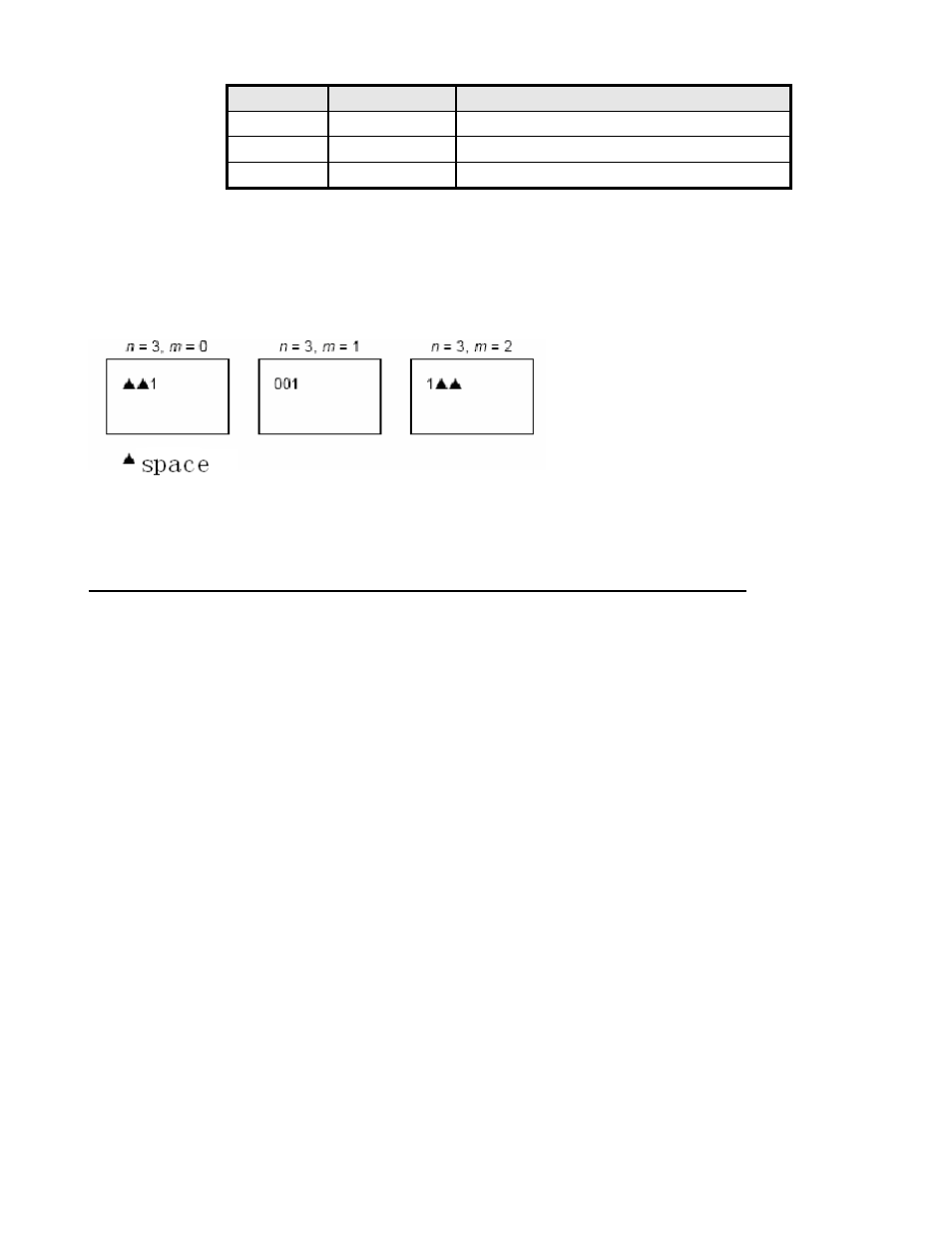
m
Printing position Processing of digits less than those specified
0,48
Align right
Adds spaces to the left
1,49
Align right
Adds 0 to the left
2,50
Align left
Adds spaces to the right
[Notes]
• If n or m out of the defined range, the previously set print mode is not changed.
• If n =0,mdoes not have any meaning.
[Default]
n = 0, m = 0
[Reference]
GS C 1, GS C 2, GS C, GS c
[Examples]
GS C 1 aL aH bL bH n r
[Name] Select count mode (A)
[Format]
ASCII GS
C 1 aL aH bL bH n r
Hex
1D
43 31 aL aH bL bH n r
Decimal 29
67 49 aL aH bL bH n r
[Range] 0
≤ aL ≤ 255
0 ≤ aH ≤ 255
0 ≤ bL ≤ 255
0 ≤ bH ≤ 255
0 ≤ n ≤ 255
0 ≤ r ≤ 255
[Description]
Select a count mode for the serial number counter.
•
aL,
aH
bL,
bH
specify the counter range.
• n indicates the stepping amount when counting up or down.
• r indicates the repetition number when the counter value is fixed.
[Notes]
Count-up mode is specified when
[ a
L
+ a
H
256] < [ b
L
+ b
H
256] , n 0 and r 0.
Count-down mode is specified when
[ a
L
+ a
H
256] > [ b
L
+ b
H
256] ,n 0 and r 0.
Count stop when
[ aL + aH x 256] = [ bL + bH x 256] , n = 0 or r = 0.