Converting files – NavCom StarPac Rev.A User Manual
Page 10
10
StarPac™ User Guide - Rev A
Make sure the receiver is powered ON before attempting to download files.
In order for a connection to be made the serial cable MUST be connected to COM 1 on the
receiver.
•
Select the option for Serial.
•
Select the correct Comport and Baud Rate (115200 is recommended) for the PC.
•
Click Connect.
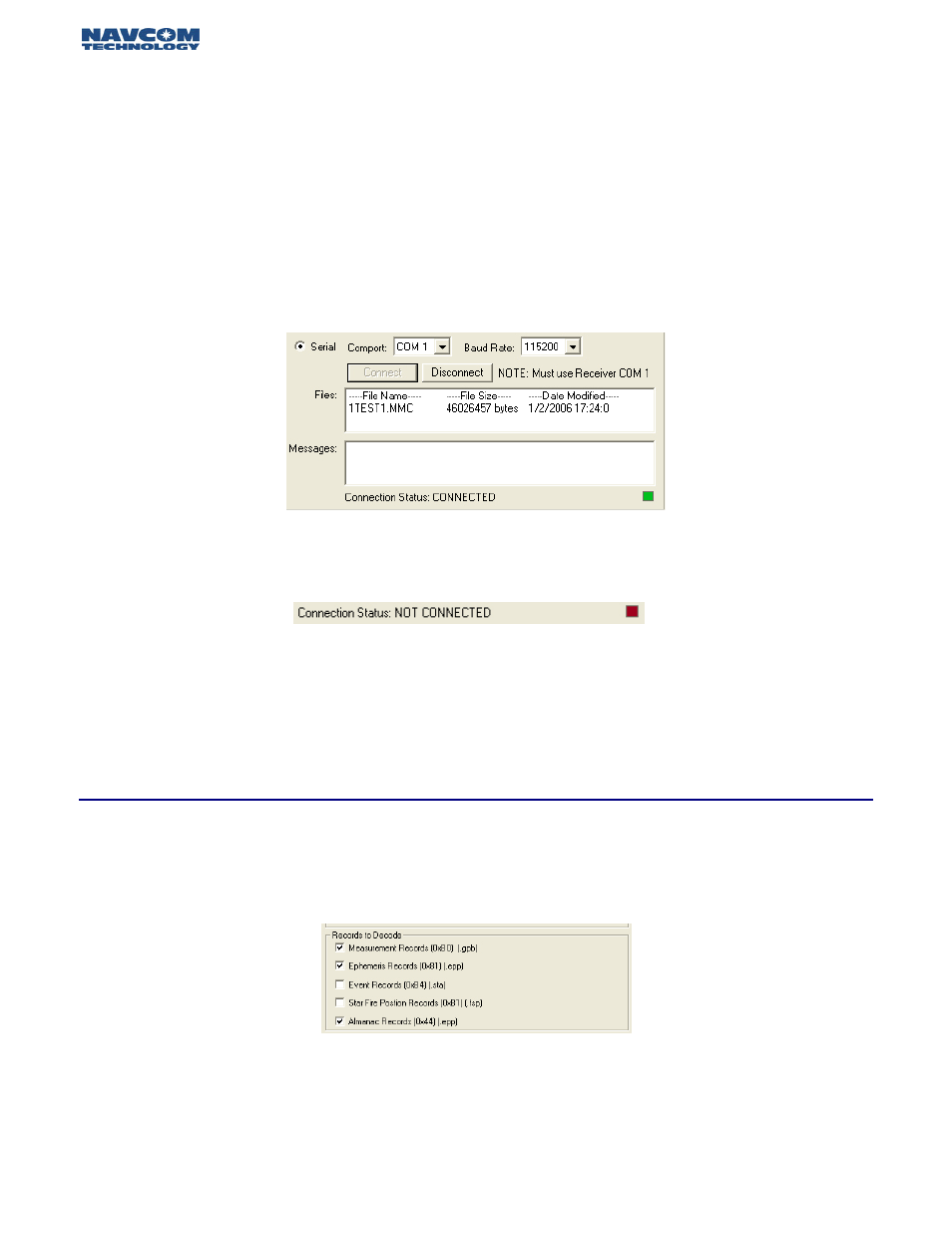
The utility will attempt to connect with the receiver. Once connected, a list of files stored within the
receiver’s MMC will be displayed in the Files box (Figure 3.4). Files can be individually selected for
decoding.
Figure 3.4: Connected Receiver Status Screen
If no connection can be made:
Figure 3.5: Not Connected Receiver Status Screen
•
Click Disconnect.
•
Make sure the serial cable is inserted into the receiver’s COM 1 port
•
Verify that the correct Comport and Baud Rate settings for the computer are selected.
•
Attempt to connect again.
Once a file is selected, it can be decoded into several different StarPac™ readable file formats. The
default options are shown in figure 3.6. The only records needed are 0xB4 and 0xB1, for post-
processing 0xB0, 0x44, and 0xB1 records are also required.
Figure 3.6: Default Decoding Options
Select the file for conversion from the file box, verify the records to decode, and then select the out-
put options (Figure 3.7). The default file name is the same as the input name, however this can be
changed by un-checking the “Use file name for prefix” box and typing in a new filename prefix.
Converting Files