Panel leds – H3C Technologies H3C MSR 30 User Manual
Page 19
11
2.
Rear view
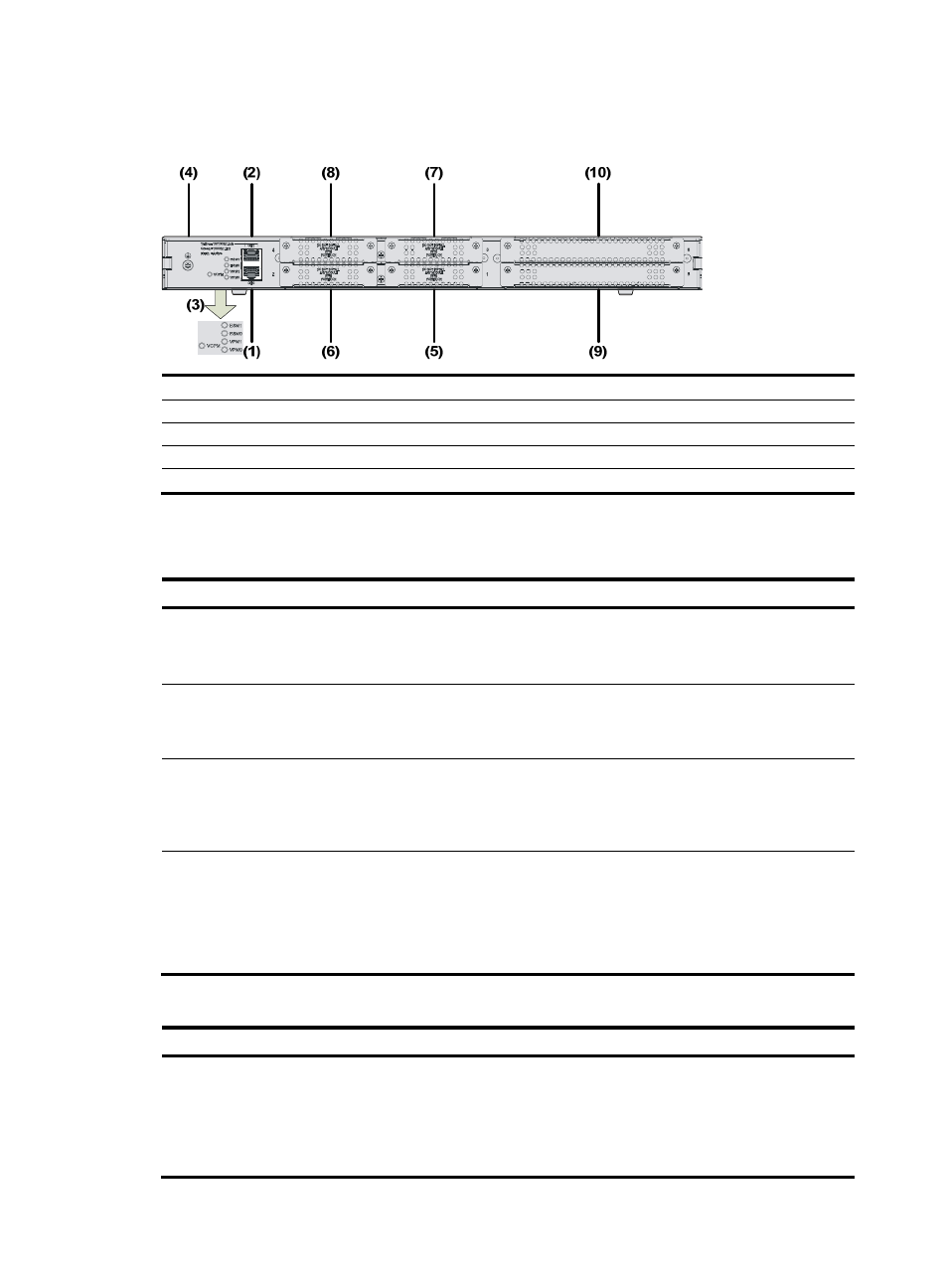
Figure 12 Rear view of an MSR 30-20
(1) GE interface 0
(2) GE interface 1
(3) LEDs
(4) Grounding terminal
(5) SIC slot 1
(6) SIC slot 2
(7) SIC slot 3
(8) SIC slot 4
(9) MIM slot 5
(10) MIM slot 6
Panel LEDs
Table 10 Front panel LEDs of an MSR 30-20 router
LED Description
PWR
Power LED:
•
ON means the system provides power for cards normally.
•
OFF means the system does not supply power for cards.
SYS
Hardware system operation LED:
•
Blinking means the system is operating normally.
•
Steady ON or steady OFF means the system does not operate normally.
USB0
•
OFF means the USB interface has not been connected to a host.
•
Steady green means the USB interface is connected to a host and the host can be removed.
•
Blinking green means data is being transferred to/from the host and the host cannot be
removed now.
CF
CF card LED:
•
Steady green means the CF card is in the slot and can be identified by the router.
•
Blinking green means the CF card is being accessed and cannot be removed.
•
Steady yellow means the CF card is in the slot but cannot be identified by the router.
•
OFF means no CF card is inserted or the CF card cannot be identified.
Table 11 Rear panel LEDs of an MSR 30-20 router
LED Description
GE LED
•
OFF means no link is present.
•
Steady green means a 1000 Mbps connection has been established.
•
Blinking green means data is being received or transmitted at a speed of 1000 Mbps.
•
Steady yellow means a 10/100 Mbps connection has been established.
•
Blinking yellow means data is being received and transmitted at a speed of 10/100 Mbps.