The sfp s – Grass Valley 8925DMB-B User Manual
Page 16
16
8925DMB-B and -U — Instruction Manual
Installation
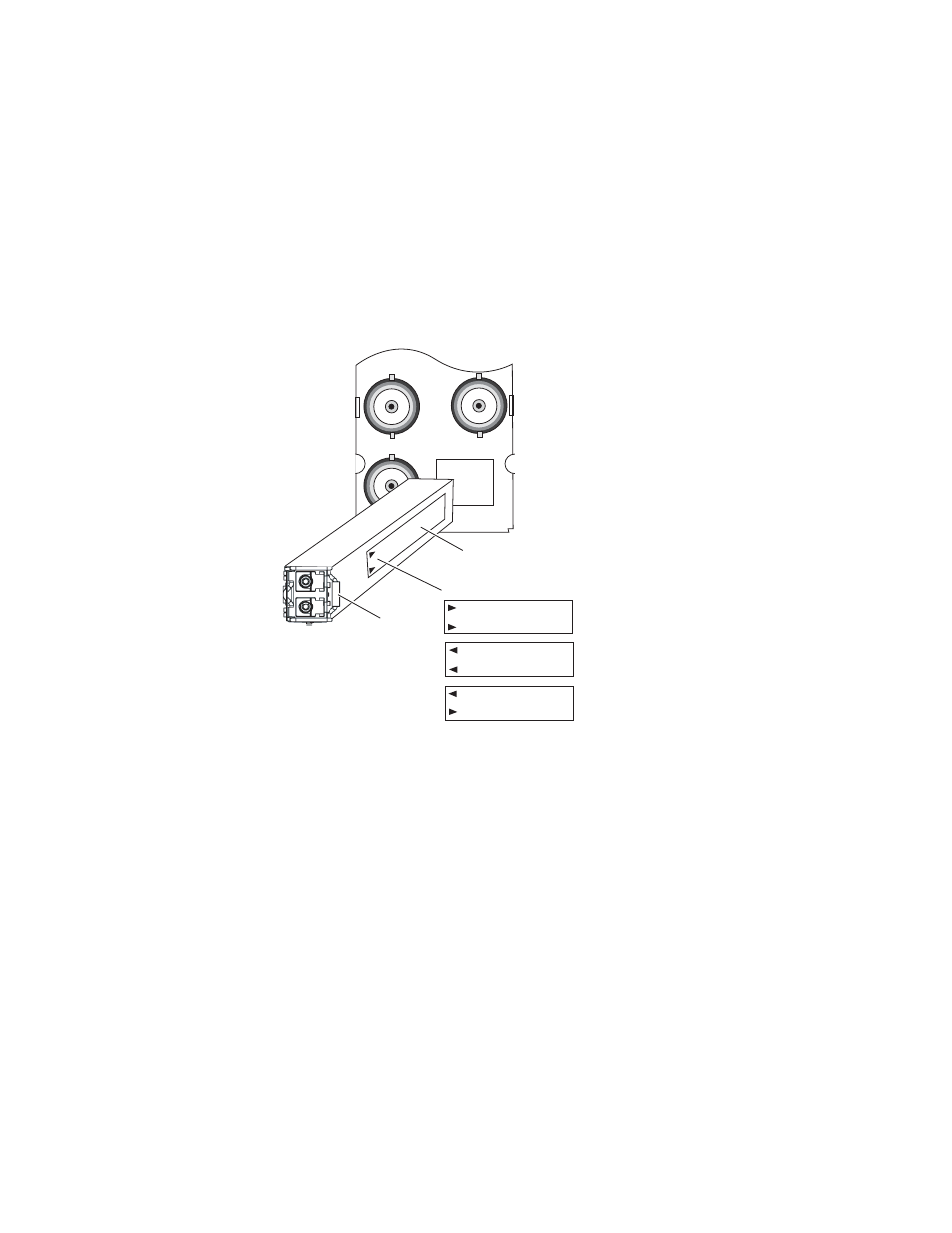
To install the fiber optic submodule:
1.
Slide the fiber optic submodule into the cage connector connected to the
front module at the rear of the frame (label on right).
2.
When installed properly, the front end of the submodule will line up
with the rear module BNCs. Do not try to force it in further.
3.
Cable the fiber optic connectors according to the instructions given in
depending on the type of submodule used.
Figure 4. Fiber Optic Submodule
To extract the fiber optic submodule follow the steps below:
1.
Remove the fiber cable first.
2.
Unlock the module by flipping the handle to the left.
3.
Remove the fiber optic submodule by using its handle.
FIBER
J7
J9
J8
8431_03
r1
Label
Handle
Arrow Indicators:
SFP-13103G-M1DTX
SFP-13103G-M1DRX
SFP-13103G-M1TRX