System config web page – Grass Valley 8925DMB-B User Manual
Page 32
Advertising
32
8925DMB-B and -U — Instruction Manual
Remote Configuration
System Config Web Page
Use
this
link
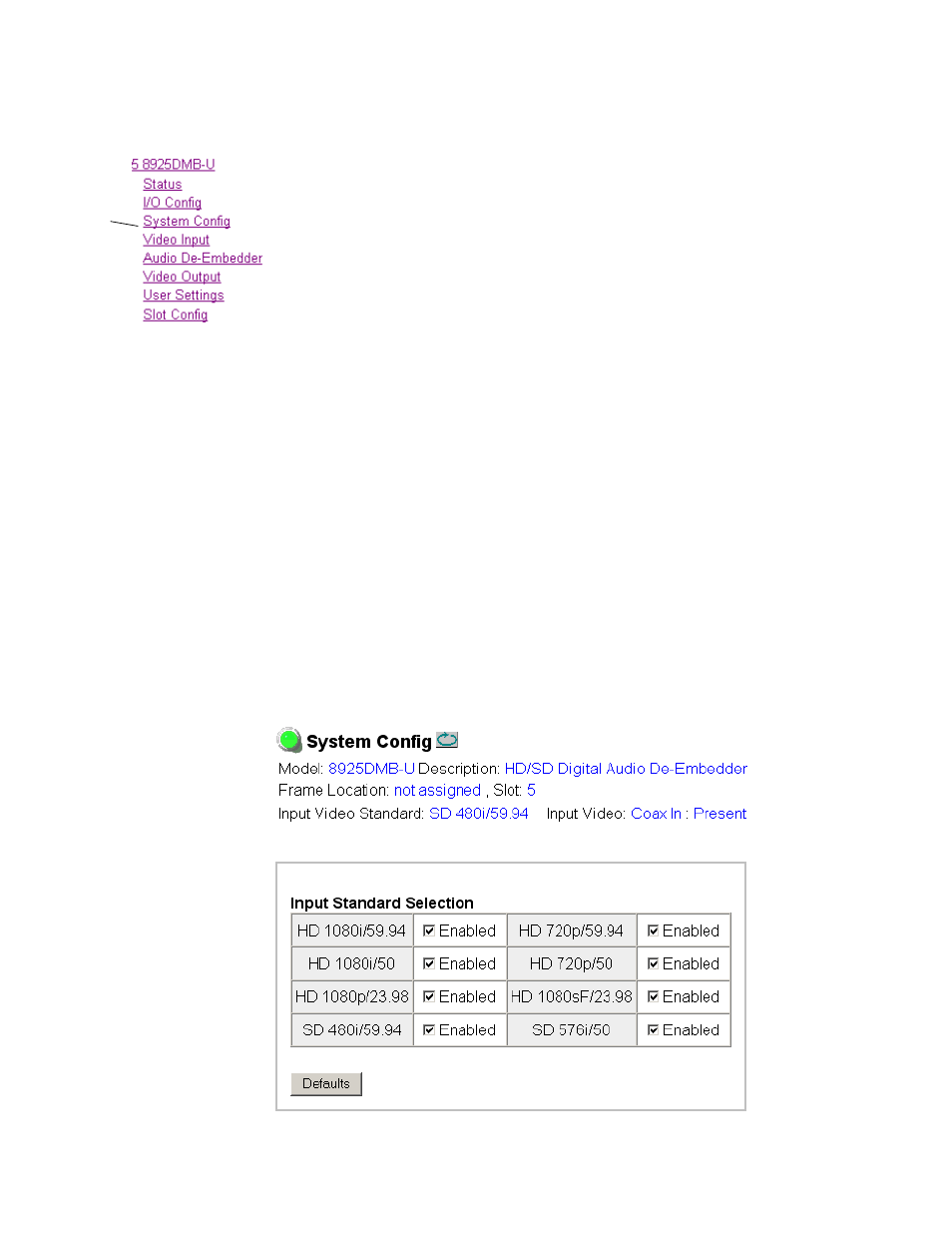
Use the System Config web page (
) to set the following system
configuration parameters for the module:
Input Standard Selection
Select any of the following input standards to be accepted by the module:
•
HD 1080i/59.94,
•
HD 1080i/50,
•
HD 1080p/23.98,
•
HD 1080sf/23.98,
•
HD 720p/59.94,
•
HD 720p/50,
•
SD 480i/59.94, and
•
SD 576i/50.
When a video format is input to the module it will be automatically
detected. If the standard matches the user selection it will be declared as
valid or it will generate an
Invalid Format
error.
Defaults Button
Select the
Defaults
button to restore the default video standard (all standards
selected).
Figure 14. System Config Web Page
Advertising
This manual is related to the following products: