Video output web page – Grass Valley 8925DMB-B User Manual
Page 37
8925DMB-B and -U — Instruction Manual
37
Remote Configuration
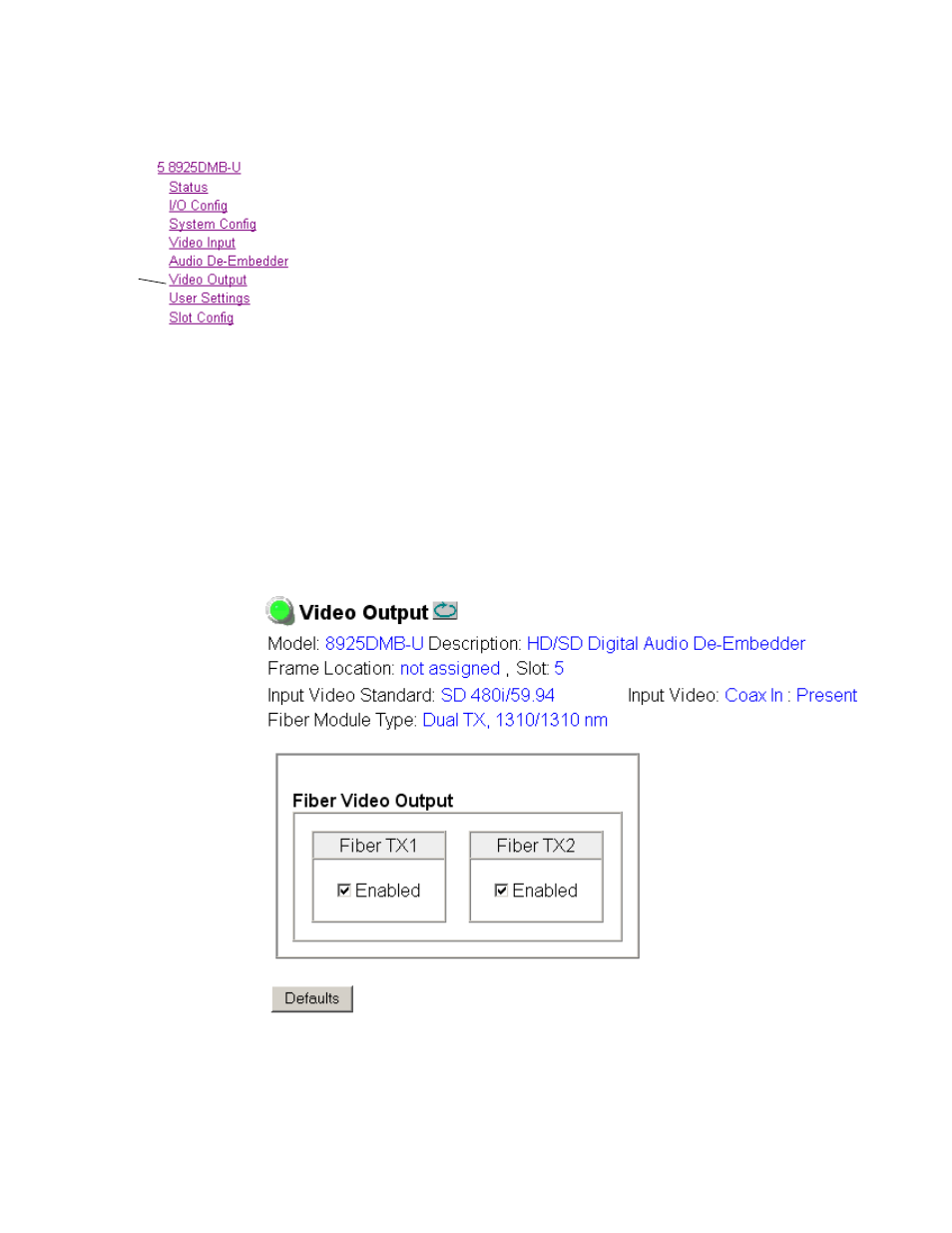
Video Output Web Page
Use
this
link
Use the Video Output web page to enable or disable the fiber optic sub-
module outputs when present.
Note
Fiber optic submodule will be present when either the 1310NM- DTL or
1310NM-TRL fiber optic submodule is installed.
Fiber Video Output
This section allows enabling of the fiber video output signals. Both outputs
can be enabled at the same time.
•
Fiber TX1
– check the
Enabled
checkbox to enable the output
(SFP-13103G-M1DTX submodule installed).
•
Fiber TX2
– check the
Enabled
checkbox to enable the output
(SFP-13103G-M1DTX or SFP-13103G-M1TRX submodule installed).
Defaults Button
Select the
Defaults
button to restore the default Video Output parameters
(fiber outputs disabled).
Figure 17. Video Output Web Page