HEIDENHAIN IK 5394-3D User Manual
Page 36
Advertising
Chapter 1 Overview
1-18
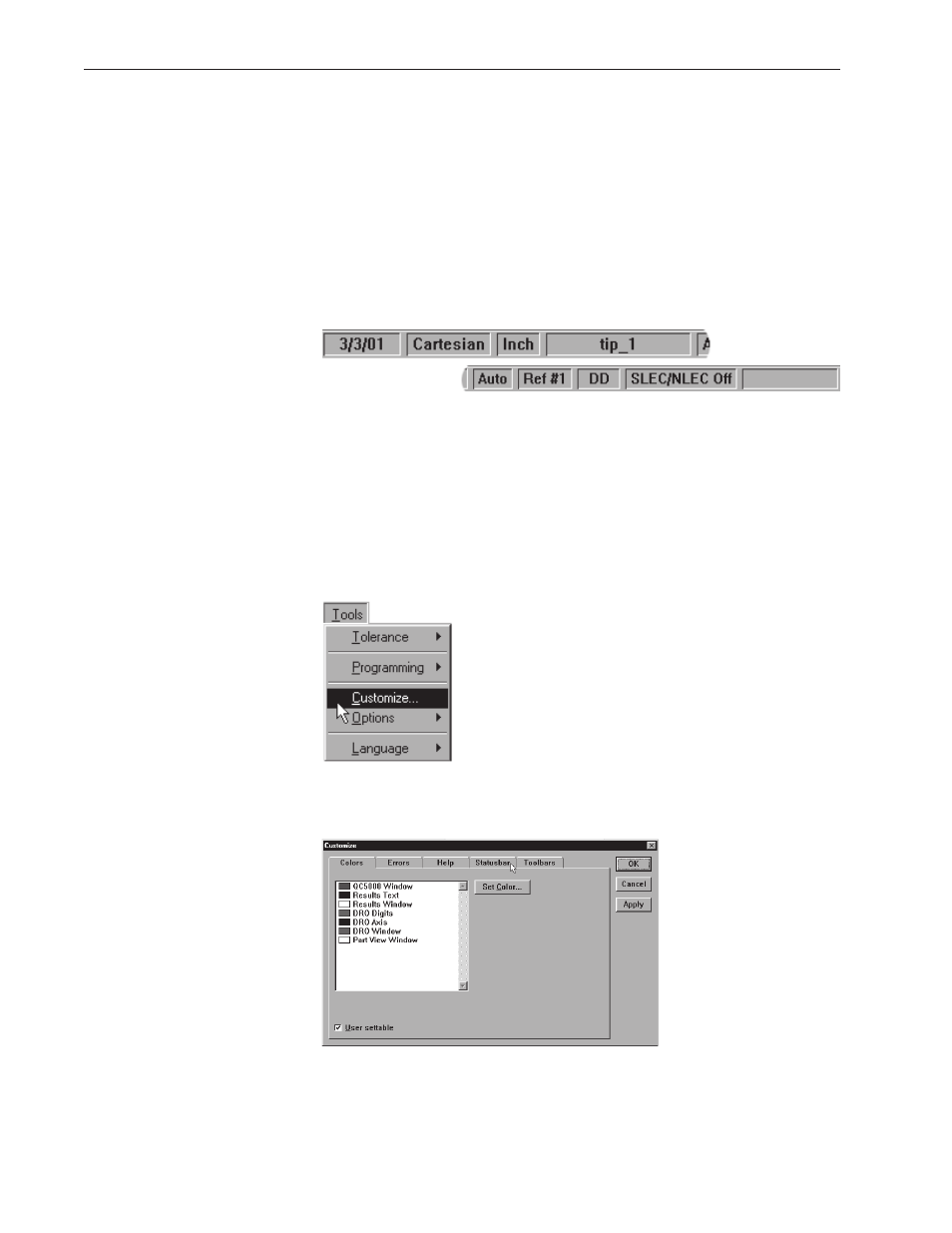
Status Bar
The status bar runs across the bottom of the screen and displays such as:
•
Date
•
Type of coordinates (Polar/Cartesian)
•
Selected units of measurement (in./mm)
•
Active Layer
•
Active probe tip
•
Projection Plane
•
Active Reference Frame
•
Angle Display Mode
•
SLEC/NLEC Status
•
Recording or Editing Mode
Use the status bar to toggle between settings. Place the cursor over the
mm/inch section of the status bar. Click the mouse to toggle between
inches and millimeters. This is a quick way to change the units of mea-
sure. Other settings in the status bar can be toggled in the same way.
To add items to the status bar
Step 1
Select customize from the tools menu.
Step 2
Select the status bar tab as shown.
Advertising
This manual is related to the following products: