Measure profile menu and toolbar functions – HEIDENHAIN IK 5394-3D User Manual
Page 558
A-14
Appendix A Profile measurement
Measure profile menu and toolbar functions
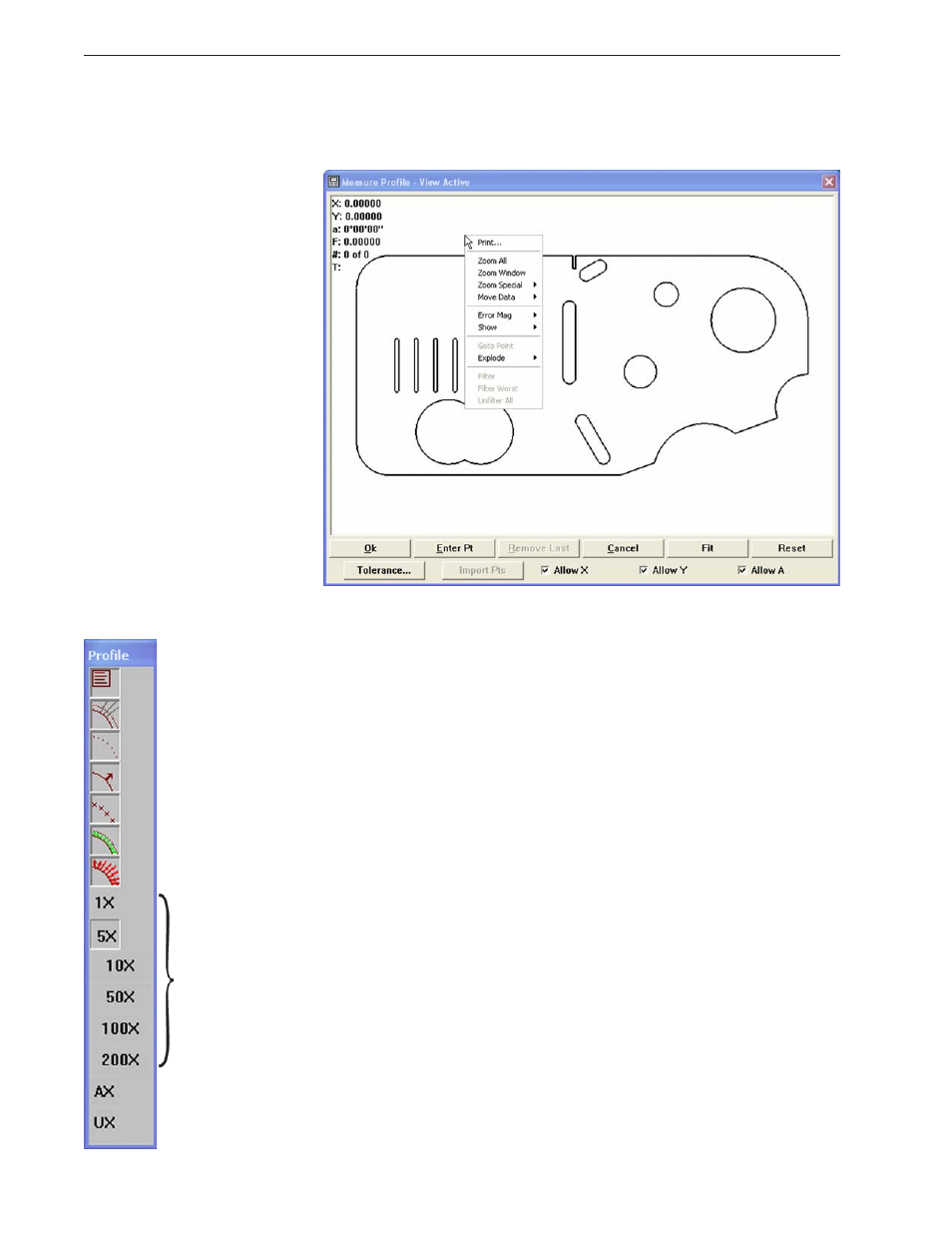
Right-click anywhere in the Measure profile window to display the measure
profile menu.
The Measure profile menu contains tools for:
•
Printing the contents of the Measure Profile window
•
Zooming in and out to display more or less detail
•
Moving the data cloud manually to facilitate the fit operation
•
Magnifying the display of form error whiskers
•
Showing or hiding profile fit information
•
Driving the CNC stage to a selected data point location
•
Sending (exploding) profile fit data to the Features template
as points and distances
•
Filtering selected points from the part data
•
Filtering the worst point from the part data
•
Restoring filtered data (unfiltering) to the part data
The Show/hide profile fit information and form error multiplier func-
tions of the Measure profile menu are duplicated in the Measure profile
toolbar shown at the right.
Results
Filtered
Tolerance
Material
Points
Passed
Failed
Form error
whisker
multiplier
Automatic multiplier
User-defined multiplier
Right-click anywhere in the Measure Profile window to display
the Measure Profile menu