Nikon KeyMission 80 User Manual
Page 12
xii
<Important> Notes About Shockproof, Waterproof, and Dustproof
Performance and Condensation
B
Precautions When Cleaning
• Do not puncture the microphone or speaker openings with a sharp implement. If the
inside of the camera is damaged, the waterproof performance will deteriorate.
• Do not use soap, neutral detergents, or chemicals such as benzene for cleaning.
Notes About Shockproof, Waterproof, and Dustproof
Performance
• Do not drop the camera, strike it against a hard object such as a rock, or throw it
against a water surface.
• Do not subject the camera to shock underwater.
- Do not subject the camera to water pressure by exposing it to rapids or
waterfalls.
- Do not expose to depths greater than 1 m (3 ft 3 in.) underwater.
- Make sure not to drop the camera underwater. This camera does not float in
water.
• Do not continuously immerse the camera in water for 30 minutes or more.
• Do not insert a wet memory card in the camera.
- Do not open the memory card slot/connector cover when the camera or your
hands are wet. Doing so may cause water to seep inside the camera or result in
camera malfunction.
• Do not open the memory card slot/connector cover underwater.
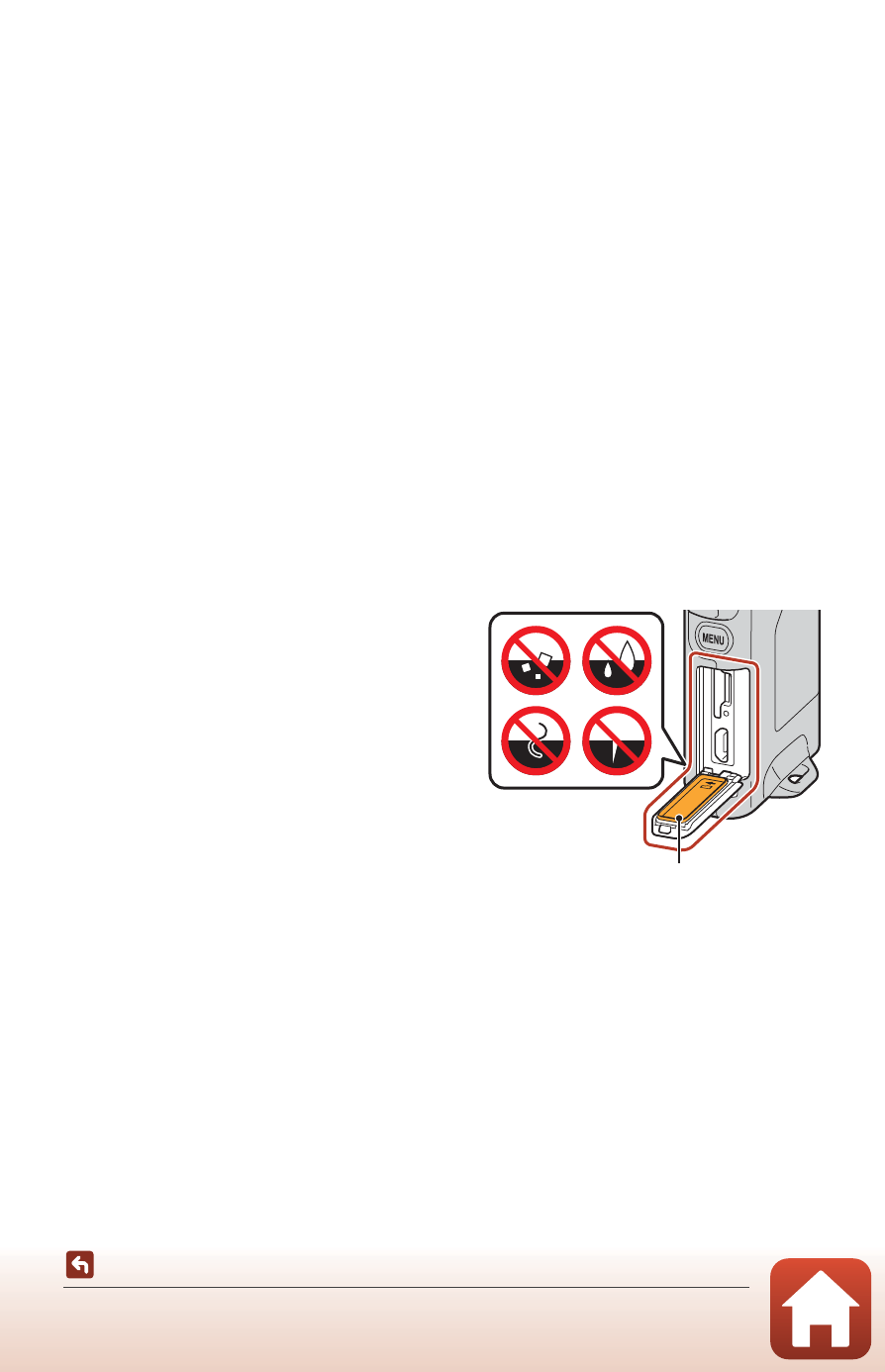
• If moisture such as water droplets
adheres to the outside of the camera or
inside of the memory card slot/connector
cover, immediately wipe it off with a soft
dry cloth.
- If a foreign substance adheres to the
outside of the camera or inside of the
memory card slot/connector cover,
immediately remove it with a blower
or a soft cloth.
• Do not leave the camera in cold
conditions or in hot conditions of 40°C
(104°F) or more for a long period of time.
- Doing so could cause deterioration of the waterproof performance.
• Do not use the camera at hot springs.
Waterproofing packing