Scene, N scene – Nikon KeyMission 80 User Manual
Page 52
36
The Photo Menu
n Scene
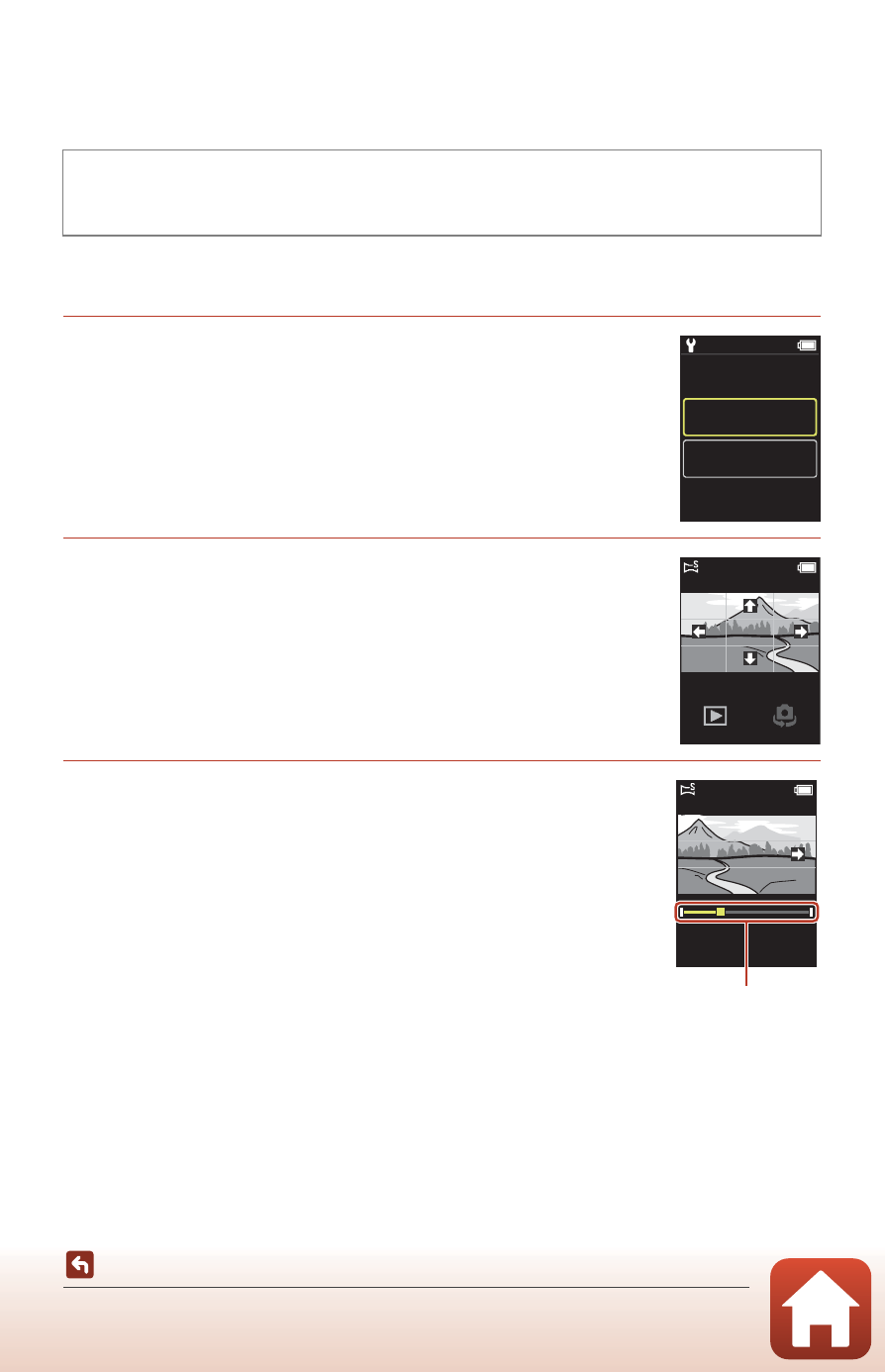
Easy Panorama
You can capture panorama images just by selecting the desired shooting range and
then moving the camera.
1
Select and tap Normal or Wide as the shooting
range.
2
Frame the first edge of the panorama scene,
press the shutter-release button, and then
release the shutter-release button.
• lmno are displayed to indicate the direction of camera
movement.
• The camera focuses in the center of the frame.
3
Move the camera in one of the four directions
until the guide indicator reaches the end.
• When the camera detects which direction it is moving in,
shooting begins.
• Shooting ends when the camera captures the specified
shooting range.
• Focus and exposure are locked until shooting ends.
Rotate the mode dial to A
M Press the d button M Tap n M
Easy panorama
15:30
Normal
Wide
500
Guide